
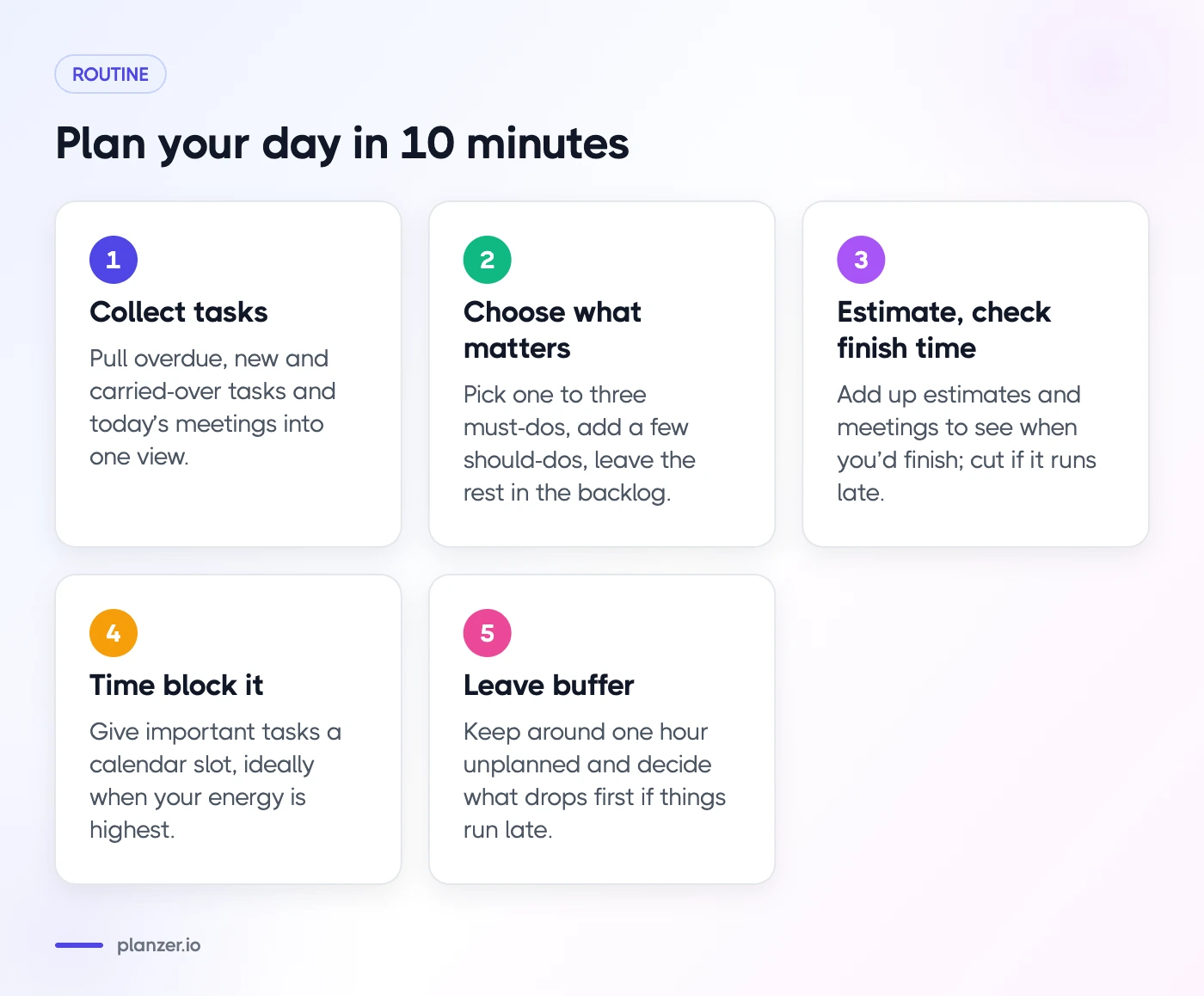
A daily planning ritual is a short routine you run at the start of each workday (or the evening before) to decide what today is for. The version in this guide takes about 10 minutes and has five steps: collect your tasks, choose what matters, estimate and check your finish time, time block it on your calendar, and leave buffer for surprises.
That’s the whole answer. The rest of this post shows you how to do each step well, with a script you can follow and an example day.
What a daily planning ritual is
A to-do list tells you what could be done. A daily plan tells you what will be done today, in roughly what order, and whether it fits. The ritual is the repeatable process that turns one into the other.
It’s a ritual rather than a one-off because the value builds up. When you plan the same way every day, you get faster at it, your estimates improve, and you stop starting the day by reacting to whatever lands in your inbox first.
If you’re still on the fence about planning at all, we’ve written about the benefits of planning your day. This post assumes you’re convinced and want a method.
Why a fixed routine beats good intentions
Psychologist Peter Gollwitzer’s research on implementation intentions suggests that specific “when X, I’ll do Y” plans are more likely to turn into action than general goals. A daily plan is a set of these: “At 09:30 I’ll draft the proposal”, not “I should work on the proposal at some point”.
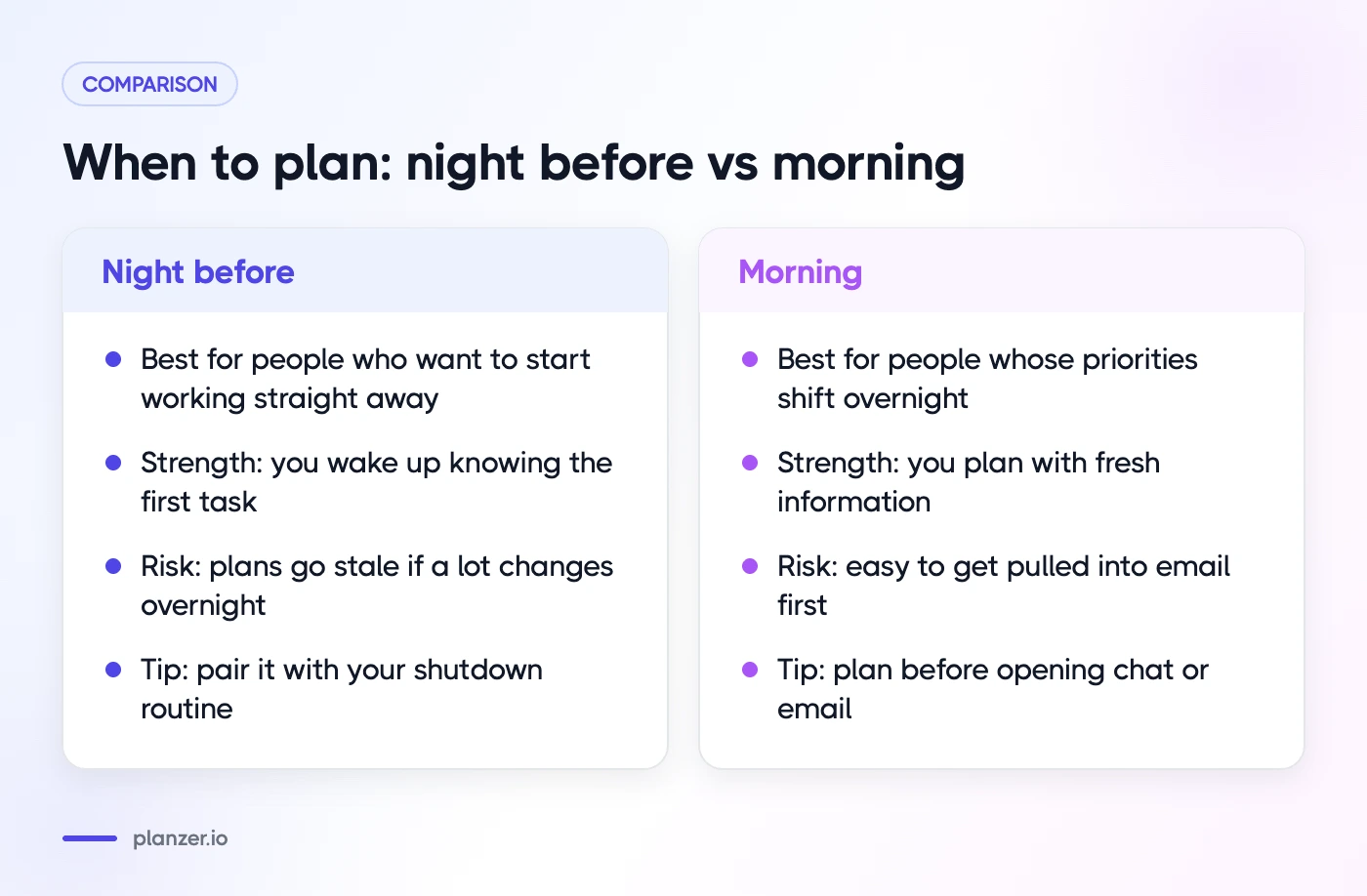
When to plan: night before vs morning
Both work. The best time is the one you’ll actually keep.
| Night before | Morning | |
|---|---|---|
| Best for | People who want to start working straight away | People whose priorities shift overnight |
| Strength | You wake up knowing the first task | You plan with fresh information |
| Risk | Plans go stale if a lot changes overnight | Easy to get pulled into email first |
| Tip | Pair it with your shutdown routine | Plan before opening chat or email |
A popular middle ground is to sketch tomorrow during your shutdown ritual (top tasks, rough estimates) and then confirm the plan in five minutes the next morning. That’s what the rest of this guide assumes, but every step works either way.
Step 1: Collect tasks from every inbox and tool
You can’t choose well if half your work is hidden in other apps. Spend two minutes pulling everything into view:
- Tasks that were planned for yesterday but didn’t get done
- Anything overdue
- New requests in email and chat
- Assigned issues or cards in work tools like Jira, Asana, Linear or Trello
- Today’s meetings and anything they need you to prepare
Don’t decide anything yet. The goal is a complete picture. If you work across several tools, a planner that shows them side by side, such as Planzer.io, saves a lot of tab-switching.
Step 2: Choose what matters today
Now cut the list down. Most days you can do far less than you think, so be picky.
- Pick one to three “must do” tasks. These would make today a good day even if nothing else happened. If you have deadlines, they usually go here.
- Add a few “should do” tasks. Useful, but they can slide to tomorrow without harm.
- Leave the rest in your backlog. Not today doesn’t mean never.
A quick test for each task: “If I don’t do this today, what happens?” If the honest answer is “nothing much”, it’s not a must.
Make tasks startable
Rewrite vague tasks into concrete actions before you schedule them. “Marketing” becomes “draft three subject lines for the October email”. You’re far more likely to start a task when the first step is obvious.
Step 3: Estimate and check your finish time
This is the step that separates a wish list from a plan. Give every task you picked a rough estimate: 15 minutes, 30 minutes, an hour, two hours. Don’t overthink it.
Then add it up. Take your start time, add the task estimates and your meetings, and see when you’d finish if everything went to plan.
- If the finish time is well before the end of your day, you have room for a “should do” task or two.
- If it’s after the end of your day, the plan is too full. Cut or move something now.
Most people underestimate how long tasks take, which is why this check matters so much. It’s called the planning fallacy, and the fix is simple: compare your estimates with actual time for a week or two, then adjust.
Step 4: Time block it on your calendar
Once the list fits, give the important tasks a slot on your calendar. Time blocking turns “I’ll get to it” into “I’ll do it at 10:00”, and it shows other people that time is taken.
- Block your must-do tasks first, ideally when your energy is highest.
- Group small tasks like email and admin into one or two blocks instead of scattering them.
- Work around meetings rather than squeezing deep work into 20-minute gaps.
If you use Google Calendar, our step-by-step guide to time blocking in Google Calendar covers the setup. You don’t have to block everything, though. Some people prefer to keep a short, ordered list and work down it. Both are valid, as long as you’ve checked that the day fits.
Step 5: Leave buffer for the unexpected
No plan survives the day unchanged. Someone will need something, a task will run long, or you’ll have a slow afternoon. Plan for it:
- Leave around one hour unplanned in a typical day, more if your role is interrupt-heavy.
- Put buffer after hard tasks and long meetings, not just at the end of the day.
- Decide in advance what gets dropped first if things run late. That’s your “should do” list.
When the plan falls apart (and some days it will), don’t scrap it. Take two minutes to re-plan: what’s left, what still matters, and what moves to tomorrow.
Example: a 10-minute daily plan
Here’s what the ritual looks like in practice for a product designer with two meetings.
08:50 – Collect (2 minutes). Yesterday’s unfinished “update onboarding flow”, two new Slack requests, one Jira ticket, a 10:30 stand-up and a 14:00 design review.
08:52 – Choose (2 minutes).
- Must: prepare for the 14:00 design review; update onboarding flow
- Should: reply to two Slack requests; triage the Jira ticket
- Backlog: research icon library alternatives
08:54 – Estimate (2 minutes). Review prep 45 min, onboarding flow 2 h, Slack replies 20 min, Jira triage 15 min. With 1 h 15 min of meetings, that’s about 4 h 35 min of planned time.
08:56 – Time block (3 minutes).
| Time | Block |
|---|---|
| 09:00–11:00 | Onboarding flow (deep work) |
| 10:30–10:45 | Stand-up (block moves around it) |
| 11:15–11:35 | Slack replies and Jira triage |
| 13:00–13:45 | Design review prep |
| 14:00–15:00 | Design review |
| 15:00–16:00 | Buffer and follow-ups |
08:59 – Check (1 minute). Planned work ends around 16:00, which leaves room before the usual 17:30 stop. Done. Start the first block.
A script you can copy
- What’s carried over, overdue or new?
- What are my one to three must-do tasks?
- How long will each take?
- When will I finish if I work down the list?
- When will I do each important task?
- Where’s my buffer?
For a printable version, try our daily planner template. If you’re brand new to planning, our 5 easy tips to get started with making a daily plan is a gentler starting point.
How to do this in Planzer.io
Planzer.io’s “Plan my day” follows the same shape in four guided steps. It starts with a briefing, then you pick tasks from your overdue list and backlog. Items from tools like Jira, Asana, Todoist and Google Calendar show in a sidebar, so you can drag them straight into the day.
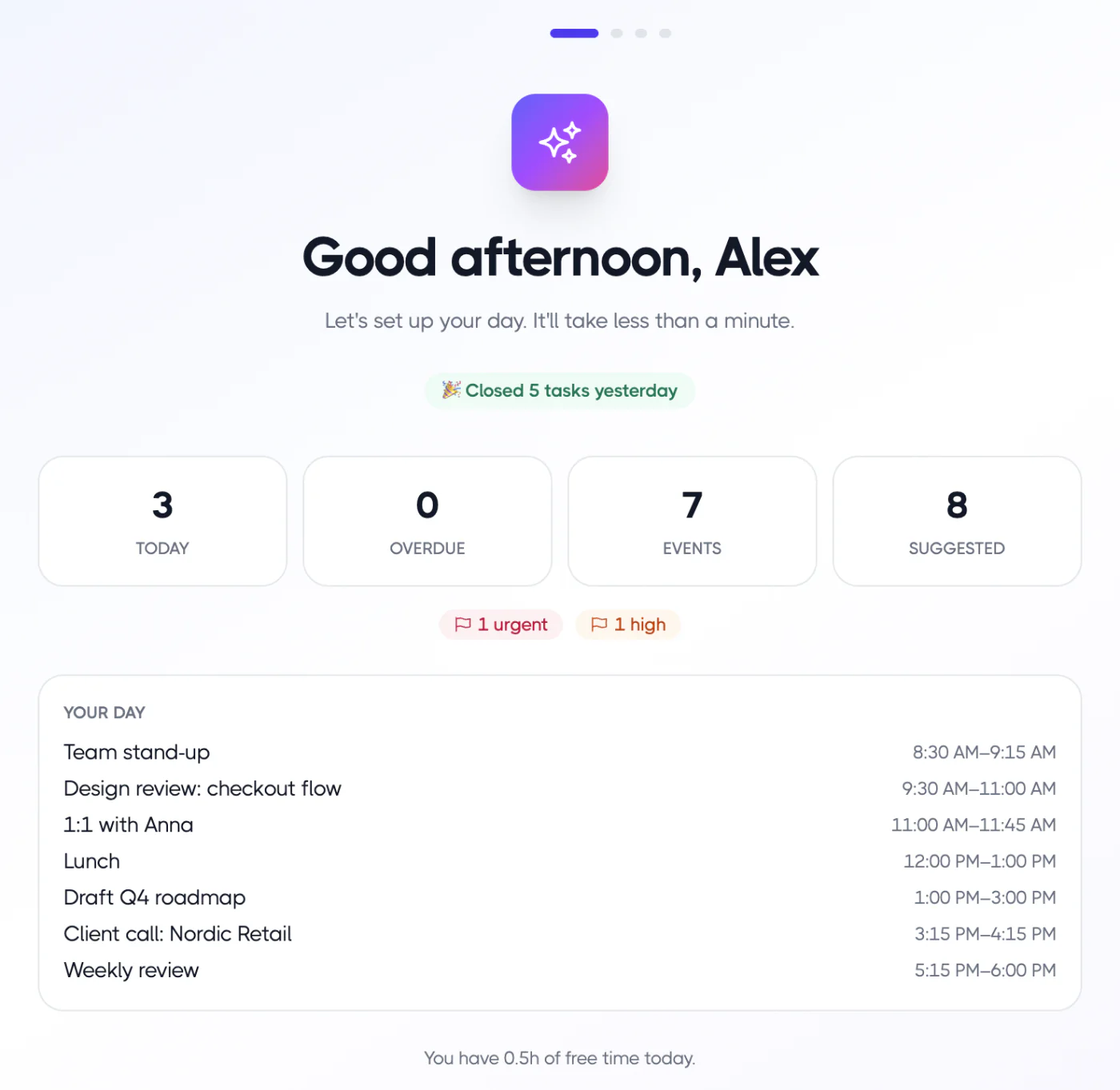
To schedule, choose “Plan it for me” to fit tasks into free slots between meetings within 09:00–18:00, or “Just keep on my list” if you’d rather work from an ordered list. Either way, the list shows start and end times and a “Done around …” finish time, so step 3 happens automatically. Then you start a focus session.
On Pro, “AI suggest top 3” can propose your must-do tasks. You can read more about that on our AI planning page, and the daily planning page covers the full flow.
FAQ
How long should daily planning take?
About 10 minutes once you’re used to it. The first few times may take 20. If it regularly takes longer, you’re probably reorganizing your whole backlog. Save that for your weekly review.
Should I plan my day on paper or in an app?
Paper is great for focus and has no setup. An app is better if your tasks live in several tools, if you want to time block on your calendar, or if you want to compare estimates with actual time. Many people use both.
What if my plan falls apart by noon?
Re-plan instead of abandoning it. Look at what’s left, keep your must-do tasks, push the rest to tomorrow and check your new finish time. A two-minute re-plan is part of the ritual, not a sign it failed.
How many tasks should I plan per day?
There’s no magic number. Plan by time rather than by count: one to three important tasks plus whatever smaller tasks fit, leaving buffer. If your finish time runs past your stopping time, you’ve planned too many.