A shutdown ritual is a short, repeatable routine you run at the end of every workday. In about 10 minutes you review what happened, decide what to do with anything unfinished, set up tomorrow and then stop working on purpose. The point isn’t to squeeze out one more task. It’s to give your brain a clear signal that work is handled, so you can actually leave it.
If you often close your laptop and keep thinking about work through dinner, this guide is for you. Below you’ll find where the idea comes from, a step-by-step routine, and a checklist you can copy.
What a shutdown ritual is (and where it comes from)
The term was popularized by computer scientist and author Cal Newport. In a 2009 post, Drastically Reduce Stress with a Work Shutdown Ritual, he described reviewing his task lists, calendar and weekly plan before stopping, then saying a set phrase to mark the end of the day.
That last part sounds odd, but it matters. A ritual works because it’s the same every time. After a few weeks, running through the steps becomes the cue that the workday is over.
A shutdown ritual is different from simply “finishing up”. Finishing up is open-ended: you keep going until you run out of energy. A shutdown ritual has a fixed start time, a fixed set of steps and a clear end.
What it isn’t
- It isn’t a time to start new work. If something takes more than a couple of minutes, it goes on tomorrow’s list.
- It isn’t a performance review. You’re looking at the day to learn from it, not to grade yourself.
- It isn’t long. If yours takes 30 minutes every day, it’ll stop happening.
Why your brain needs a clear end (the Zeigarnik effect)
In the 1920s, psychologist Bluma Zeigarnik reported that people remembered interrupted tasks better than completed ones. This became known as the Zeigarnik effect. The everyday version is familiar: an unfinished email or half-done report keeps popping into your head.
It’s fair to say the research is mixed. Later reviews have questioned how reliable the memory effect is. But the practical lesson holds up well for most people: open loops feel louder than closed ones, and writing down a clear next step makes them quieter.
That’s what a shutdown ritual does. You won’t finish everything, and you don’t need to. You just need every unfinished thing to have a home and a next step, so your brain can stop holding onto it.
The 10-minute shutdown ritual, step by step
Here’s the full routine. Set a recurring reminder about 15 minutes before you want to stop, so you have time to wrap up the task in front of you first.
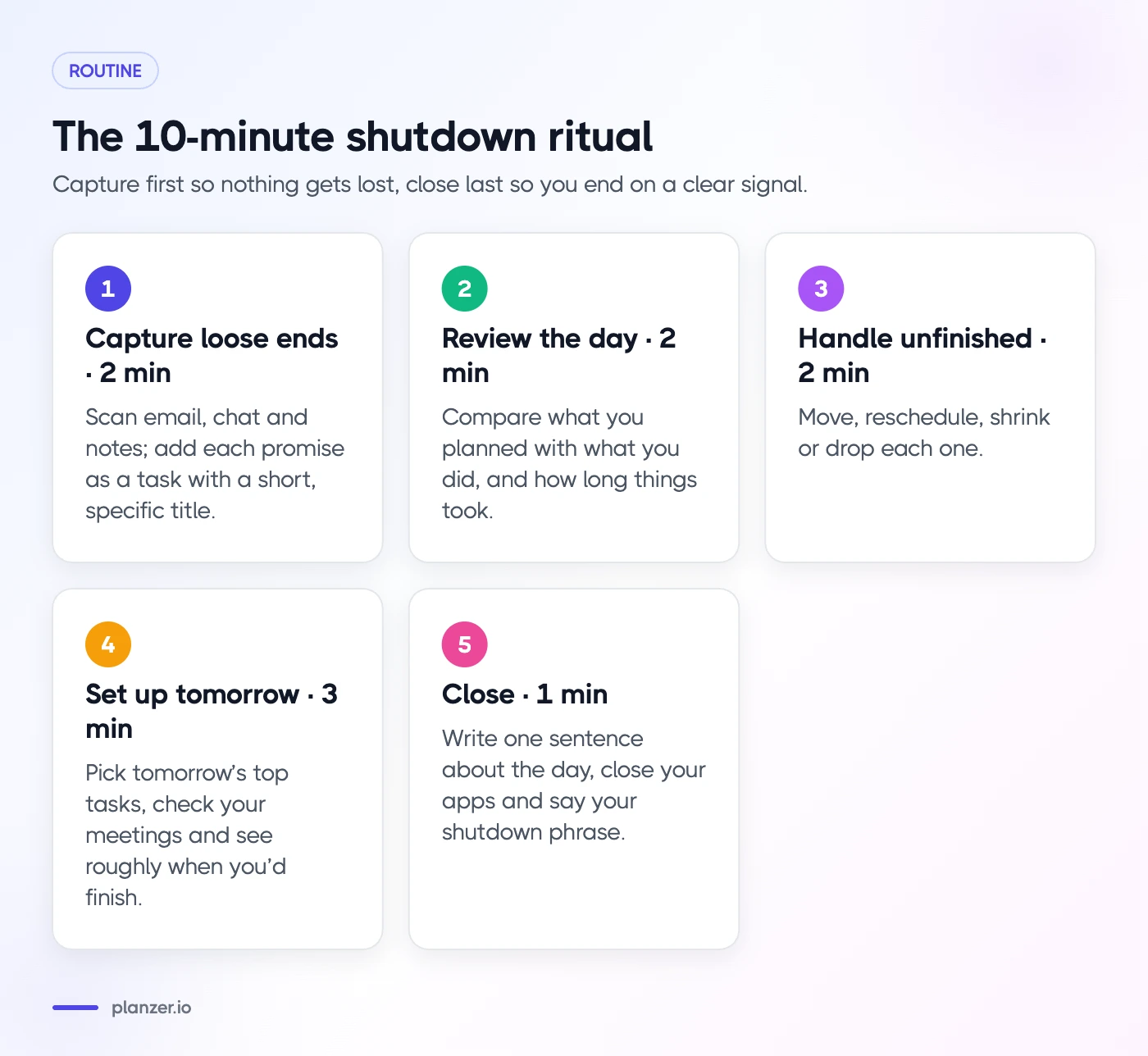
- Capture loose ends (2 minutes). Scan email, chat and notes for anything you promised today. Add each one to your task list with a short, specific title.
- Review the day (2 minutes). Look at what you planned against what you did, and how long things took.
- Deal with unfinished tasks (2 minutes). Move, reschedule, shrink or drop each one.
- Set up tomorrow (3 minutes). Pick tomorrow’s most important tasks, check your meetings and see roughly when you’d finish.
- Close (1 minute). Write one sentence about the day, close your apps and say your shutdown phrase.
The timings are a guide. Some days step 3 takes longer. The order matters more than the minutes: capture first, so nothing gets lost, and close last, so you end on a clear signal.
Reviewing the day: planned vs actual time
This is the step most people skip, and it’s the one that makes tomorrow’s plan better. Ask three quick questions:
- What did I finish? List your wins, even small ones. It’s easy to remember only what went wrong.
- What got in the way? Meetings that ran over, an urgent request, low energy, a task that was bigger than it looked.
- How long did things really take? Compare your estimates with the time you actually spent.
The last question is where the useful data lives. If a “30-minute” task regularly takes an hour, that’s not a willpower problem. It’s an estimation problem, and it’s very common. (We go deeper on this in our post on the planning fallacy.)
You don’t need perfect numbers. If you use a time tracking tool, glance at estimated vs actual. If you don’t, a rough note like “report took twice as long as planned” is enough.
A simple energy check
Rate your energy from 1 to 5 before you close. Over a few weeks you’ll spot patterns, such as which days drain you or whether late meetings wreck your next morning. It takes five seconds and it’s surprisingly honest.
What to do with unfinished tasks
Every unfinished task gets one of four decisions. Don’t leave any of them sitting in “today” by default.
- Move it to tomorrow if it’s still important and you know when you’ll do it.
- Schedule it later if it matters but not this week. Give it a date so it comes back.
- Shrink it if it’s too big. Replace “write proposal” with “outline proposal sections”. A task you can start is better than a task you avoid.
- Drop it if it no longer matters. Deleting a task is a valid decision, not a failure.
It also helps to tag why a task slipped. Common reasons are “underestimated”, “interrupted”, “blocked by someone” and “low energy”. After a couple of weeks, you’ll see whether your problem is planning, protection of your time or something else entirely.
Setting up tomorrow before you log off
A few minutes of setup tonight saves you a slow, foggy start tomorrow. Keep it light: you’re sketching the day, not scheduling every minute.
- Check tomorrow’s calendar. Note meetings and any prep they need.
- Pick your top one to three tasks. These are the things that would make tomorrow a good day if nothing else got done.
- Add rough estimates. Even guesses like 30 minutes or 2 hours help.
- Sanity-check the finish time. Add up your estimates and the meetings. If you’d finish at 20:00, the plan is too full. Cut or move something now, while it’s easy.
Tomorrow morning you can run a quick daily planning session to confirm the plan and adjust for anything that came in overnight. Our guide to the daily planning ritual walks through that morning side step by step.
Friday is different
On the last day of your week, swap “set up tomorrow” for a short look back at the whole week. A weekly review template gives you a structure for that, so Monday starts with a plan instead of a pile.
Shutdown ritual checklist (copy it)
Copy this into your notes app, task manager or a sticky note next to your screen.
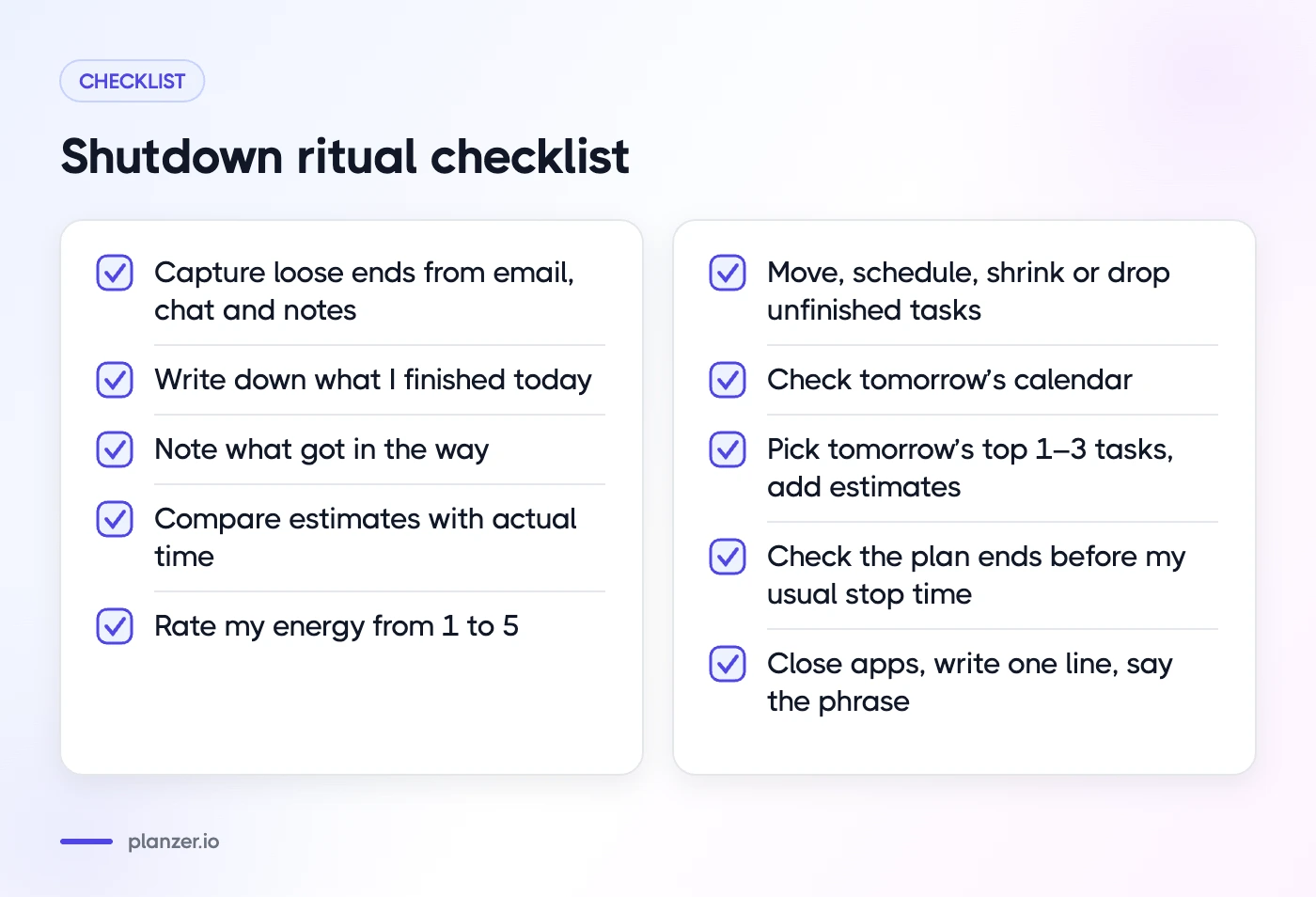
- Capture: email, chat and notes checked; every promise is a task
- Wins: wrote down what I finished today
- Blockers: noted what got in the way
- Time: compared estimates with actual time
- Energy: rated today from 1 to 5
- Unfinished: every task moved, scheduled, shrunk or dropped
- Tomorrow: calendar checked, top 1–3 tasks picked, rough estimates added
- Finish time: tomorrow’s plan ends before my usual stop time
- Close: apps closed, one-line note written, shutdown phrase said
Pick a shutdown phrase
Newport used “schedule shutdown, complete”. Yours can be anything: “Done for today”, “That’s a wrap”, or simply closing the laptop lid with intention. What matters is doing it the same way every day, so it becomes the off switch.
Make the ritual stick
A shutdown ritual is a habit, so treat it like one.
- Anchor it to a time. A reminder at the same time every day beats “when I’m done”.
- Start smaller than you think. If 10 minutes feels like too much, start with capture and tomorrow’s top task. Add the rest later.
- Protect the edge of the day. Avoid booking meetings in your last 30 minutes, so you have room to wrap up.
- Be kind when it slips. Missing a day doesn’t break the habit. Just do it tomorrow.
If you find it hard to switch off even after a good shutdown, our post on the art of slowing down has ideas for finding balance between productivity and rest.
How to do this in Planzer.io
Planzer.io has a built-in shutdown ritual called “Wind down the day”. It walks you through your wins, what got in the way and a 1–5 energy rating, and lets you tag why tasks slipped. Because Planzer.io tracks estimates against actual time, the review step uses real numbers instead of memory.
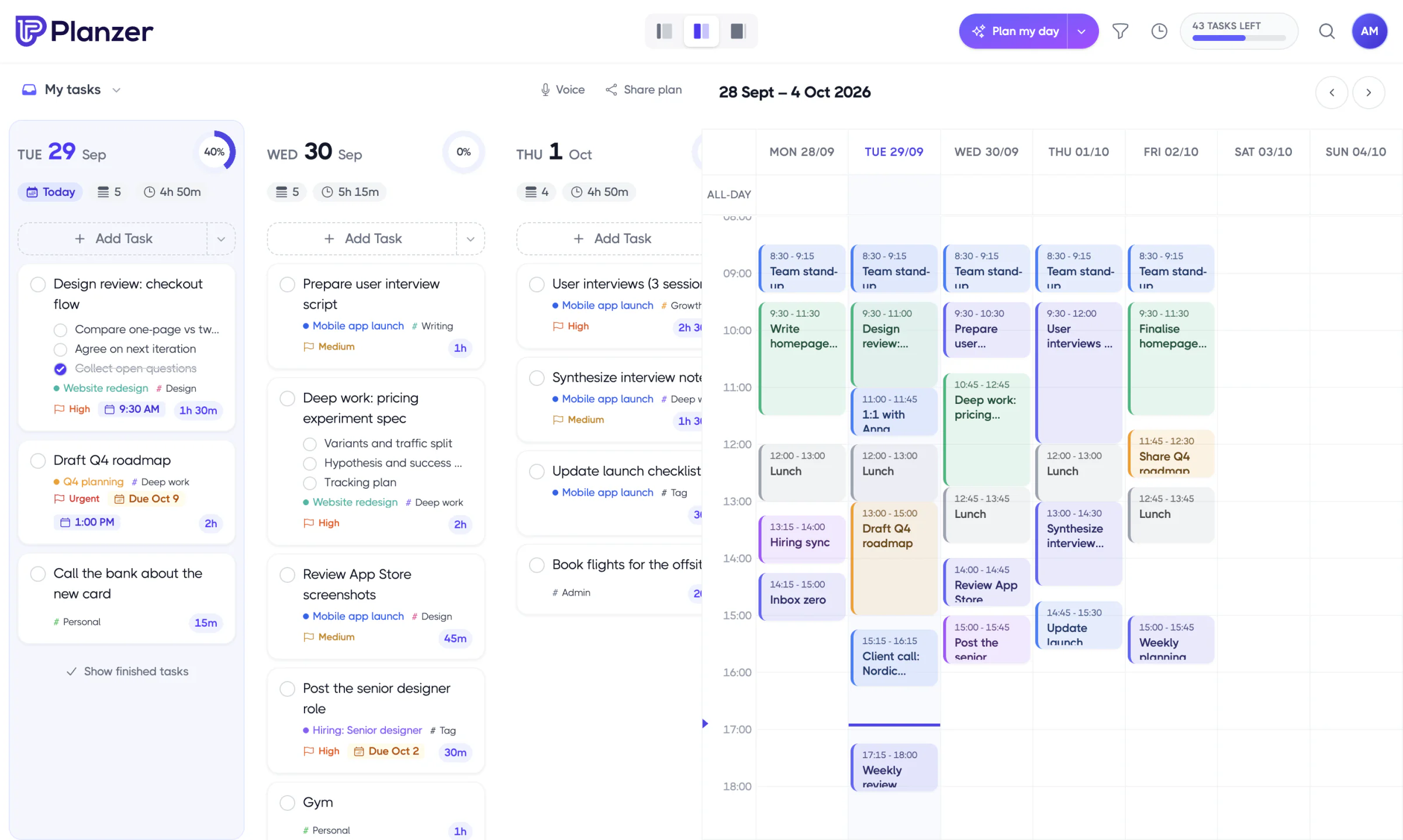
For the setup step, today’s list shows a running order with start and end times and a “Done around …” finish time that turns amber if it runs past your shutdown time. Meetings are worked around, so you can see at a glance whether tomorrow’s plan is realistic before you log off.
FAQ
How long should a shutdown ritual take?
Around 10 minutes for most people. Five minutes is fine if your days are simple. If it regularly takes more than 15, you’re probably doing work rather than wrapping up. Move that work to tomorrow’s list.
What should I say or do to end the workday?
Pick one consistent action: a phrase like “done for today”, closing every app, or shutting the laptop lid. The specific words don’t matter. Doing the same thing every day is what turns it into a signal.
Does a shutdown ritual help with burnout?
It can help with one part of it: the feeling that work never ends. A clear stopping point and a plan for tomorrow make it easier to rest. It won’t fix an unmanageable workload on its own, though. If you’re struggling, talk to your manager or a health professional.
Can I do a shutdown ritual if I work irregular hours?
Yes. Tie the ritual to the end of your work block rather than a clock time. Freelancers and shift workers often run a shorter version after each block and a fuller one at the end of the day.