
Deep work, one focus session at a time
Start a Pomodoro-style focus session on any task. Planzer.io keeps the task’s notes and subtasks in view, lets you know when time is up and reminds you to take a break.
Free plan available · No credit card needed
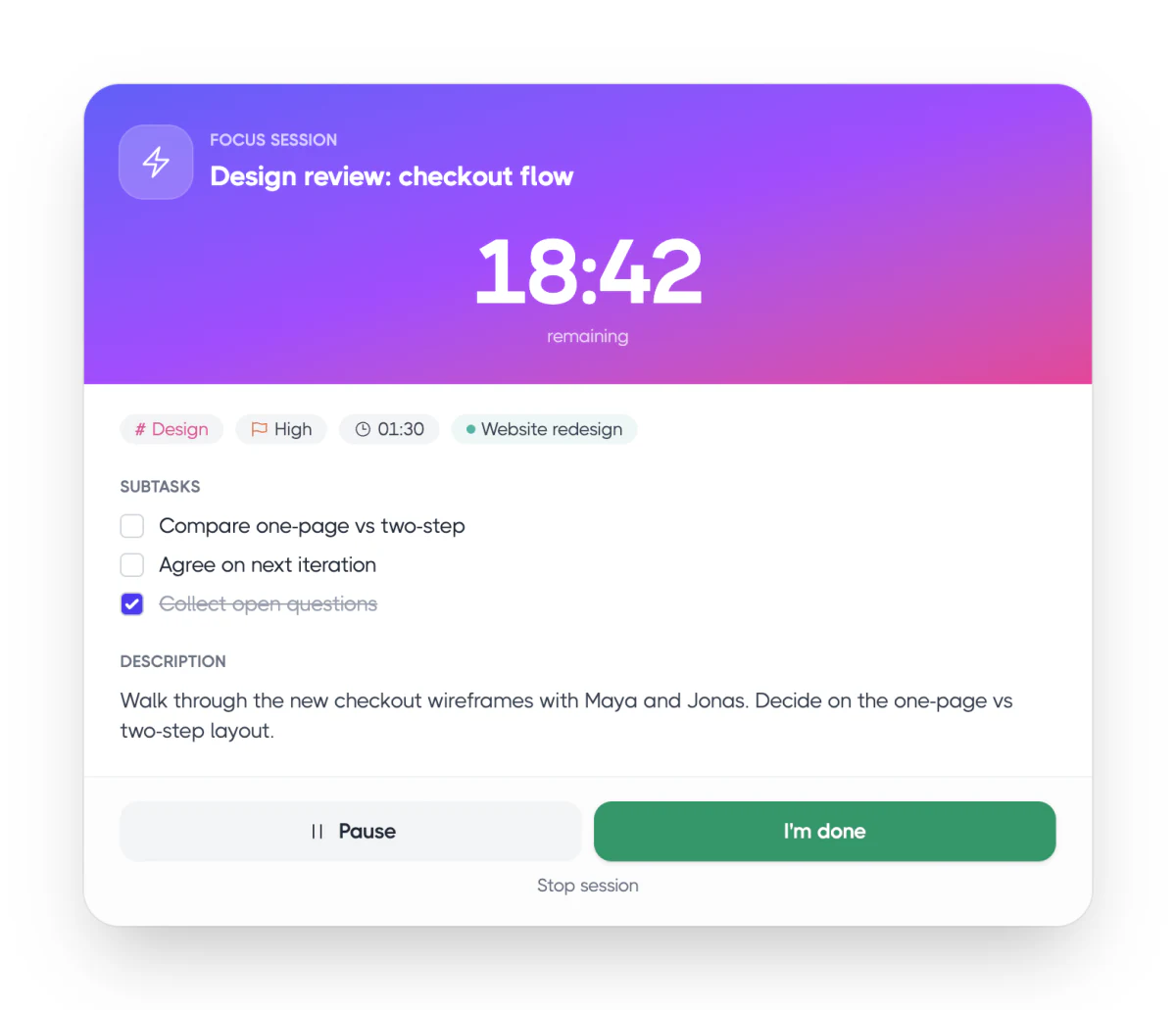
Focus sessions
Pick a length and start focusing
Choose 15, 25, 45 or 60 minutes, or set your own length, and link the session to a task. Pause when you need to, add five more minutes when you’re in the zone, or finish early with “I’m done”. Still going at 00:00? The timer keeps counting in overtime.
15, 25, 45 or 60 minute sessions
The task’s description, subtasks and attachments in view
A notification when the time is up
Focus sessions show a live countdown on your iPhone Lock Screen and in the Dynamic Island
Session length
Pick one15 minutes
Quick win
25 minutes
Classic Pomodoro
45 minutes
Deep work
60 minutes
The long haul
Breaks
Built-in breaks so you don’t burn out
When a session ends, take a short break — or skip it. Set your own break lengths, get a longer break after every few sessions, and let the next one start automatically if you like.
Short and long breaks you set yourself
Start another session in one click
Start a session from ⌘K or from any task
Break time
5 minStretch, breathe, refill your water
Break
Another session
Same task
Skip the break
Back to work
Time tracking
Pair focus with time tracking
Start the timer on the task you’re working on and compare estimated and actual time in Analytics. Task timers show how far past the estimate you are. On desktop, the running timer lives in your menu bar or system tray, and idle time is stopped automatically.
Timer on any task or subtask
Idle auto-stop from 5 minutes to 4 hours
Menu bar timer on macOS, tray timer on Windows and Linux
Timebox alerts (phone apps): when a planned task starts, Planzer notifies you, and you can start the timer right from the notification
Tracked today
6h 12mWrite product update
Client work
Design review prep
Website relaunch
Inbox zero
Admin
Sounds
Sounds that keep you on track
Pick how the timer tells you time is up, add a gentle chime so time doesn’t slip away, or play background sound while you work. Every sound is optional — turn them on in Settings → Sounds.
Timer alarms: flash only, once, every minute or until stopped
A gentle chime every 5 to 30 minutes
Background sound: brown noise, rain or waves
Settings → Sounds
OptionalTimer alarm
Every minute until you stop it
Gentle chime
Every 15 minutes
Background sound
Brown noise, rain or waves
Everything included
Everything you need to get in the zone
Pomodoro sessions
15 to 60 minute sessions tied to your tasks.
Pause and extend
Pause anytime, or add five more minutes when you’re on a roll.
Time-up alerts
Get a notification when your session ends, with an optional alarm sound.
Overtime
The focus timer keeps counting past 00:00, so you see how long you really went.
Global shortcut
On desktop, ⌘⌥T starts your next task or stops the timer from any app.
Timer on your lock screen
On iPhone, a Live Activity and the Dynamic Island show your running timer.
Ready for your first focus session?
Sign up for free and start planning your day. No credit card needed.