
Give every task a place in your calendar
Time blocking helps you plan all your tasks directly in your calendar. It makes sure you never plan more than you can handle, and lets you focus.
Start time blocking for free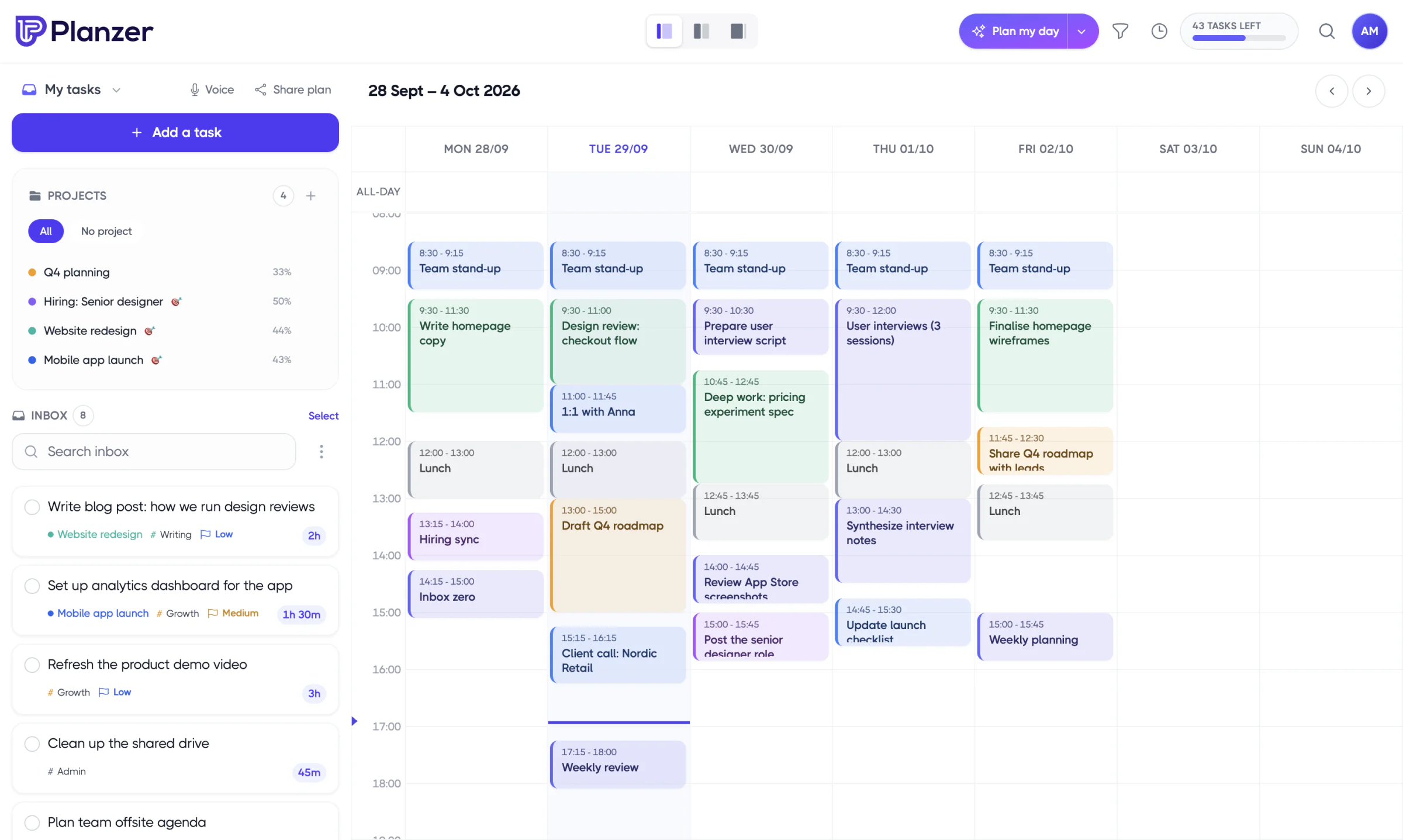
Calendars
Connect Google, Outlook or iCloud Calendar
Whether you use Google Calendar, Outlook Calendar or iCloud Calendar is up to you. In your calendar settings you choose the calendar you want to plan all your tasks in.


Drag and drop
Grab any task card and drop it straight onto your calendar — no drag handle needed. Move blocks around as your day changes.
Estimation
Your estimate sets the length of the block. Resize a task on the calendar and its estimate updates too. You can turn this off in Calendar settings.
Planning
Pull in exactly the tasks you need for the day. A live “now” line shows where you are, and on your phone you swipe between days.
Take control of your calendar
Sign up for free and start time blocking your day. No credit card needed.