
Everything you need to plan your day
Planzer.io brings your tasks, your calendar and your focus time together. Plan your day in minutes, block time for what matters, and see where your time really goes, on every device.
Free plan available · No credit card needed
Explore
Every feature, one planner
Daily planning
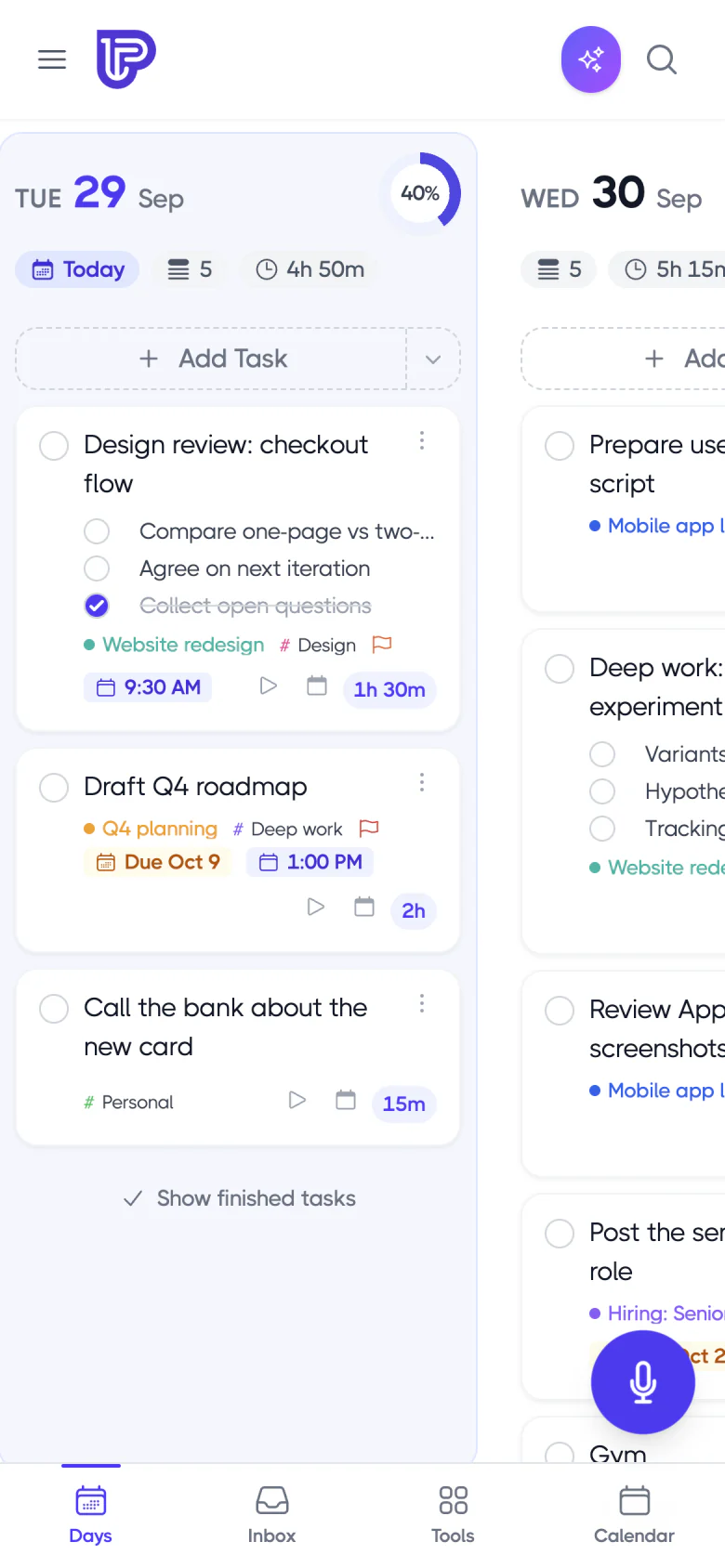
Plan my day in four guided steps, then wind down with a shutdown ritual.
Learn more →
Task management
Tasks, subtasks, repeating tasks, routines and templates in one list.
Learn more →
Time blocking
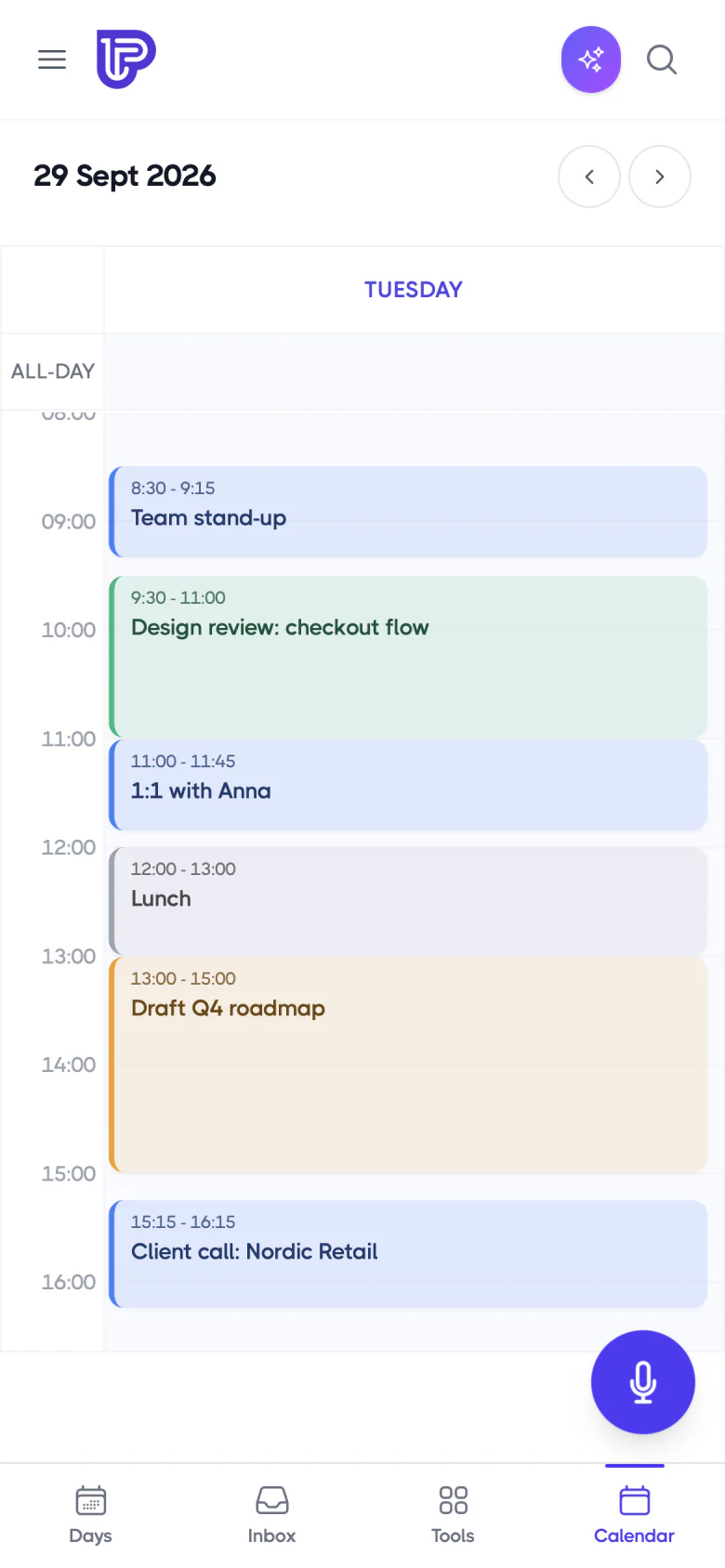
Drag any task onto Google, Outlook or iCloud Calendar as a real event.
Learn more →
Time tracking
Track time on tasks and see estimated vs actual, day by day.
Learn more →
Focus timer
Focus sessions with breaks, overtime and calming background sounds.
Learn more →
Projects and goals
Projects with milestones and goals, right next to your daily plan.
Learn more →
AI planning
Break tasks down, rank your list, review your week with AI and plan your day from Claude or ChatGPT (Pro).
Learn more →
Productivity analytics
Trends, estimates vs actual and the reasons your tasks slip.
Learn more →
Apps, widgets & themes
Web, iPhone, Apple Watch, Android, Mac, Windows and Linux, in your own colors.
Learn more →
Integrations
Pull in tasks from 16 tools, from Notion and Todoist to Jira and Linear.
Learn more →
Free templates & tools
Planner templates, a Pomodoro timer and an Eisenhower matrix, free to use.
Learn more →
Compare
See how Planzer.io compares with Sunsama, Motion, Akiflow and others.
Learn more →
Everything included
All the details, by area
Planning
Plan my day, Plan my week and Review my week, a shutdown ritual, routines, and a running order that shows when you’ll be done.
Calendar & time blocking
Google, Outlook and iCloud Calendar. Drag any task into your calendar, and resizing a block updates the estimate.
Focus & time
Focus sessions with overtime and Take five breaks, background sounds, time tracking and estimated vs actual.
Tasks & projects
Quick add with #tags, @projects and ~estimates, voice capture, repeating tasks with custom schedules, templates, saved filters, keyboard shortcuts, an inbox, and reminders you can tick off or snooze from the notification.
Apps & devices
Web, iPhone, iPad, Apple Watch, Android, Mac, Windows and Linux, with widgets, themes, Share to Planzer, Siri, live sync and offline mode.
Integrations
Asana, ClickUp, Monday.com, Notion, Todoist, Trello, Jira, Linear, GitHub, Slack and more, in a sidebar you drag from.
Plans
Start free, upgrade when you need more
The free plan covers 100 tasks and all 16 integrations, with no credit card needed. Pro adds unlimited tasks, AI features and file attachments for $10 a month, or $8 a month billed yearly.
Free: 100 tasks, every integration and every app
Pro: unlimited tasks, AI features and file attachments
No credit card needed to get started
Free vs Pro
Plans100 tasks
All integrations and apps
Unlimited tasks
No task limit
AI features
Break-down, ranking, weekly review, AI assistants (MCP)
File attachments
On any task
Try every feature for free
Sign up in under a minute and plan your first day today. No credit card needed.