The fastest way out of ADHD task paralysis is to make the first step so small it feels almost silly, decide what comes next before you need to, and use a timer to start rather than to finish. You don’t need more motivation. You need fewer decisions between you and the first action.
This guide explains what task paralysis is, why it hits so hard with ADHD, and a step-by-step way to get unstuck, including what to do when you freeze halfway through the day.
What ADHD task paralysis feels like
Task paralysis is the gap between knowing what you need to do and being able to start it. You might sit at your desk for an hour with the document open and not type a word. You might clean the kitchen, check your phone, reorganize your notes and answer three unimportant emails while the one task that matters sits untouched.
It often comes with a few familiar thoughts:
- “I’ll start once I’ve had a coffee / answered messages / found the right file.”
- “I don’t know where to begin, so I can’t begin.”
- “If I can’t do it properly, there’s no point starting now.”
- “There’s too much to do, so I’ll do none of it.”
From the outside, it can look like procrastination or laziness. From the inside, it feels more like being stuck in mud: you want to move, and you can’t. That frustration then feeds guilt, which makes starting even harder.
Why it happens: executive function and overwhelm
ADHD affects executive functions, the mental skills you use to plan, prioritize, start, switch and hold things in mind. Task initiation is one of them. When it’s under strain, the effort needed to get going is much higher than the effort needed to keep going once you’ve started.
Several things tend to stack up behind the freeze:
- Too many choices. A long list asks you to decide what matters most, which is itself a hard executive task. With twenty open options, picking one can feel impossible.
- Vague tasks. “Sort out taxes” or “work on the report” doesn’t tell your brain what to physically do first.
- Low interest or unclear reward. ADHD brains often run on interest and urgency. A dull task with a distant deadline gives you neither.
- Fear of doing it wrong. Perfectionism makes the first step feel like a judgment on your whole ability.
- Time blindness. If you can’t feel how long something will take, it can seem endless. (We cover this in more depth in our guide to time blindness.)
If you want a clinical overview of ADHD itself, the National Institute of Mental Health’s ADHD page is a solid place to start. The point here is practical: task paralysis is a predictable result of how your brain handles starting, not a character flaw. That means you can design around it.
Make the first step tiny
The single most useful move is to shrink the first step until starting costs almost nothing. Not “write the report” but “open the report and write one bad sentence.”
The five-minute rule
Ask yourself: what could I do on this task in five minutes? Then commit only to those five minutes. You’re allowed to stop after that. Often you won’t, because starting was the hard part. If you do stop, you’ve still moved the task forward and broken the freeze.
Write the first physical action
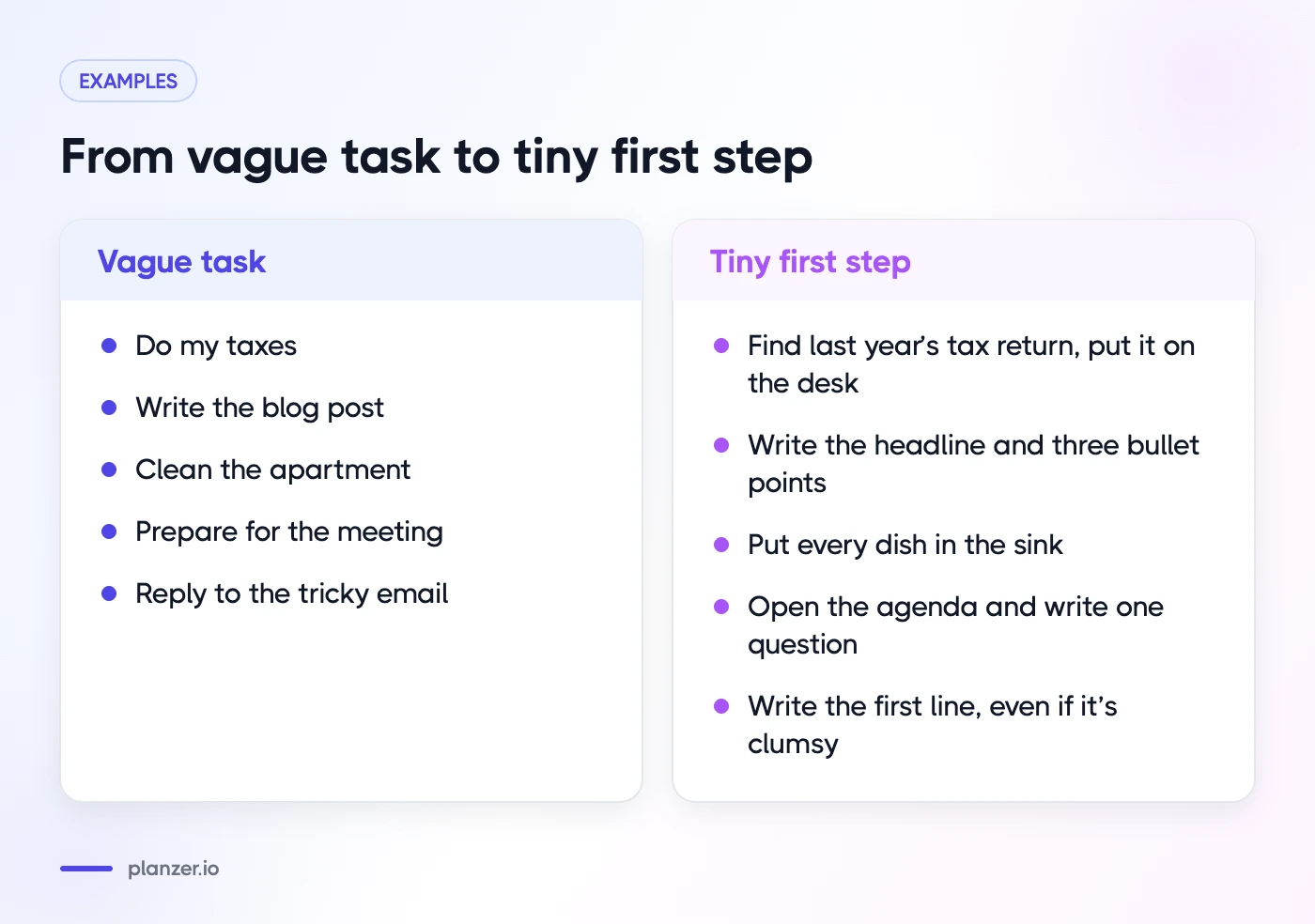
A good first step names an action your body can do. Compare these:
| Vague task | Tiny first step |
|---|---|
| Do my taxes | Find last year’s tax return and put it on the desk |
| Write the blog post | Write the headline and three bullet points |
| Clean the apartment | Put every dish in the sink |
| Prepare for the meeting | Open the agenda and write one question |
| Reply to the tricky email | Write the first line, even if it’s clumsy |
Break the task into a short checklist
For bigger tasks, write three to five subtasks, each small enough to start without thinking. Put them in order. Now you don’t have one huge task; you have a short list where only the first item matters. Our ADHD to-do list tips go deeper on structuring lists so they don’t overwhelm you.
A quick mini-template you can copy:
- Task: …
- Why it matters (one line): …
- First 5-minute step: …
- Next two steps: …
- Done means: …
The “done means” line is quietly powerful. It stops the task from feeling endless.
Decide in advance: a running order
Much of task paralysis is decision fatigue. Every time you finish something, you have to choose what’s next, and that choice is a new chance to freeze. The fix is to make those decisions once, in the morning or the evening before, when you’re calmer.
Here’s how:
- Pick a short list for today. Three to five real tasks is plenty on most days.
- Put them in the order you’ll do them. Start with something easy or interesting to build momentum, then tackle the hard one while you have energy.
- Add a rough estimate to each, even if it’s a guess.
- Write down meetings and fixed commitments so you can see the actual gaps.
Now the rule is simple: when you finish one, you do the next one on the list. No choosing. If you get stuck, the question isn’t “what should I do?” but “what’s the tiny first step of the next thing?”
A running order also helps with time blindness. When each task has a start and end time if you work down the list, you can see whether your day is realistic before you start, rather than discovering at 6 pm that it never was.
Use a timer to start, not to finish
Timers are often sold as deadline tools. For task paralysis, they work better as starting tools. Setting a short timer turns “do this whole task” into “do something for 15 minutes,” which is far easier to begin.
A few ways to use one:
- The 15-minute starter. Set 15 minutes and work only on the tiny first step. When it rings, decide whether to continue.
- Let it run over. If you’re in a groove when the timer ends, don’t stop just because it rang. A timer that counts into overtime lets you keep going without breaking focus. This is the idea behind the flowtime technique.
- Short, planned breaks. After a session, take five minutes away from the screen. A break with a clear end is easier to come back from than an open-ended scroll.
- Sound cues. A gentle chime every few minutes can pull you back if your attention drifts, without the jolt of a loud alarm.
We explain why timers help so many people with ADHD in time management tips for ADHD: why you need a timer. If you want something you can start straight away in your browser, try the Planzer.io focus timer.
What to do when you’re frozen mid-day
Mornings aren’t the only problem. Many people start fine, then lock up after lunch, after a hard meeting or after an interruption. When that happens, run through this short reset:
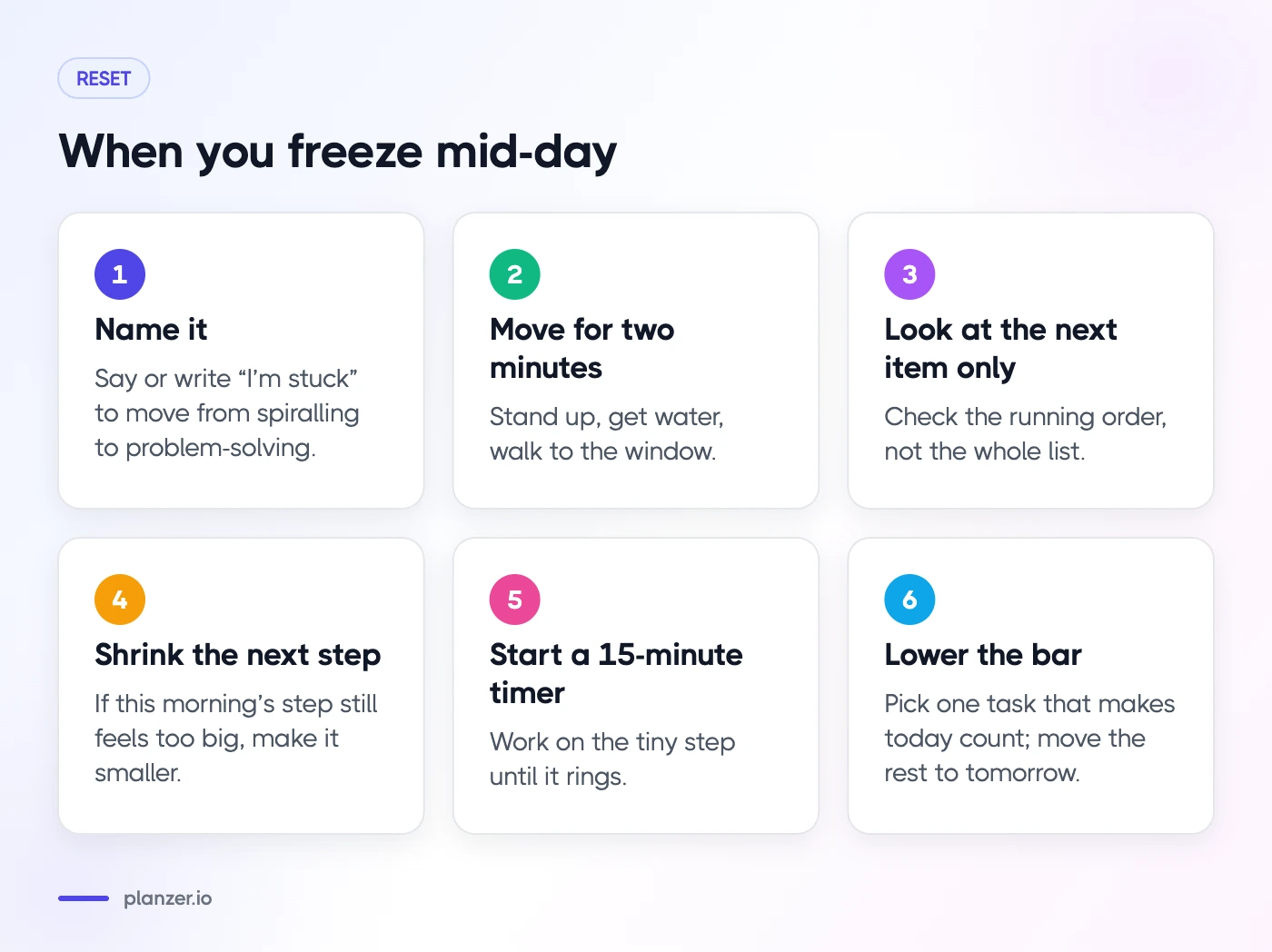
- Name it. Say or write “I’m stuck.” It sounds trivial, but naming it moves you from spiralling to problem-solving.
- Move your body for two minutes. Stand up, get water, walk to the window. A short physical change often loosens the freeze.
- Look at the running order, not the whole list. You only need the next item. Hide everything else if you can.
- Shrink the next step again. If the step you wrote this morning still feels too big, make it smaller.
- Start a 15-minute timer. Work on the tiny step until it rings.
- Lower the bar for the rest of the day. If your energy has crashed, pick one task that would make today count and move the rest to tomorrow. A smaller, finished day beats a big, frozen one.
Try body doubling
Body doubling means working alongside another person, in the same room or on a video call, while each of you does your own task. Many people with ADHD find it makes starting much easier, perhaps because someone else’s presence adds gentle accountability. Co-working sessions, a friend on a call, or even working in a café can all serve this purpose.
Change the environment
Sometimes the room is the problem. Move to a different spot, put on headphones with brown noise or rain sounds, close every tab that isn’t needed, and put your phone in another room. Small changes to your surroundings reduce the number of things competing for your attention.
How to do this in Planzer.io
Planzer.io is a daily planner, and a few of its features line up neatly with the steps above:
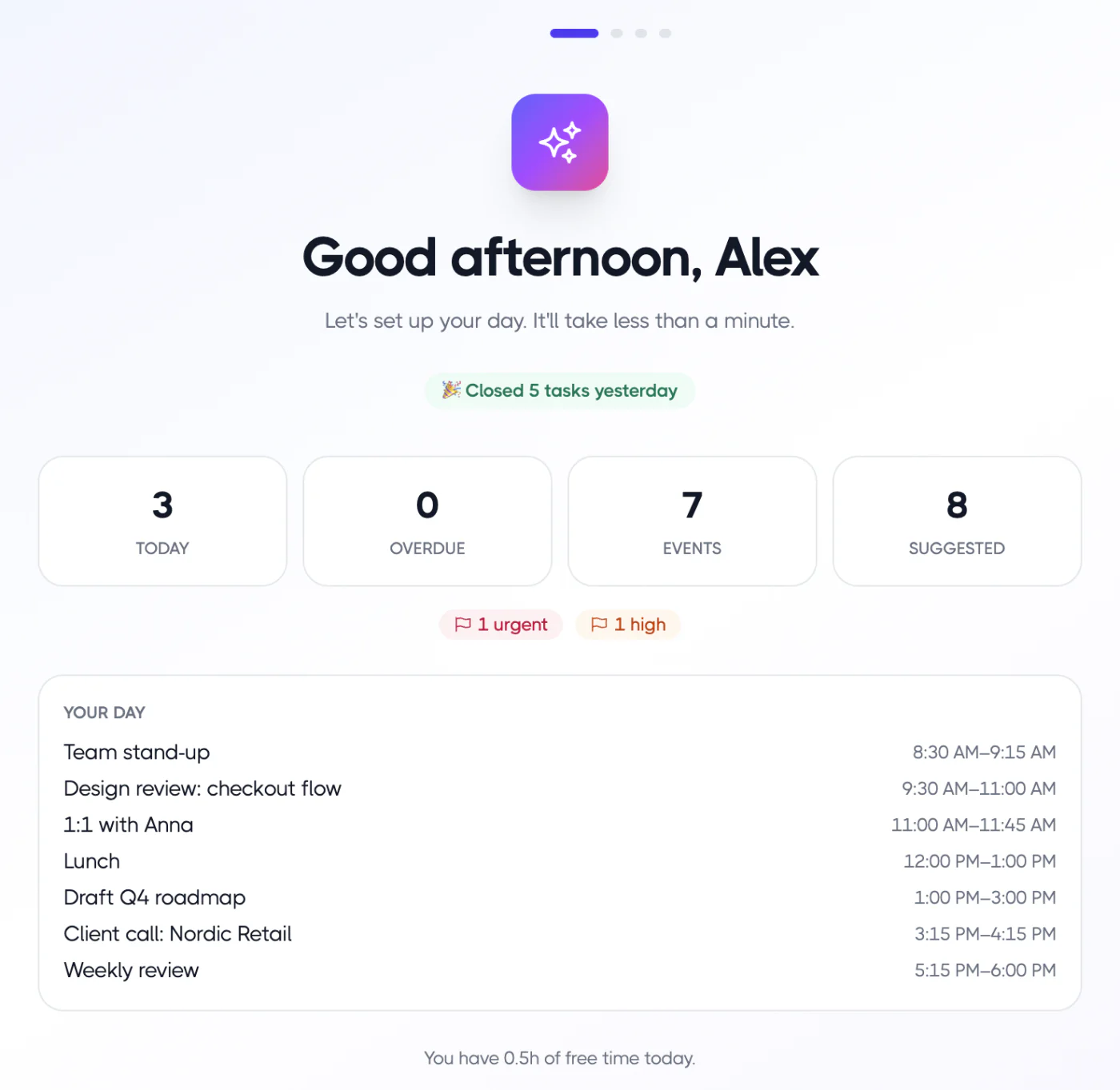
- Plan my day walks you through choosing today’s tasks, scheduling them and starting to focus, so the deciding happens once, up front.
- Running order shows a start and end time for each of today’s tasks if you work down the list, plus a “Done around …” finish time that turns amber after your shutdown time. You can see at a glance if the day is too full.
- Focus sessions of 15, 25, 45 or 60 minutes keep counting into overtime past 00:00 if you’re in the flow, and “Take five” gives you a five-minute break.
- Templates let you save a task with its subtasks, so recurring tasks you tend to avoid come with the tiny first steps already written.
- Voice input lets you talk to add tasks when typing feels like too much.
You can read more about how Planzer.io approaches planning with ADHD. The free plan covers up to 100 tasks, which is plenty to try the method.
FAQ
Is task paralysis an ADHD symptom?
“Task paralysis” isn’t a formal diagnostic term, but difficulty starting tasks is closely linked to the executive function challenges common in ADHD. People without ADHD can experience it too, especially under stress or overwhelm. If it’s affecting your work or life significantly, it’s worth talking to a doctor or ADHD specialist.
How do I stop ADHD paralysis fast?
Shrink the next step to something you can do in under five minutes, start a 15-minute timer, and do only that step. Moving your body briefly first can help. Don’t try to solve the whole day; solve the next five minutes.
Does body doubling help with task paralysis?
Many people with ADHD say it does. Working next to someone, in person or on a call, adds light accountability and makes starting feel less lonely. It’s low-cost to try, so test it for a week and see how it feels for you.
Should I start with the hardest task?
Not necessarily. If the hardest task is what’s freezing you, start with something quick and easy to build momentum, then move to the hard one while your energy is still good. The key is that the order is decided in advance.