Time blocking can work well with ADHD, but not the classic version where every 30 minutes is assigned a task. What sticks is a looser approach: a few big theme blocks instead of minute-by-minute plans, buffer time between them, routines that remove small decisions, and a quick way to replan when the day goes sideways. The goal isn’t a perfect schedule. It’s a day with enough structure to start things and enough slack to recover.
This guide explains why the rigid version breaks, how to build a flexible one, and includes an example ADHD daily schedule you can adapt.
Why classic time blocking breaks for ADHD brains
ADHD affects attention, organization and impulse control, as the National Institute of Mental Health describes. Several of those traits collide with traditional time blocking advice:
- Time blindness. If it’s hard to feel how long things take or how much time has passed, a schedule built on precise estimates falls apart fast.
- Hyperfocus. When you’re deep in something interesting, a block ending at 10:30 doesn’t stop you. By the time you look up, three blocks have gone.
- Task initiation. A block that says “Start report” doesn’t make starting easier if the report feels huge and vague.
- All-or-nothing thinking. One missed block can make the whole plan feel ruined, and it’s tempting to abandon it for the day.
None of this means you can’t plan. It means the plan has to be built for how your brain actually works, not how a productivity book says it should. If time blindness is a big one for you, our guide to time blindness goes deeper.
Flexible blocks: themes, not minute-by-minute
Instead of assigning a specific task to every slot, give each block a theme: a type of work. Then pick the specific task inside the block when it starts.
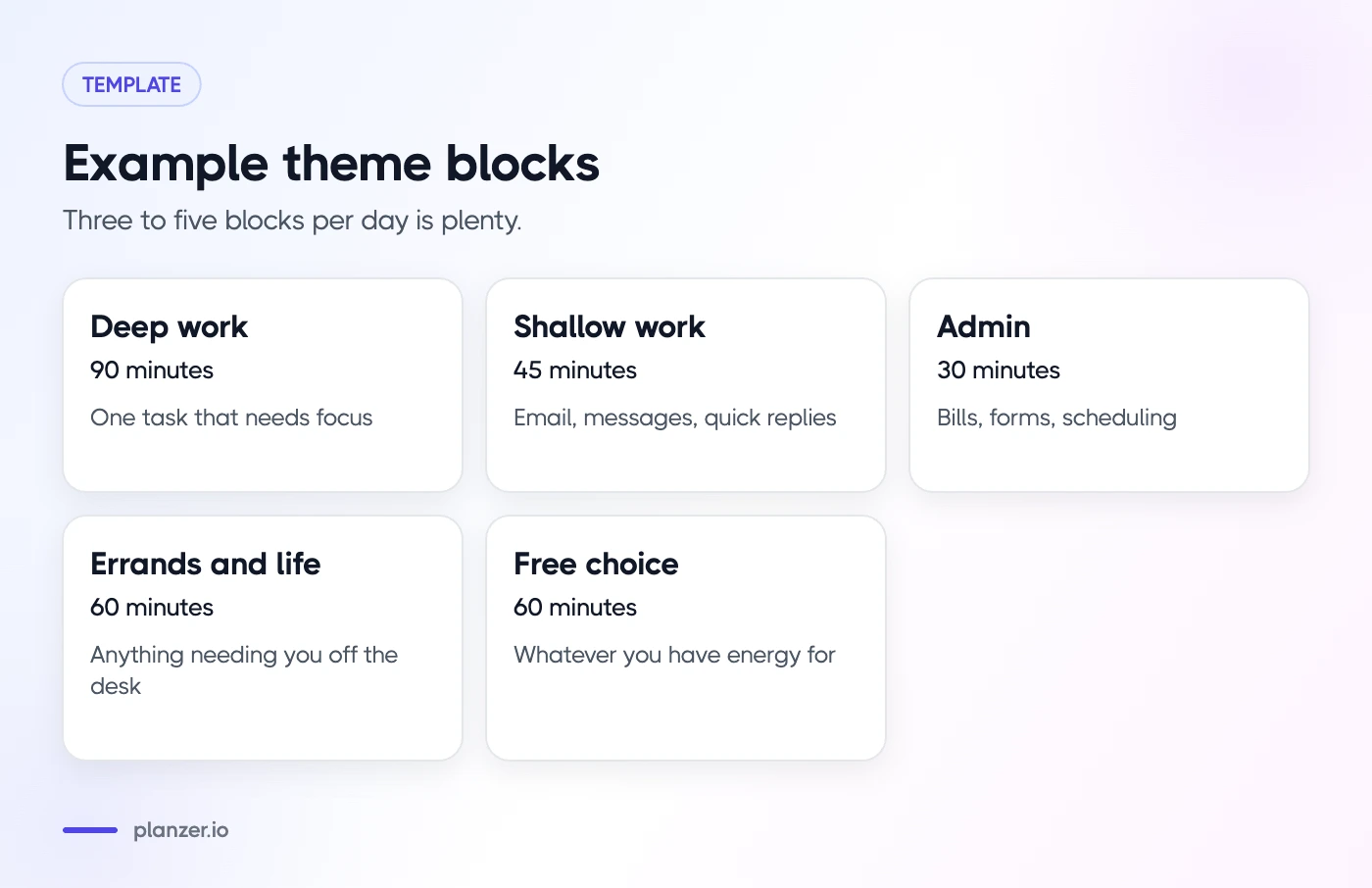
Example theme blocks
- Deep work (90 minutes): one important task that needs focus
- Shallow work (45 minutes): email, messages, quick replies
- Admin (30 minutes): bills, forms, scheduling
- Errands and life (60 minutes): anything that needs leaving the desk
- Free choice (60 minutes): whatever you have energy for, from a short list
Theme blocks give you structure without locking you into a single task. If the report feels impossible at 10:00, you can switch to another deep work task without feeling like you broke the plan.
Keep the number of blocks small
Three to five blocks per day is plenty. More blocks mean more transitions, and transitions are often where ADHD days go off the rails. A typical day might be one deep work block, one shallow block, one admin block and some open time.
Buffer blocks and transition time
Buffers are what make a time-blocked day survive real life. Plan for them on purpose:
- 15 minutes between blocks. Use it to finish up, stretch, refill water and look at what’s next.
- A 30–60 minute catch-up block in the afternoon for anything that spilled over.
- Double your first estimate for new or unclear tasks. If it really takes less, enjoy the free time.
Make transitions visible and audible
Transitions are hard because there’s no clear signal to stop. Give yourself one:
- A timer with an alarm at the end of each block.
- A gentle chime every 15 or 30 minutes so time passing becomes something you can hear.
- Background sound like brown noise that you only use for focus blocks, so it becomes a cue to start.
- A short “closing ritual” at the end of each block: write one sentence about where you stopped.
That last one makes it much easier to pick up again later, which matters a lot if hyperfocus pulls you somewhere else.
Use routines and templates to reduce decisions
Every small decision costs energy. ADHD-friendly planning removes as many of them as possible.
Routines for recurring structure
A routine is a set of tasks you do in the same order, like a morning startup or an end-of-day wrap-up. Write them down once, then reuse them.
Morning startup routine (15 minutes):
- Water and meds, if you take them
- Look at today’s calendar
- Pick one deep work task
- Put phone in another room or on focus mode
- Start the first block
End-of-day routine (10 minutes):
- Note what you finished
- Move unfinished tasks to tomorrow or later
- Pick tomorrow’s first task
- Close all tabs
Templates for repeat tasks
If you do the same kind of task often, like publishing a newsletter or onboarding a client, write a template with every step as a subtask. Next time you don’t have to figure out where to start. You just open the template and work down the list. For a ready-made starting point, try our time blocking template.
Replan without guilt when the day slips
The day will slip. That’s not failure; it’s information. What matters is how quickly you can get back on track.
The 5-minute replan
When you notice you’re off plan, stop and do this:
- Check the time. How much of the day is actually left?
- Look at your remaining blocks. Which ones still make sense?
- Pick one thing that must happen today. Just one.
- Move everything else to tomorrow or later this week. Don’t delete it; move it.
- Start the next block, even if it’s just 15 minutes.
Let a tool do the shuffling
Rearranging blocks by hand can be its own source of overwhelm. This is where auto-planning helps. Instead of deciding where every task goes, you let the tool fit your tasks into the free time you have left, then adjust what doesn’t feel right. Our explainer on auto-scheduling covers when that helps and when it doesn’t.
Talk to yourself like a friend
“I lost the morning, I’ll pick one thing for the afternoon” beats “I wasted the whole day again.” Plans are tools, not tests.
Example ADHD-friendly daily schedule
Here’s an example for someone working from home with a few meetings. Adapt the times to your own energy: some people focus best in the morning, others late in the day.
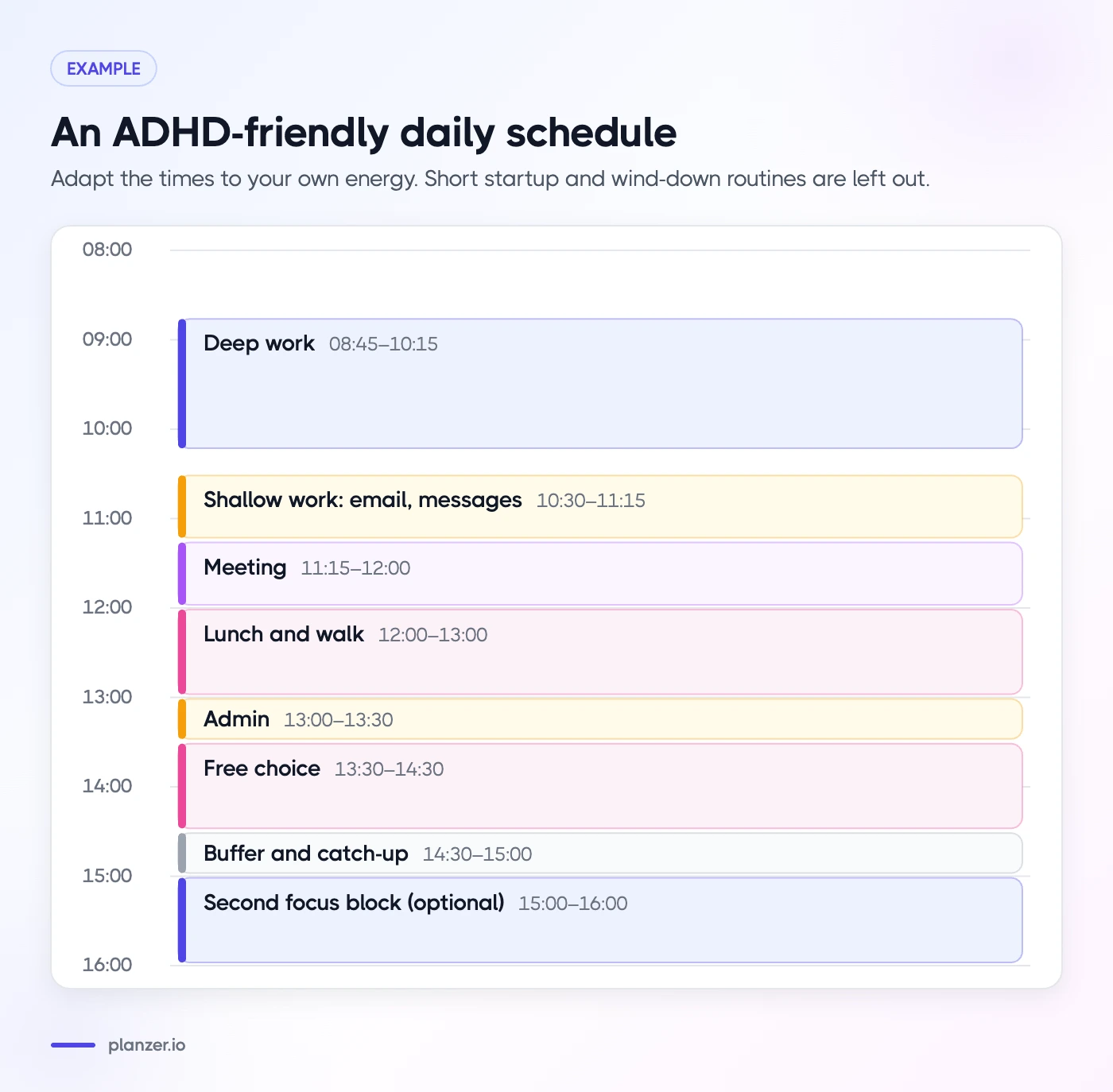
| Time | Block | Notes |
|---|---|---|
| 08:30–08:45 | Startup routine | Calendar, pick one deep task |
| 08:45–10:15 | Deep work | One task, brown noise, phone away |
| 10:15–10:30 | Buffer | Move, water, note where you stopped |
| 10:30–11:15 | Shallow work | Email and messages, timer on |
| 11:15–12:00 | Meeting | Prep notes in the buffer before |
| 12:00–13:00 | Lunch and walk | Away from the desk |
| 13:00–13:30 | Admin | Short list, small wins |
| 13:30–14:30 | Free choice | Pick from a short list based on energy |
| 14:30–15:00 | Buffer and catch-up | Whatever spilled over |
| 15:00–16:00 | Second focus block, optional | Only if energy allows |
| 16:00–16:10 | Wind down | Wins, tomorrow’s first task |
Notice how much of this day is not assigned to specific tasks. That’s deliberate. The structure is there to help you start and stop, not to judge you.
How to do this in Planzer.io
Planzer.io was built with flexible planning in mind, and many of its features map to the approach above. You can find more on our ADHD planner page.
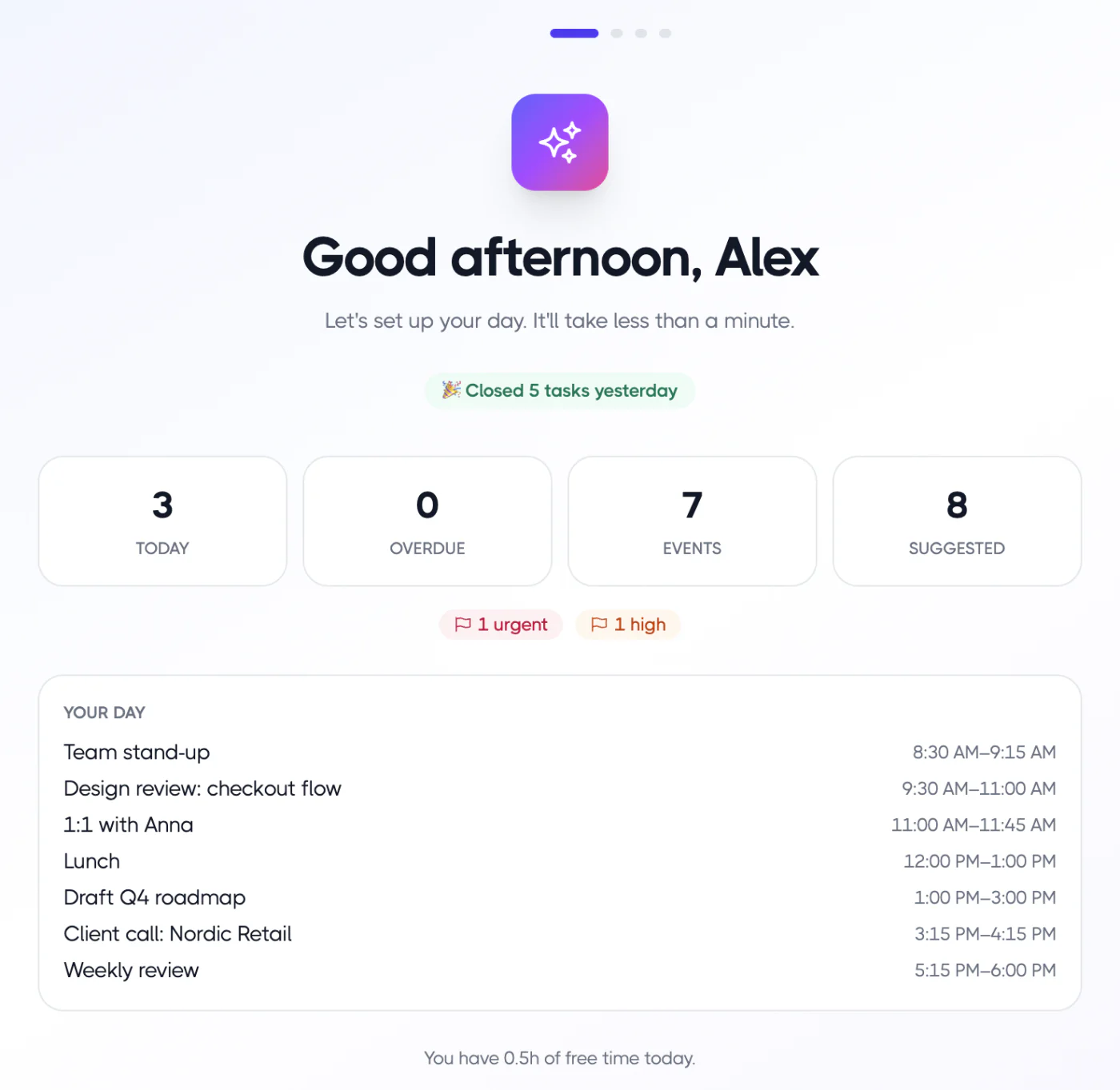
- Loose blocks on your real calendar. Drag tasks onto Google Calendar, Outlook Calendar or iCloud Calendar as time blocks. Resize a block and the estimate updates.
- “Plan it for me” when you’re stuck. In “Plan my day”, one click fits your chosen tasks into free slots between meetings. You can still move anything afterwards. Pro users can also get AI suggestions for their top three tasks; see AI planning.
- A finish time you can see. Today’s list shows when each task would start and end if you work down it, and a “Done around …” time that turns amber if you’re running past your shutdown time.
- Routines and templates. Add your morning routine in one click, and reuse templates with subtasks.
- Sounds at transitions. Timer alarms, a gentle chime every 5–30 minutes, and brown noise, rain or waves for focus.
- Wind down. The shutdown ritual asks about wins, energy and why tasks slipped, without guilt.
FAQ
Is time blocking good for ADHD?
It can be, if it’s flexible. Rigid minute-by-minute schedules tend to break quickly, which can feel discouraging. Larger theme blocks, buffer time and easy replanning give you structure without the pressure of a perfect plan.
How do I stick to a schedule with ADHD?
Make it smaller and more forgiving. Use three to five blocks per day, add buffers between them, use sounds or timers to signal transitions, and plan a quick replan routine for when the day slips. Sticking to it doesn’t mean following it perfectly; it means coming back to it.
What’s the best calendar app for ADHD?
The best one is the one you’ll actually open. Look for a calendar or planner that shows tasks and meetings together, makes rescheduling quick, and gives you visual or audible cues for time. Planzer.io, a paper planner or a simple Google Calendar setup can all work if they fit how you think.
How do I time block if I get hyperfocused?
Use an alarm you can’t ignore at the end of each block, and plan a buffer after deep work blocks so overrunning a little doesn’t wreck the rest of the day. Before you start, write down the one thing you’ll do when the alarm rings.