The flowtime technique is a focus method where you work on one task until your concentration naturally fades, note how long you worked, then take a break sized to that session. Instead of stopping when a 25-minute timer rings, you stop when you’re actually done focusing. It’s the Pomodoro idea with the fixed interval removed.
If Pomodoro breaks keep interrupting you just as you get going, flowtime is worth a try. Here’s how it works, how it compares to Pomodoro, how long your breaks should be, and how to use your session history to learn your natural focus length.
What the flowtime technique is
Flowtime (sometimes called the Flowmodoro method) is usually credited to Zoe Read-Bivens, who described it as a response to the rigidity of fixed intervals. The core rules are simple:
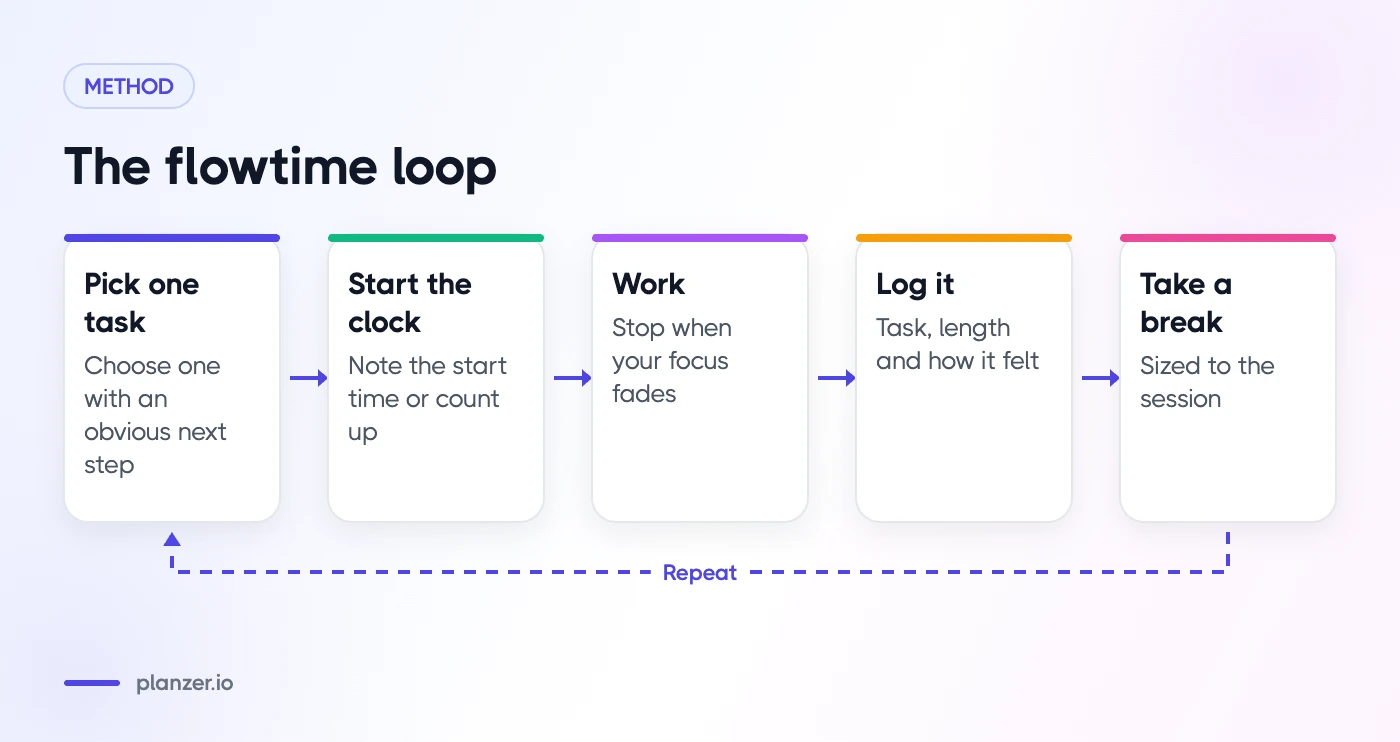
- Pick one task.
- Write down the time you start.
- Work on that task, and only that task, until you notice your focus slipping or you reach a natural stopping point.
- Write down the time you stop and how long you worked.
- Take a break that roughly matches the length of the session.
- Repeat.
That’s it. There are no fixed blocks, no counting sets of four, and no alarm cutting off a good stretch of work. The name nods to the psychological idea of flow, the state of full absorption in an activity described by psychologist Mihaly Csikszentmihalyi. Flowtime doesn’t guarantee flow, but it stops a timer from breaking it.
Flowtime vs Pomodoro
The Pomodoro Technique uses fixed intervals: typically 25 minutes of work, then a short break, with a longer break after several rounds. Both methods share the same foundation. You single-task, you time your work, and you rest on purpose. They differ in who decides when to stop.
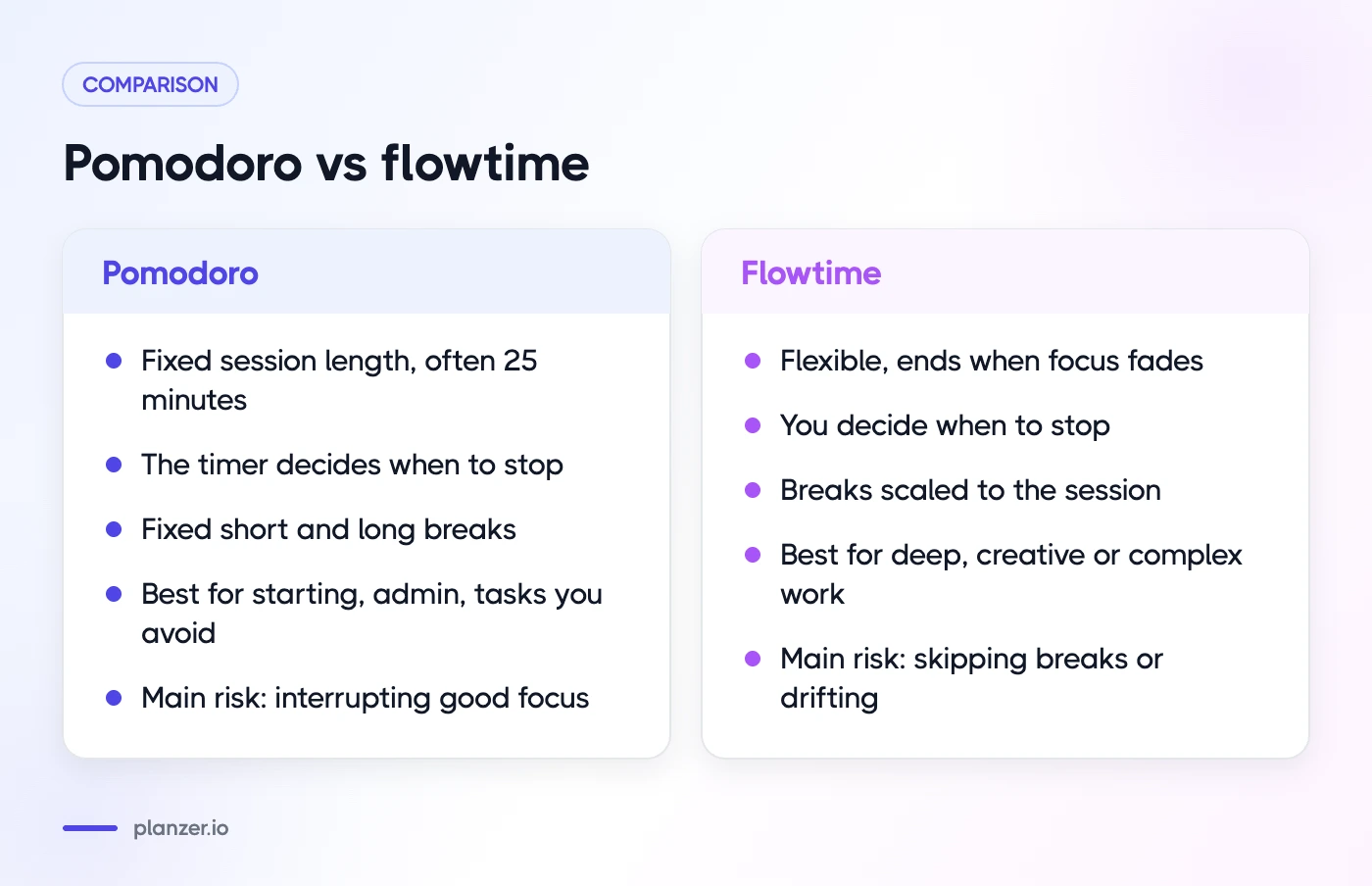
| Pomodoro | Flowtime | |
|---|---|---|
| Session length | Fixed (often 25 minutes) | Flexible, ends when focus fades |
| Who decides when to stop | The timer | You |
| Break length | Fixed short and long breaks | Scaled to the session |
| Best for | Starting, admin, tasks you avoid | Deep, creative or complex work |
| Main risk | Interrupting good focus | Skipping breaks or drifting |
| Data you get | Number of rounds | Actual focus lengths per task |
Neither is better across the board. Pomodoro is excellent when the hard part is starting, or when the work is dull and you need short, finite chunks. Flowtime shines when the hard part is staying in a groove, like writing, coding, design or studying a tricky topic, and a forced break would cost you the context you just built.
Many people end up using both: Pomodoro for admin and tasks they’re avoiding, flowtime for deep work. If you want to compare the methods side by side, the Pomodoro timer page is a good place to try fixed intervals first.
How to do a flowtime session
Here’s a step-by-step routine you can run today.
1. Choose one clear task
Flowtime works best with a single task that has an obvious next step. “Draft the introduction of the proposal” is better than “work on the proposal.” If the task is vague, spend two minutes breaking it down first.
2. Clear the decks
Close tabs and apps you don’t need, silence notifications and put your phone out of reach. Distractions are what usually end a flowtime session early, not genuine tiredness.
3. Start the clock
Note the start time or start a timer that counts up. If you prefer a countdown, set a modest one (say 25 minutes) and let it run into overtime instead of stopping when it hits zero.
4. Work until your focus fades
Watch for signs that you’re done: re-reading the same line, reaching for your phone, feeling restless, making careless mistakes. When they show up, finish your current sentence or thought and stop.
5. Log the session
Write down three things: the task, the length of the session and how it felt. A quick note like “API docs, 52 min, strong focus” is enough. Over a week, these notes become very useful.
6. Take a proportional break
Rest for a time that matches the effort (see the next section). Get up, move, drink water, look at something far away. Avoid starting a feed you can’t easily stop.
A simple flowtime log template
| Task | Start | End | Length | Focus (1–5) | Why I stopped |
|---|---|---|---|---|---|
| Draft proposal intro | 09:10 | 10:02 | 52 min | 4 | Natural break |
| Review pull request | 10:15 | 10:38 | 23 min | 3 | Slack ping |
| Plan next sprint | 11:00 | 11:41 | 41 min | 4 | Tired |
The “Why I stopped” column is the gold. If it often says “notification,” your problem isn’t focus length, it’s interruptions.
How long should breaks be?
There’s no official rule, but a common rule of thumb scales the break to the session:
| Work session | Suggested break |
|---|---|
| Up to 25 minutes | About 5 minutes |
| 25–50 minutes | About 8–10 minutes |
| 50–90 minutes | About 10–15 minutes |
| Over 90 minutes | 15–30 minutes |
Treat these as starting points. If you come back from a break still foggy, lengthen it. If you keep losing momentum, shorten it. Pomodoro’s guidance is similar in spirit: the Wikipedia summary of the Pomodoro Technique describes short breaks of a few minutes and a longer break after several rounds.
The most important rule is that you take a break at all. Flowtime’s flexibility is its strength, but it makes it easy to work for three hours straight and crash by mid-afternoon.
Who flowtime suits
Developers and engineers
Coding often needs a long warm-up to load the problem into your head. A 25-minute timer can ring right when you’ve finally understood the bug. Flowtime lets you ride that understanding to a natural stopping point, like a passing test or a commit.
Writers, designers and researchers
Creative work comes in uneven waves. Some sessions run long, some fizzle after fifteen minutes. Flowtime respects that rhythm instead of fighting it.
Students
Flowtime suits reading and problem sets where you want to finish a section or a proof before stopping. Pomodoro can be better for memorization or revision where short, repeated bursts help.
People with ADHD and hyperfocus
Flowtime can work well with ADHD hyperfocus, because it doesn’t pull you out of a productive streak. But it needs a guardrail. Hyperfocus can make you lose track of time, skip meals and miss meetings. Use a timer that counts into overtime so you can see how long you’ve been going, and set a hard stop before any fixed commitment. If starting is the bigger problem for you, a fixed short timer is often the better tool; our guide to ADHD task paralysis covers that side.
Who it doesn’t suit as well
If you struggle to start, get distracted easily or work in an environment full of interruptions, the open-ended nature of flowtime can make it too easy to drift. In that case, start with Pomodoro and move to flowtime once you have a few solid sessions under your belt. If focus is a broader problem, our post on what to do when you can’t focus at work is a good next read.
Track your sessions to find your focus length
The hidden benefit of flowtime is the data. After a week or two of logging, you’ll start to see patterns:
- Your typical session length. Many people find they cluster around a certain range. That range is your natural focus length, and you can plan around it.
- Time of day. Your morning sessions might run twice as long as your afternoon ones. Put deep work where your long sessions happen.
- Task type. Writing might give you long sessions, while email-heavy tasks barely reach 20 minutes. That tells you which tasks to batch and which to protect.
- Interruptions. If the same cause ends session after session, fix the cause rather than the method.
Use what you learn to make better plans. If your typical deep-work session is around 50 minutes, plan two of those before lunch rather than one vague “morning of focus.” If your estimates keep falling short of the time things actually take, adjust them. You can read more about time management techniques that pair well with flowtime, such as time blocking.
How to do this in Planzer.io
Planzer.io’s focus timer was built to stretch rather than stop, so flowtime fits it naturally:
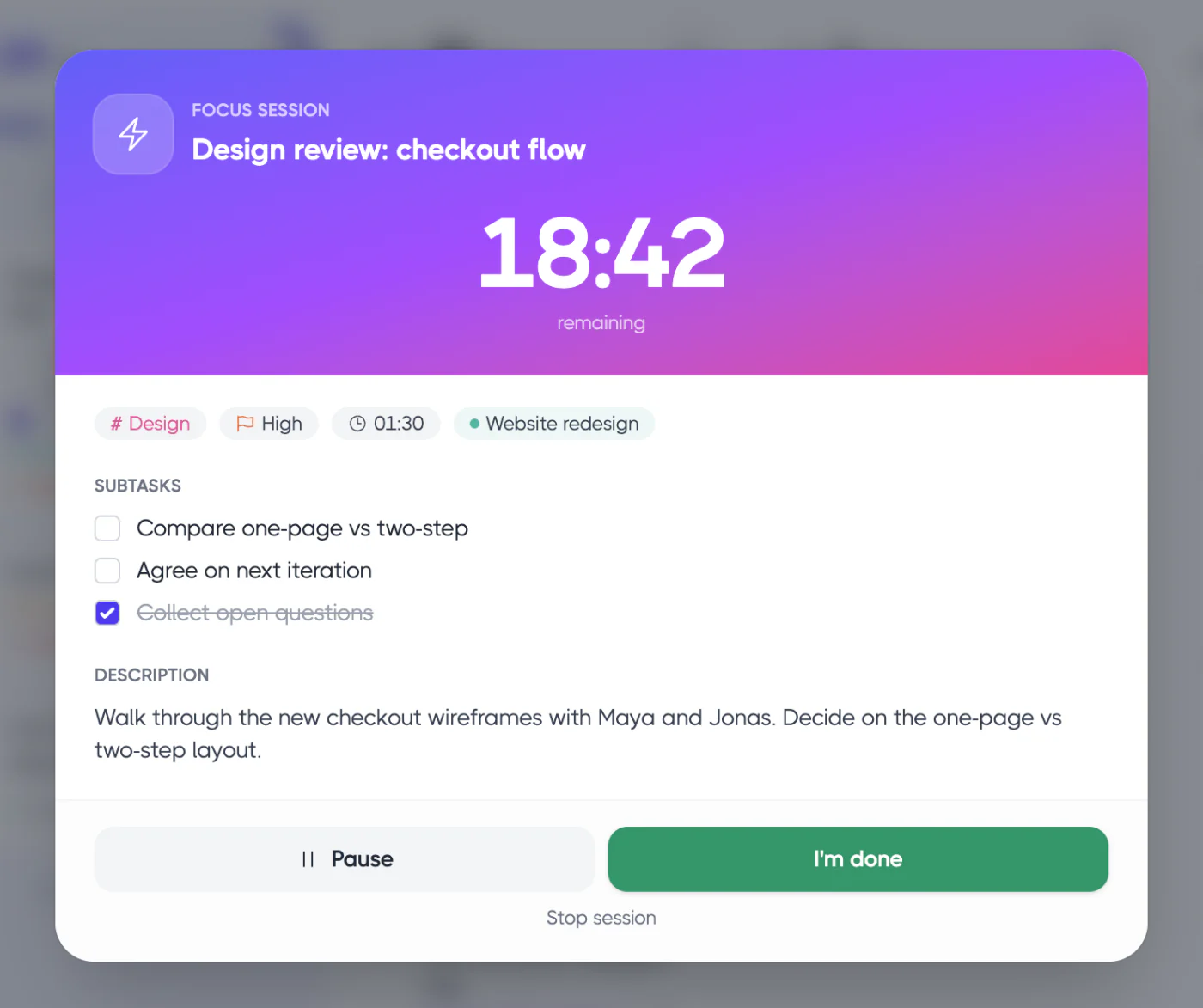
- Overtime instead of a hard stop. Start a focus session of 15, 25, 45 or 60 minutes. When it reaches 00:00, it keeps counting into overtime, so you can keep going and still see how long you’ve been working.
- Take five. When you stop, a five-minute break is one click away. Extend your rest if the session was long.
- Gentle nudges. A soft chime every 5–30 minutes can keep you aware of time during long sessions, and brown noise, rain or waves can help you settle in.
- Estimates vs actual. Time spent in sessions is tracked against the task, and analytics show “Estimated vs actual,” which is exactly the data you need to learn your focus length and plan more realistically.
You can try a simple version in the browser with the free online focus timer.
FAQ
Is flowtime better than Pomodoro?
Not universally. Flowtime tends to suit deep, creative or complex work where interruptions are costly. Pomodoro tends to suit starting, admin and tasks you’re avoiding. Try both for a week and compare how much you got done and how you felt.
What is Flowmodoro?
Flowmodoro is another name for the flowtime technique, blending “flow” and “Pomodoro.” Some versions use a fixed ratio for breaks, such as resting for a fifth of the time you worked. The principle is the same: work until focus fades, then rest in proportion.
Does flowtime work with ADHD hyperfocus?
It can. Flowtime doesn’t interrupt a productive streak, which suits hyperfocus. Add guardrails: use a visible timer that counts overtime, set a hard stop before meetings, and make sure you actually take breaks to eat and move.
What if my sessions are really short?
That’s useful information, not failure. Short sessions often point to interruptions, a vague task or low energy. Check your “why I stopped” notes, fix the biggest cause, and the sessions will usually grow.