
A to-do list tells you what to do. It doesn’t tell you when — and that’s exactly why so many to-do lists end the day longer than they started.
Time blocking fixes that. Instead of working from an open-ended list, you give every task a specific slot in your calendar. Your day stops being a pile of intentions and becomes a plan you can actually follow.
In this guide, you’ll learn what time blocking is, how to set it up step by step, what a time-blocked day looks like for different kinds of work, and the mistakes that make most people give up after a week.
What is time blocking?
Time blocking is a planning method where you divide your day into blocks of time and assign each block to one task or one type of work. A block might be “09:00–10:30: write the product update” or “16:00–16:30: emails”.
The idea isn’t new — Cal Newport popularized it in his book Deep Work — but it has become more useful than ever now that most of us juggle meetings, messages and tasks from several different tools at once.
There are a few close relatives worth knowing:
- Task batching: grouping similar small tasks, like emails or calls, into one block.
- Day theming: giving each day a theme, such as “Monday is for planning” or “Friday is for admin”.
- Timeboxing: giving a task a fixed amount of time and stopping when the time is up, finished or not.
They work well together. Most people end up with a mix: deep work in long blocks, small tasks batched together, and a few timeboxes to keep perfectionism in check.
Why time blocking works
It forces you to be realistic
A list can hold 20 tasks. A day can’t. When you have to fit every task into an actual time slot, you see straight away that you’ve planned nine hours of work into a day with three hours of meetings. You make the hard choices in the morning instead of discovering them at 17:00.
It protects your focus
A block on your calendar is a commitment. It’s easier to say no to “quick” interruptions — and to yourself — when you’ve already decided that 10:00–11:30 is for the proposal.
It beats Parkinson’s law
Work expands to fill the time available. Give a task the whole afternoon and it will take the whole afternoon. Give it 90 minutes and you’ll find a way to finish it in 90 minutes.
It shows where your time really goes
When you compare your plan with what actually happened, patterns appear quickly: meetings that always overrun, tasks you consistently underestimate, afternoons that disappear. That feedback is what makes your planning better week by week.
How to time block your day in 6 steps
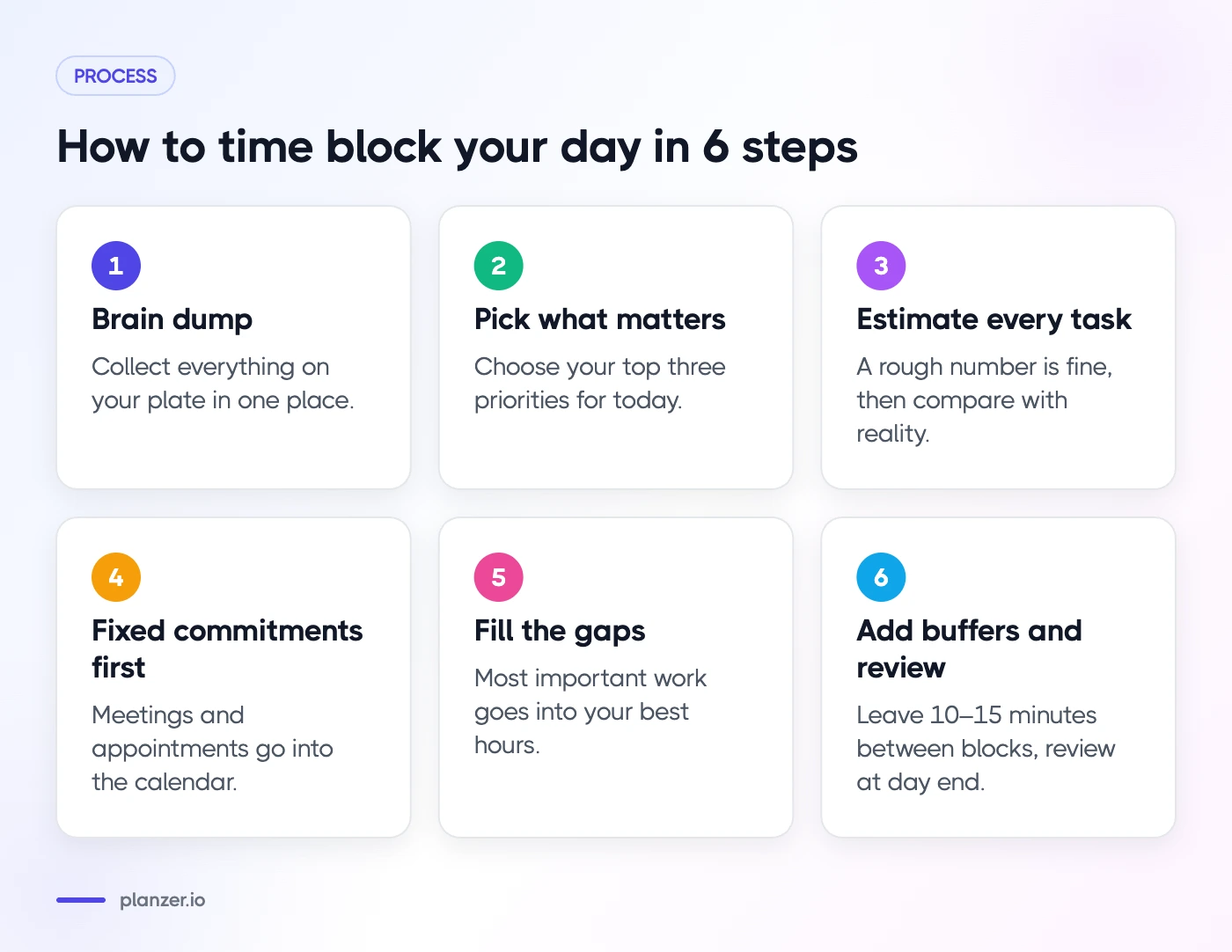
1. Start with a brain dump
Before you can plan your day, you need to know what’s on your plate. Collect everything in one place: tasks from your to-do app, issues from Jira or Linear, emails that need a reply, and anything that’s still living in your head.
2. Pick what actually matters today
Not everything on the list belongs in today. Choose your top three priorities first — the tasks that would make the day a success even if nothing else got done. Everything else is optional.
3. Estimate every task
Put a rough estimate on each task: 15 minutes, 30 minutes, 2 hours. You’ll be wrong at first, and that’s fine. Estimating is a skill, and the only way to get better at it is to write the number down and compare it with reality later.
4. Place your fixed commitments first
Meetings, appointments, school pick-ups — anything that can’t move goes into the calendar first. What’s left are the gaps you actually have to work with.
5. Fill the gaps, most important work first
Put your top priorities into your best hours. For most people, that’s the morning, before the messages pile up. Batch small tasks like emails and admin into one or two blocks later in the day.
6. Add buffers — and review at the end of the day
Leave 10–15 minutes between blocks and keep one or two open blocks for whatever comes up. At the end of the day, look at what happened: what got done, what slipped, and why. Move unfinished tasks to tomorrow rather than letting them quietly disappear.
Time blocking examples
There’s no single right way to block a day. Here are three templates to start from.
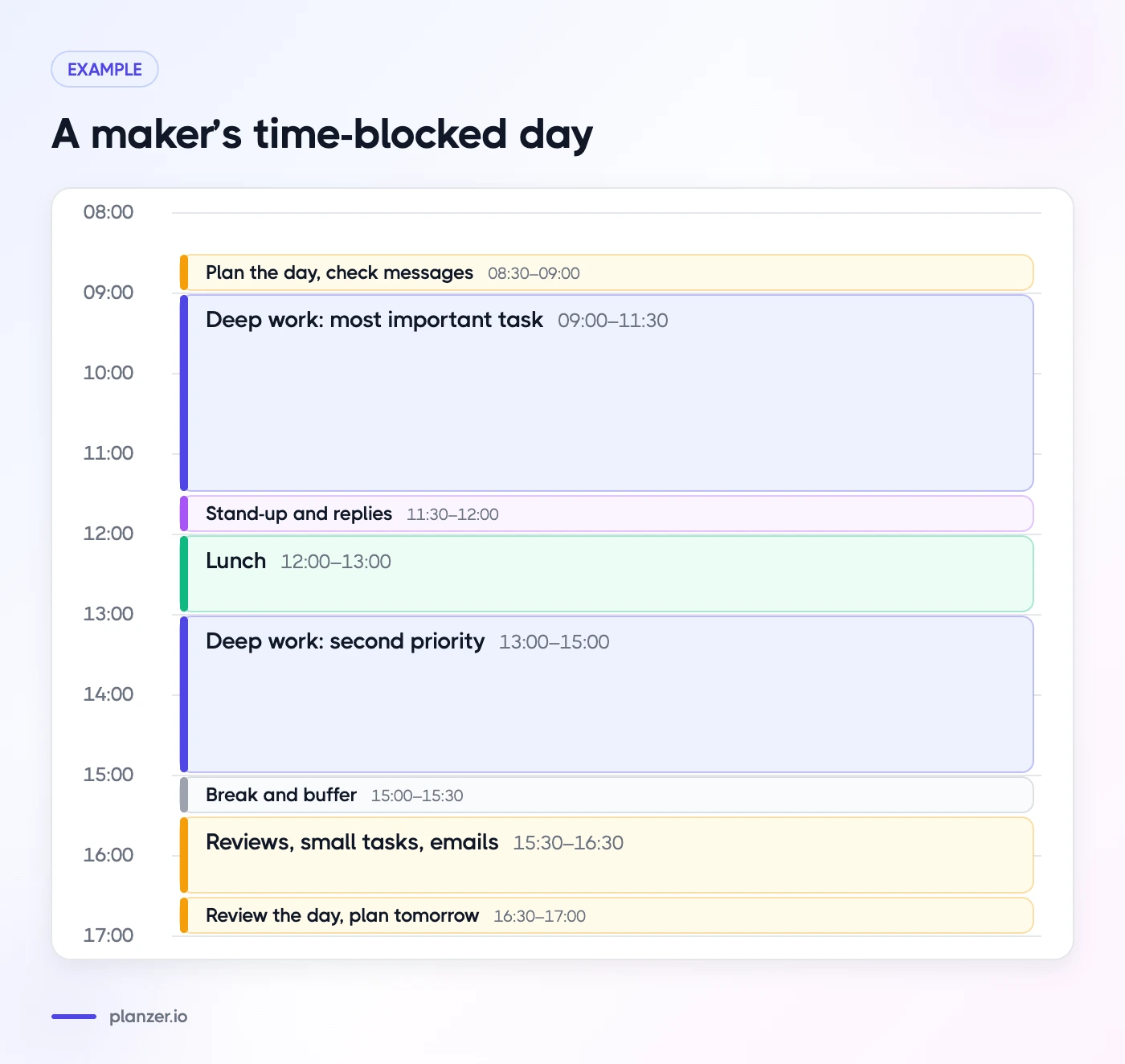
Example 1: A maker’s day (developers, designers, writers)
- 08:30–09:00 — Plan the day and check messages
- 09:00–11:30 — Deep work: the most important task
- 11:30–12:00 — Stand-up and replies
- 12:00–13:00 — Lunch
- 13:00–15:00 — Deep work: second priority
- 15:00–15:30 — Break and buffer
- 15:30–16:30 — Code reviews, small tasks and emails
- 16:30–17:00 — Review the day and plan tomorrow
Example 2: A manager’s day
- 08:30–09:00 — Plan the day
- 09:00–10:00 — Focus block: strategy, writing or planning
- 10:00–12:00 — Meetings
- 12:00–13:00 — Lunch
- 13:00–15:00 — One-to-ones and meetings
- 15:00–15:30 — Emails and follow-ups
- 15:30–16:30 — Focus block: reviews and decisions
- 16:30–17:00 — Wrap up and share tomorrow’s plan with the team
Example 3: A student’s day
- 09:00–11:00 — Lecture
- 11:30–12:30 — Study block: readings for tomorrow
- 12:30–13:30 — Lunch
- 13:30–15:30 — Study block: assignment (in 25-minute focus sessions)
- 15:30–16:00 — Admin: emails, submissions, planning
- Evening — Free time (yes, block that too)
Common time blocking mistakes (and how to avoid them)
Planning every minute
A day with zero slack breaks the moment something runs late. Leave buffers, and aim to plan around 70–80% of your available time, not 100%.
Treating the plan as a contract
Your plan will change during the day. That’s not failure — that’s information. When something unexpected happens, move the blocks instead of abandoning the plan.
Blocks that are too small
Deep work needs time to get going. If your calendar is full of 15-minute fragments, batch them together and protect at least one long block per day.
Never reviewing
Time blocking improves with feedback. Without a quick end-of-day review, you’ll keep underestimating the same tasks and overloading the same days.
Time blocking with Planzer.io
You can time block with pen and paper or a plain calendar, but it gets tedious when your tasks live in five different tools. Planzer.io is built for exactly this:
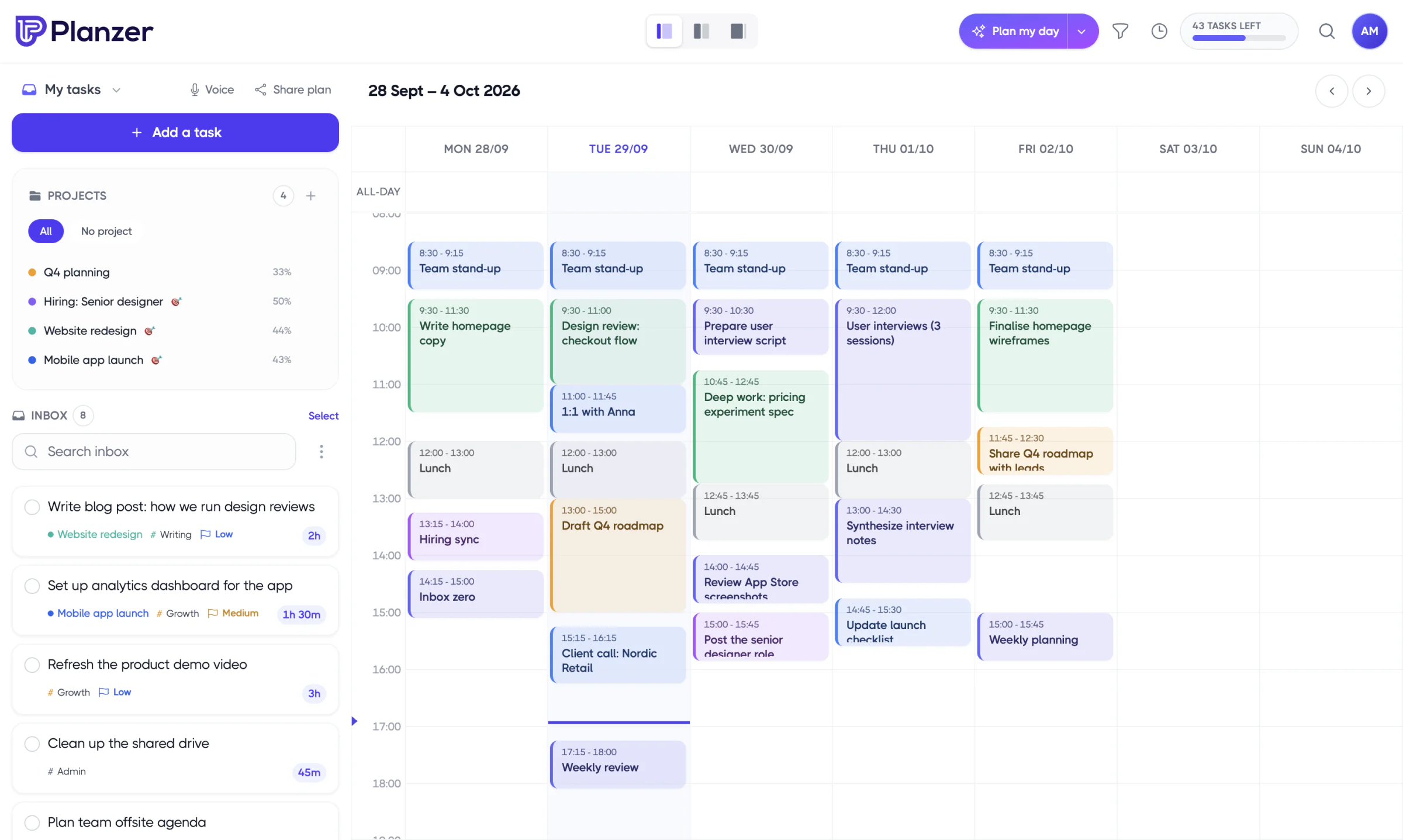
- Everything in one place: pull in tasks from Notion, Asana, Trello, Jira, Linear and 10 other tools, and see them next to your meetings.
- Drag and drop into your calendar: drag any task into Google Calendar or Outlook Calendar and it becomes a block.
- Plan it for me: let Planzer.io place your tasks in the free slots between your meetings, within your work hours, ordered by priority and deadline.
- Review what happened: track time on each task and compare your estimates with the time you actually spent in Analytics.
The morning Plan my day routine walks you through steps 1 to 5 in a few minutes, and the shutdown ritual takes care of step 6.
FAQ
How long should a time block be?
For focused work, 60–120 minutes is a good range. For shallow work like emails, 15–30 minutes is usually enough. If you struggle to focus for long stretches, split long blocks into 25-minute focus sessions with short breaks.
Is time blocking the same as the Pomodoro Technique?
No, but they work well together. Time blocking decides what you work on and when. The Pomodoro Technique decides how you work inside a block: in short, focused sessions with breaks in between.
What if my day is full of meetings?
Then time blocking is even more useful. Block the few gaps you have for your most important work, batch small tasks together, and consider blocking focus time a few days ahead so it can’t be booked.
Should I time block my whole week?
Plan your week at a high level — priorities and a few key blocks — and do the detailed blocking each morning. Days change too much to plan every hour a week in advance.