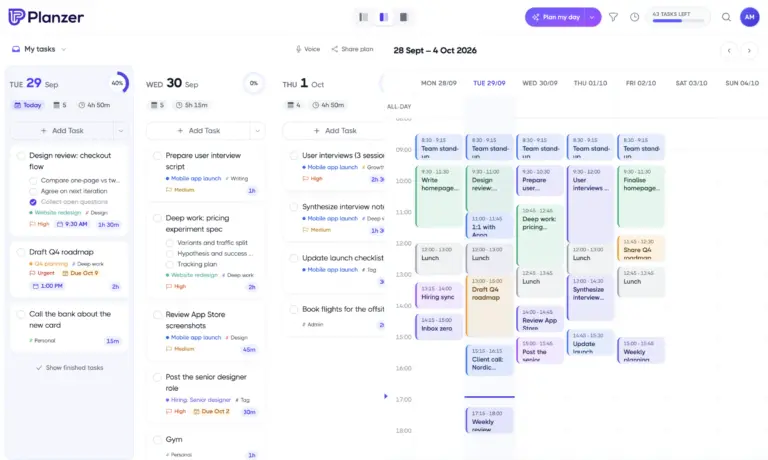
To prioritize tasks when everything feels urgent, run a quick three-step triage. First, sort tasks by urgency and importance. Second, check how much of the important work actually fits in today’s free hours. Third, put the tasks that fit in a clear order and work down it. Everything else gets scheduled, delegated or dropped, on purpose.
This guide walks through each step with examples, explains the difference between urgent and important, and covers what to do when priorities change halfway through the day.
Why everything feels urgent
When every task feels like it needs doing now, it’s usually because of one of these:
- Everything lives in one big list. A bug report, a birthday card and next quarter’s strategy sit side by side, so they all feel equally pressing.
- Notifications set the agenda. Every ping looks urgent, especially from your manager or a client.
- No estimates. Without a sense of how long tasks take, you can’t see that the day is already full.
- Unclear goals. If you’re not sure what matters most this week, you can’t tell which tasks serve it.
- Fear of dropping the ball. Saying “not today” feels risky, so everything stays on today’s list.
The fix isn’t working faster. It’s making a few clear decisions about what deserves today.
Urgent vs important
Urgent and important are different things, and mixing them up is the root of most prioritization problems.
- Urgent tasks demand attention soon. They have a deadline, someone is waiting, or there’s a consequence for delay.
- Important tasks move your goals forward. They matter in the long run, even if nobody is chasing you.
Some tasks are both. Many are only one. Replying to a group chat is urgent but rarely important. Planning next quarter is important but rarely urgent, until it suddenly is.
The trap is that urgent tasks are loud and important ones are quiet. If you always follow the noise, the important work only gets done when it becomes an emergency.
| Urgent | Not urgent | |
|---|---|---|
| Important | Production outage, tomorrow’s client deadline | Strategy, learning, process improvements, health |
| Not important | Most interruptions, some meetings, many requests | Mindless scrolling, busywork, low-value reports |
Sort with the Eisenhower matrix
The Eisenhower matrix turns that table into an action plan. It’s named after US President Dwight D. Eisenhower and is described in the Wikipedia article on time management as a way to organize priorities by importance and urgency.
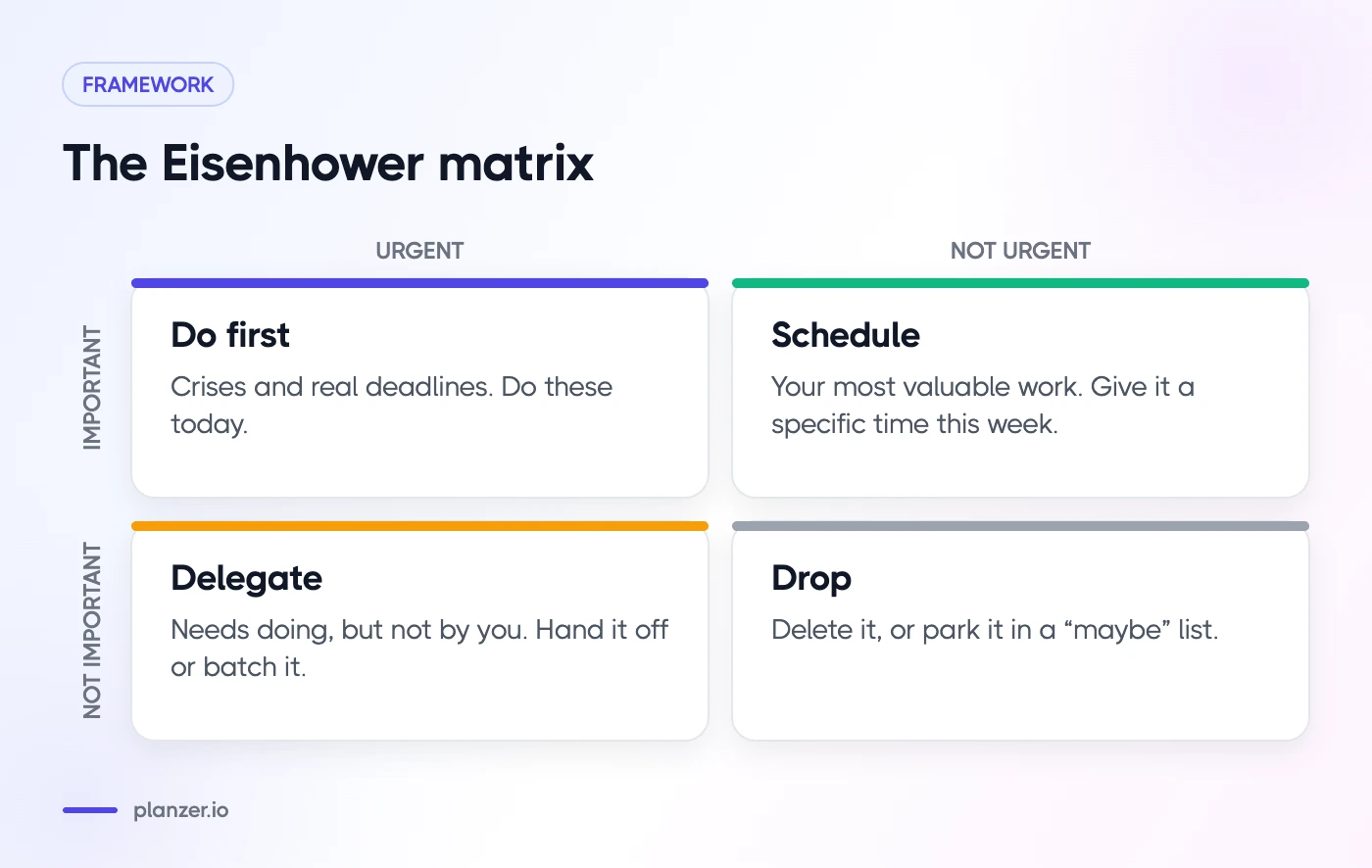
Sort every task into one of four boxes:
- Do first (urgent and important). Crises and real deadlines. Do these today.
- Schedule (important, not urgent). Your most valuable work. Give it a specific time this week.
- Delegate (urgent, not important). Things that need doing but not necessarily by you. Hand them off, or do them quickly in a batch.
- Drop (neither). Delete them, or park them in a “maybe” list.
You can do this on paper in five minutes, or use our free Eisenhower matrix tool to drag tasks between quadrants and print the result.
Tips for honest sorting
- Limit the “do first” box. If more than three or four tasks land there, be tougher. Ask what actually happens if each one waits until tomorrow.
- Watch the “schedule” box. This is where important work goes to die if you don’t give it a date. Put at least one item from it on today’s or tomorrow’s plan.
- Be realistic about delegating. If you work alone, “delegate” may mean automating, batching or politely pushing back.
Check capacity: what actually fits today
Sorting tells you what matters. It doesn’t tell you what fits. This is the step most prioritization advice skips, and it’s why to-do lists overflow.
- Estimate each “do first” and “schedule” task. A rough guess is fine: 15 minutes, an hour, half a day.
- Calculate your free time. Take your working hours and subtract meetings, lunch and a buffer for interruptions.
- Add a buffer to your estimates. Most people underestimate how long things take, a bias known as the planning fallacy. Adding a margin makes your plan more honest.
- Compare. If your tasks add up to more than your free time, something has to move.
Our free task time calculator does this sum for you: enter your tasks and estimates, and it adds a buffer and shows whether the list fits your available time.
What to do when it doesn’t fit
- Move the least important “schedule” task to a specific later day.
- Shrink a task: “draft the outline” instead of “write the proposal.”
- Ask whether any “do first” task can be partly delegated.
- Renegotiate a deadline early, while it’s still a calm conversation.
Put it in order
Now you have a list that matters and fits. The last step is to decide the order, so you don’t have to make that choice again during the day.
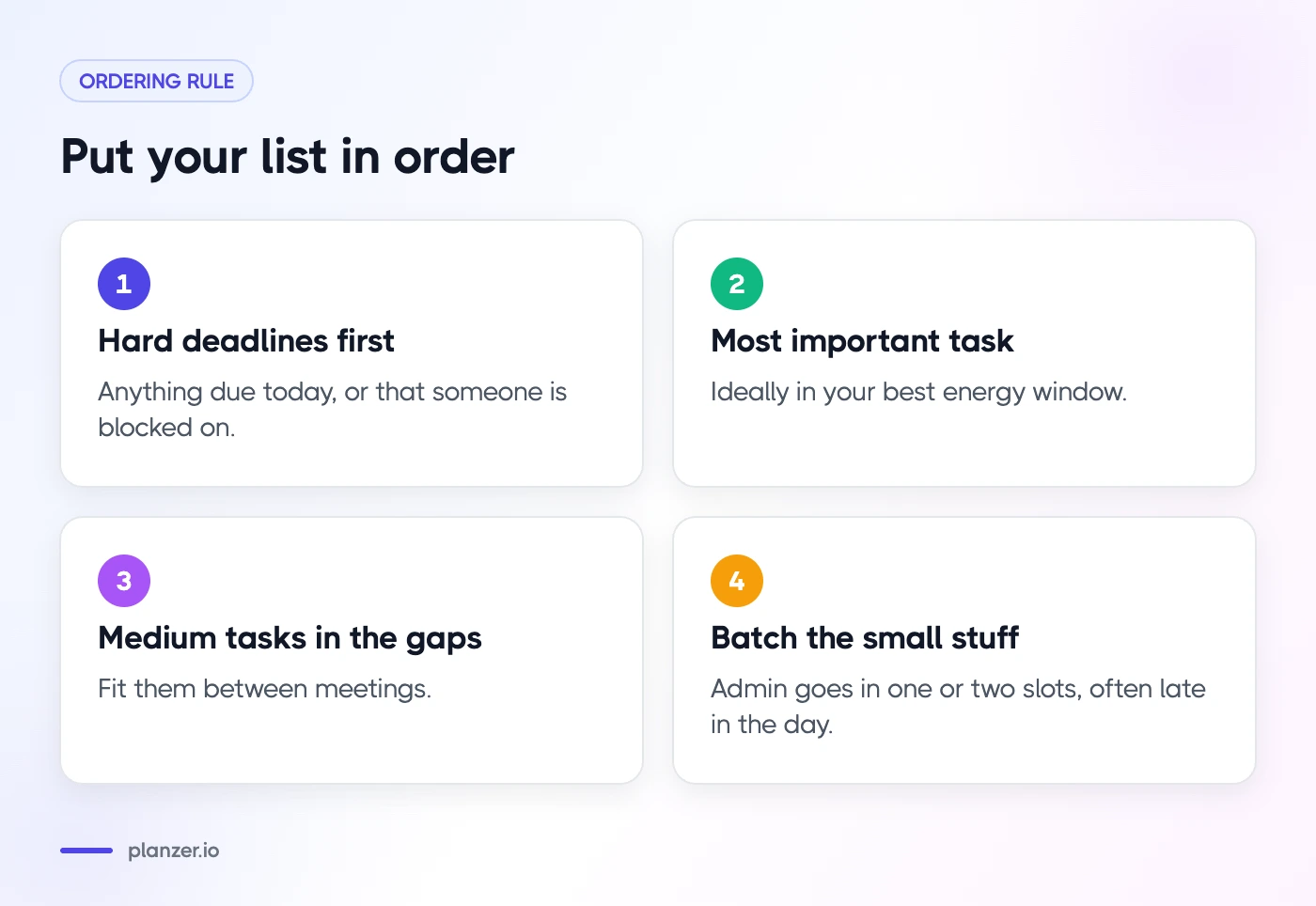
A simple ordering rule:
- Hard deadlines first. Anything due today, or that someone is blocked on.
- Your most important task next, ideally in your best energy window.
- Medium tasks in the gaps between meetings.
- Small tasks and admin batched into one or two slots, often late in the day.
Write the order down. When you finish one task, start the next. If you like a fixed structure, the 1-3-5 rule works well here: one big task, three medium and five small.
Example: a Monday morning triage
Imagine you start Monday with nine tasks. After sorting:
| Task | Quadrant | Estimate | Decision |
|---|---|---|---|
| Fix checkout bug reported by a client | Do first | 1h | Today, 9:00 |
| Send board deck to CEO (due today) | Do first | 45m | Today, 10:15 |
| Write Q4 hiring plan | Schedule | 2h | Today, 13:30 |
| Review two pull requests | Schedule | 40m | Today, 11:15 |
| Prepare training session for Thursday | Schedule | 1.5h | Wednesday |
| Book travel for conference | Delegate | 15m | Ask the office manager |
| Update team wiki page | Schedule | 30m | Friday |
| Reply to vendor follow-up | Delegate | 10m | Batch at 16:00 |
| Reorganize shared drive | Drop | 2h | Maybe list |
Four tasks made today’s plan, plus one quick reply in the afternoon batch, and each of the others has a clear home. Nothing was ignored; it was decided.
When priorities change mid-day
Priorities will change. A client calls, an outage hits, your manager drops something on your desk. When that happens, re-run a mini triage rather than just adding the new task on top.
- Pause and capture. Write the new task down with an estimate.
- Place it. Which quadrant is it really in? Not every request from above is urgent and important.
- Swap, don’t stack. If it belongs today, decide what moves out to make room.
- Tell people. If something you promised will slip, say so early.
When your manager says everything is urgent
Ask for help ranking, not for more time. Try: “I can do A today and B tomorrow, or B today and A tomorrow. Which matters more?” Showing your capacity with estimates turns a vague demand into a clear trade-off that your manager can make.
How to do this in Planzer.io
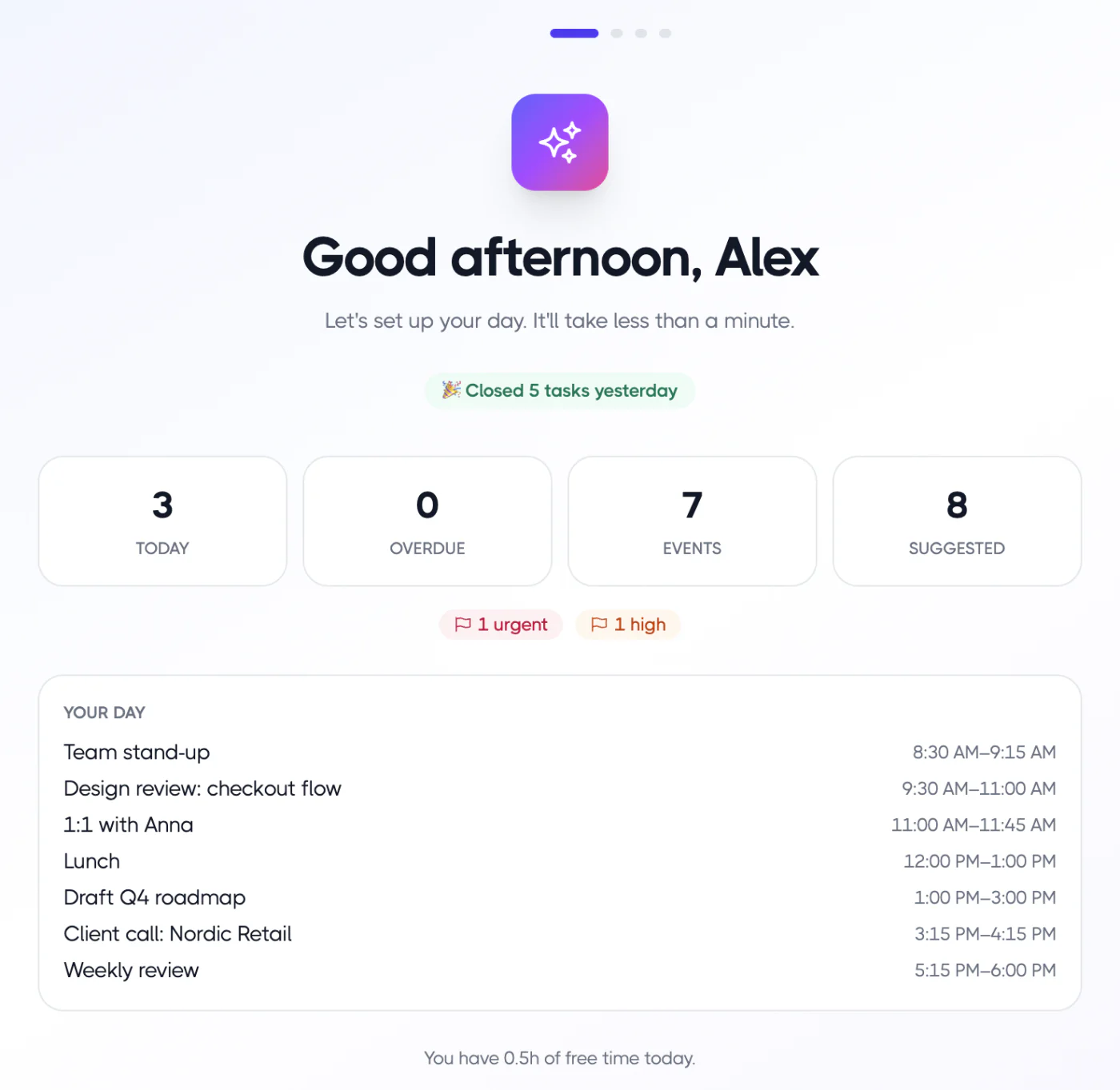
You can use the triage above on paper, but Planzer.io handles the capacity and ordering steps for you:
- Priorities, tags and saved filters help you sort tasks and find the important ones quickly. Quick add supports “!high” to set priority as you type.
- Plan my day walks you through picking tasks from overdue and backlog items, then scheduling them. “Plan it for me” fits tasks into free slots between meetings.
- Running order shows a start and end time for each task if you work down the list, and a “Done around …” time that turns amber if you’ll finish after your shutdown time, so you can see when you’ve overcommitted.
- Analytics such as “Why tasks slip” help you spot patterns over time.
Our pages on task management and daily planning explain how these features fit together. If you want more methods to compare, see our overview of time management techniques.
FAQ
What’s the best way to prioritize tasks?
Sort tasks by urgency and importance, check how many fit in your available time, then put the ones that fit in order. The Eisenhower matrix is a quick way to sort, and estimates make the capacity check honest.
How do I prioritize when my manager says everything is urgent?
Show your capacity and ask them to choose. List the tasks with estimates, explain what fits today, and ask which should come first. Most managers prefer a clear trade-off to a surprise missed deadline.
What is a priority matrix?
A priority matrix is a grid that sorts tasks by two criteria, usually urgency and importance. The Eisenhower matrix is the best-known example, with four quadrants: do first, schedule, delegate and drop.
How often should I re-prioritize?
Do a full sort once a week and a quick check each morning. Re-prioritize mid-day only when something genuinely new arrives, and swap tasks rather than adding them on top.