An AI planner is an app that uses your tasks, calendar and priorities to help build your day, usually by placing tasks into free time on your calendar. The best AI planner for you depends on one question: do you want AI that plans for you, or AI that helps you plan? Motion and Reclaim lean toward the first. Planzer.io, Morgen and Sunsama lean toward the second, where the app drafts a plan and you stay in charge.
Below you’ll find what an AI planner actually does, the two main approaches, seven apps worth considering, what AI planning tends to get wrong, and how to choose. Prices checked in October 2026.
What an AI planner is
A traditional planner gives you a list and a calendar and leaves the rest to you. An AI daily planner adds a layer that does some of the thinking:
- Scheduling: placing tasks into free slots between meetings
- Prioritizing: suggesting which tasks matter most today
- Replanning: moving things when your day changes
- Input: turning natural language like “call Sam tomorrow 30 min” into a structured task
- Review: summarizing what you did and where time went
Not every app does all of these, and “AI” means very different things across tools. Some use it for scheduling logic, some for chat assistants, some for summaries. It’s worth looking past the label at what the app actually does with your day.
Auto-scheduling vs assisted planning
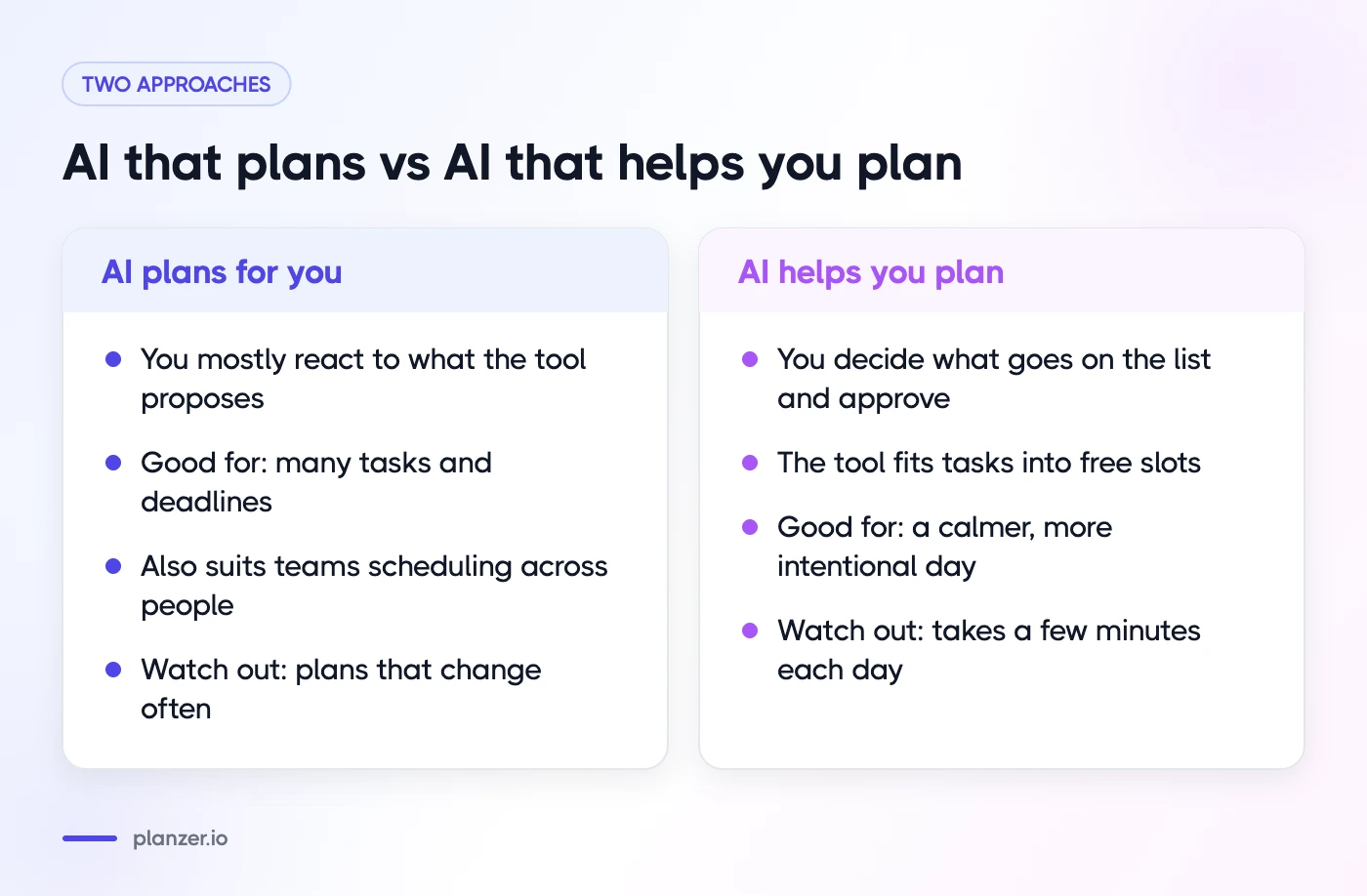
AI that plans for you
These tools take your tasks, deadlines and priorities and build your schedule automatically, then keep adjusting it as things change. You mostly react to what the tool proposes.
Good for: people with lots of tasks and deadlines who are happy to hand over the “when”, and teams that want work scheduled across people.
Watch out for: plans that change often, and less of the reflection that comes from choosing your own priorities.
AI that helps you plan
These tools guide you through planning and do the tedious parts, like fitting tasks into free slots, but you decide what goes on the list and approve the plan.
Good for: people who want a calmer, more intentional day and like to stay in control.
Watch out for: it takes a few minutes of your attention each day, by design.
If you want the deeper explanation of how scheduling algorithms work and where they help, see our guide to auto-scheduling.
The best AI planner apps
1. Planzer.io
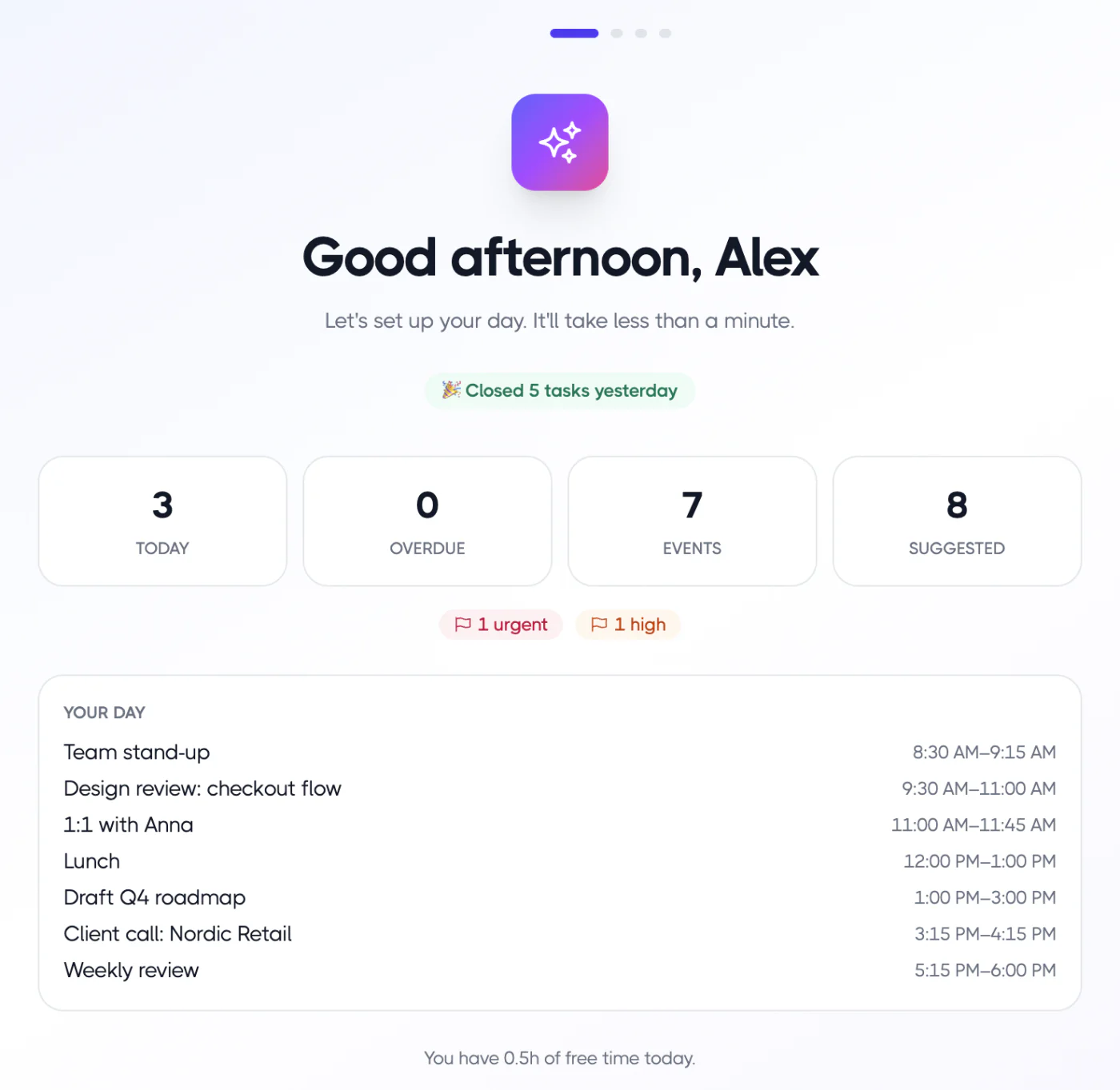
Planzer.io is a personal daily planner built around a guided “Plan my day” ritual. You review a short briefing, pick tasks (with overdue and backlog tasks surfaced), then choose “Plan it for me” to fit them into free slots between meetings within 09:00–18:00, or keep them on your list. Blocks are real events on Google Calendar, Outlook Calendar or iCloud Calendar. Today’s list shows a running order with a “Done around …” time that turns amber if you’re running late.
On the AI side, Pro adds “AI suggest top 3” when picking tasks, smart parsing in quick add, and an AI weekly review. It connects to 16 tools, including Todoist, Asana, Jira, Linear, Notion and Slack, and runs on web, iPhone, iPad, Apple Watch, Android, Mac, Windows and Linux. More on the AI planning page.
Where it isn’t the best fit: Planzer.io is a personal planner, so it doesn’t offer team collaboration. It isn’t a fully automatic scheduler that keeps rearranging your calendar on its own; if that’s what you want, Motion or Reclaim fit better. Gmail isn’t supported as an email source.
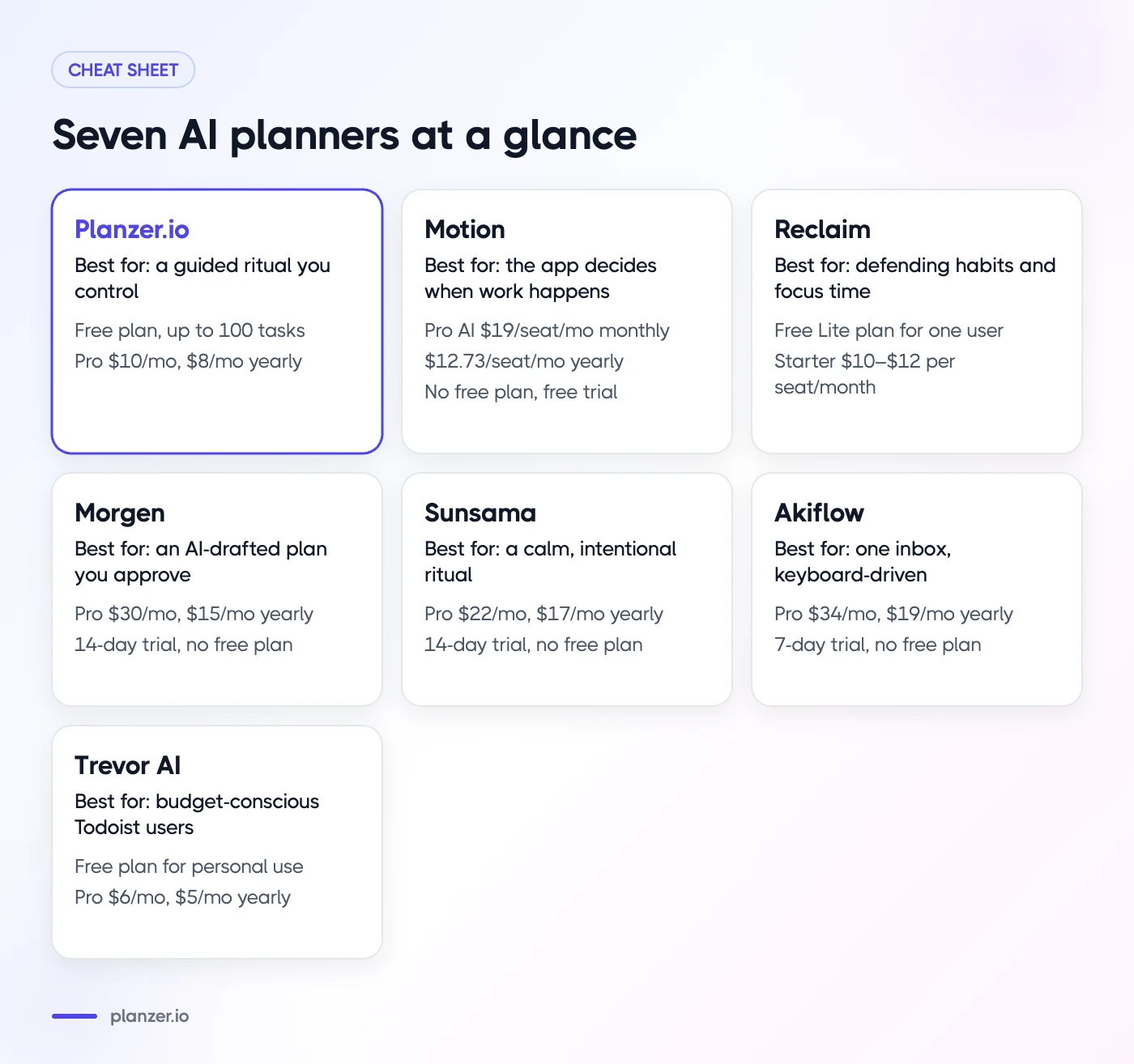
Pricing: free plan with up to 100 tasks and all integrations. Pro is $10/month, or $8/month billed yearly.
Best for: individuals who want a guided daily ritual, honest time estimates and a plan they control.
2. Motion
Motion combines tasks, projects, calendar and docs in one app, with AI that schedules your tasks based on priorities, deadlines and durations, and re-plans your day automatically when things change. It works with Google, Outlook and iCloud calendars, and offers team features like capacity planning on its Business plan.
Pricing: no free plan, but a free trial. According to Motion’s pricing page, Pro AI is $19/seat/month billed monthly, or $12.73/seat/month billed yearly. Business AI is $29/seat/month monthly or $19.43 yearly.
Best for: people and small teams with many deadlines who want the app to decide when work happens. Compare it with Planzer.io on our Motion alternative page.
3. Reclaim
Reclaim works on top of Google Calendar and Outlook Calendar. It schedules tasks, recurring habits and focus time around your meetings, adds buffers, and rebalances your week as priorities shift. Paid plans connect task tools like Todoist, Asana, ClickUp, Jira and Linear, and it includes scheduling links and team features.
Pricing: a free Lite plan for one user, with a one-week scheduling range and limited integrations. Paid plans start with Starter at $10–$12 per seat/month depending on billing, according to Reclaim’s pricing page.
Best for: people who live in Google or Outlook Calendar and want habits and focus time defended automatically. See our Reclaim alternative page for a side-by-side.
4. Morgen
Morgen is a calendar and task app with an AI Planner that proposes a daily plan you review and approve before it’s scheduled. It uses “Frames” to reserve time for categories of work, and pulls tasks from tools like Notion, ClickUp, Todoist, Linear and Microsoft To Do. It supports Google, Outlook and Apple calendars, with desktop apps for Windows, macOS and Linux.
Pricing: no free plan, but a 14-day free trial. Pro is $30/month billed monthly, or $15/month billed yearly.
Best for: people who want an AI-drafted plan with approval, and a strong calendar app across platforms. See our Morgen alternative page.
5. Sunsama
Sunsama is a daily planner built around a guided planning and shutdown ritual. It lists auto-scheduling, time estimates and AI daily summaries among its features, and works with Google, Outlook and Apple calendars plus tools like Asana, Jira, Notion, Todoist and Gmail.
Pricing: no free plan (Sunsama says it doesn’t plan to add one), with a 14-day free trial. Pro is $22/month billed monthly or $17/month billed yearly.
Best for: people who want a calm, intentional planning ritual and don’t mind paying for it. See our Sunsama alternative page.
6. Akiflow
Akiflow combines an inbox for tasks from many tools with a calendar for time blocking. Its AI assistant, Aki, can auto-schedule, give daily briefings and take voice commands. It works with Google and Outlook calendars and pulls tasks from Asana, ClickUp, Notion, Todoist, Jira, Slack, Gmail and more.
Pricing: no free plan, with a 7-day trial. Pro is $34/month billed monthly, or $19/month billed yearly.
Best for: heavy multitaskers who want every incoming task in one inbox and fast keyboard-driven planning. See our Akiflow alternative page.
7. Trevor AI
Trevor AI is a lighter task and calendar planner. It suggests task durations and time slots, can auto-plan your day, and has a chat assistant for scheduling. It connects to Google Calendar, Outlook and Apple Calendar, plus Todoist, Google Tasks and Microsoft To Do.
Pricing: a free plan for personal use. Pro is $6/month billed monthly, or $5/month billed yearly.
Best for: budget-conscious individuals, especially Todoist users, who want simple AI scheduling.
Comparison table
| App | AI approach | Free plan | Paid from (billed yearly) | Calendars | Best for |
|---|---|---|---|---|---|
| Planzer.io | Helps you plan | Yes, 100 tasks | $8/month | Google, Outlook, iCloud | Guided daily ritual you control |
| Motion | Plans for you | No (trial) | $12.73/seat/month | Google, Outlook, iCloud | Deadline-heavy work, small teams |
| Reclaim | Plans for you | Yes, limited | $10–$12/seat/month | Google, Outlook | Defending habits and focus time |
| Morgen | Drafts, you approve | No (trial) | $15/month | Google, Outlook, Apple | Approved AI plans, cross-platform |
| Sunsama | Helps you plan | No (trial) | $17/month | Google, Outlook, Apple | Calm, intentional planning |
| Akiflow | Assistant + time blocking | No (trial) | $19/month | Google, Outlook | Many task sources, power users |
| Trevor AI | Suggests and auto-plans | Yes | $5/month | Google, Outlook, Apple | Low-cost AI scheduling |
For more options beyond AI tools, see our list of the best daily planner apps and our roundup of the best time blocking apps. You can also browse all our side-by-side comparisons on the compare page.
What AI planning gets wrong
AI planners are useful, but they share some common weak spots:
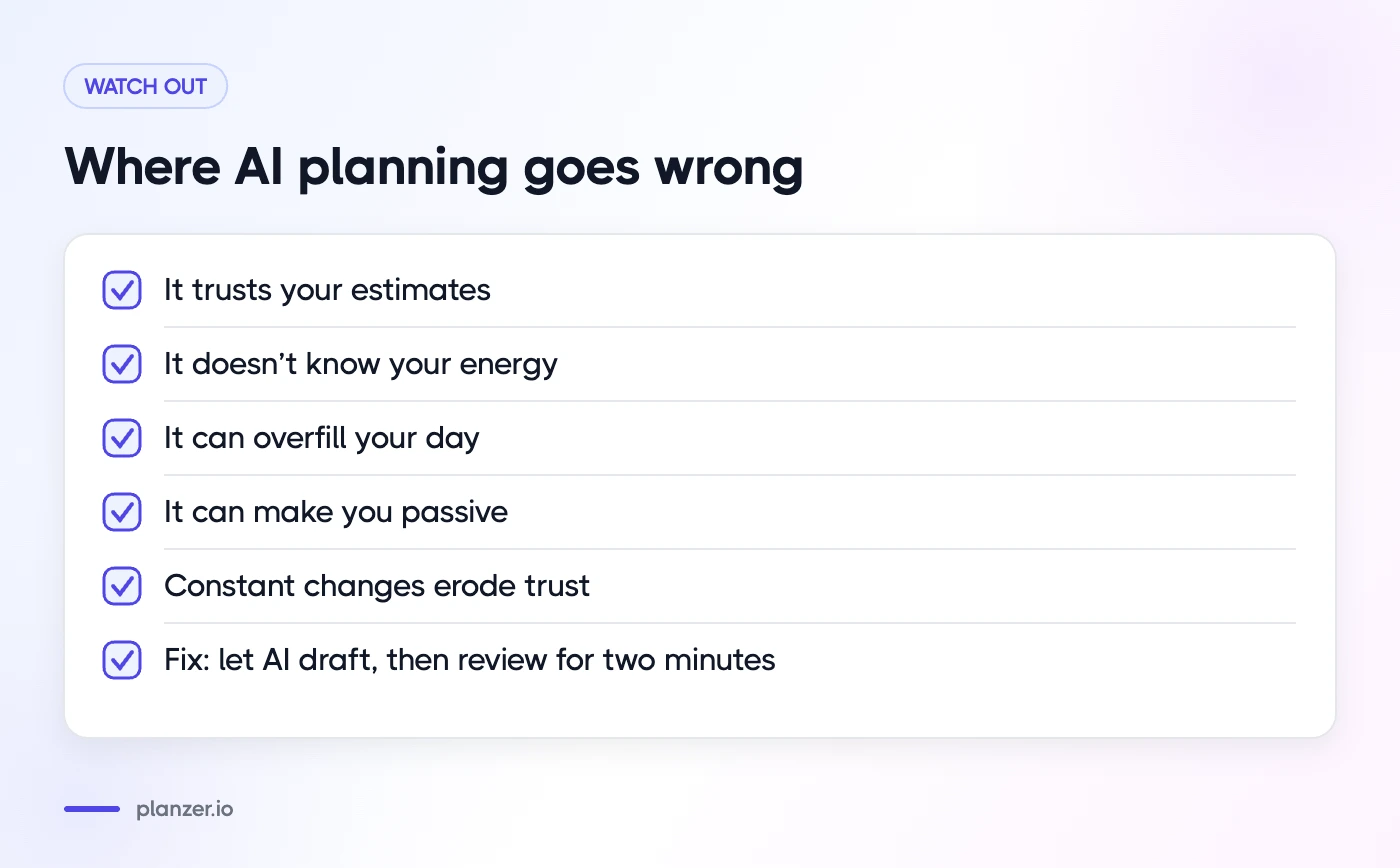
- They trust your estimates. If you think a task takes 30 minutes and it takes two hours, the plan breaks. Tracking actual time helps more than any algorithm.
- They don’t know your energy. Most tools don’t know you write best at 09:00 and fade after lunch unless you tell them.
- They can overfill your day. A schedule that uses every free minute leaves no slack for interruptions.
- They can make you passive. If the app always decides, you may stop asking whether the work is worth doing at all.
- Constant changes erode trust. A plan that moves every hour can be harder to follow than a simple list.
The fix in every case is the same: keep a human review step. Let the AI draft, then spend two minutes adjusting.
Privacy and data considerations
An AI planner sees a lot: your calendar, task titles, sometimes email and chat messages. Before connecting your work accounts, check:
- What data the app accesses and whether you can limit it to specific calendars or projects.
- Whether AI features send data to third-party AI providers, and if so, how that data is handled.
- Where data is stored and whether the company offers a data processing agreement for business use.
- Your employer’s policy. Some companies restrict connecting work calendars to outside apps.
- How to delete your data if you stop using the app.
Most providers publish this in their privacy policy and security pages. If they don’t, that’s a signal in itself.
How to choose
Ask yourself four questions:
- Do I want AI to decide, or to help? If you want hands-off scheduling, look at Motion or Reclaim. If you want to stay in charge, look at Planzer.io, Morgen or Sunsama.
- Which calendar do I use? If you’re on iCloud, check support carefully; not every tool connects to it.
- Where do my tasks live? Make sure the app connects to the tools you already use, like Todoist, Jira or Notion.
- Is this just for me or for my team? Planzer.io and Trevor AI are built for individuals. Motion and Reclaim have the deepest team features, and several others offer team or workspace plans.
Then try one for a week. Use it every morning, and judge it on one thing: did your days feel more realistic?
FAQ
Is an AI planner worth it?
It’s worth it if planning your day currently takes too long, or if your plans regularly fall apart because they don’t fit your calendar. Many apps have free plans or trials, so you can test whether the AI features actually save you time before paying.
Can AI plan my day from my to-do list?
Yes. Most AI planners can take a list of tasks with estimates and fit them into free time on your calendar. In Planzer.io, you pick tasks in “Plan my day” and “Plan it for me” places them between meetings. Motion and Reclaim do this continuously in the background.
Do AI planners work with Google Calendar?
All seven apps in this list work with Google Calendar. Most also support Outlook Calendar, and some support iCloud or Apple Calendar. Check the specific calendar you use before signing up.
What is the difference between an AI planner and an AI calendar app?
An AI calendar app focuses on events and meetings, such as finding meeting times and defending focus time. An AI planner focuses on tasks and your day as a whole, deciding what to work on and when. Many tools, including several in this list, now do a bit of both.