The best time blocking apps in 2026 are Planzer.io for a low-cost daily planner with time tracking, Sunsama for a guided, calm planning ritual, Akiflow for pulling tasks from lots of tools into one inbox, Motion and Reclaim for automatic scheduling, Morgen for a calendar-first app with an AI planner, Structured for a simple visual timeline, and Google Calendar if you want something free and basic.
Which one is “best” depends on how you like to plan. Do you want to drag tasks onto your calendar yourself, or have software place them for you? Do you need team features? Do you care about seeing how long things actually took? This guide helps you decide.
Prices checked in October 2026.
What makes a good time blocking app
Time blocking means giving your tasks a specific slot on your calendar instead of keeping them on an open-ended list. It’s a close cousin of timeboxing, which caps how long you’ll spend on something. Any calendar can do that. A good time blocking app makes the whole loop easier:
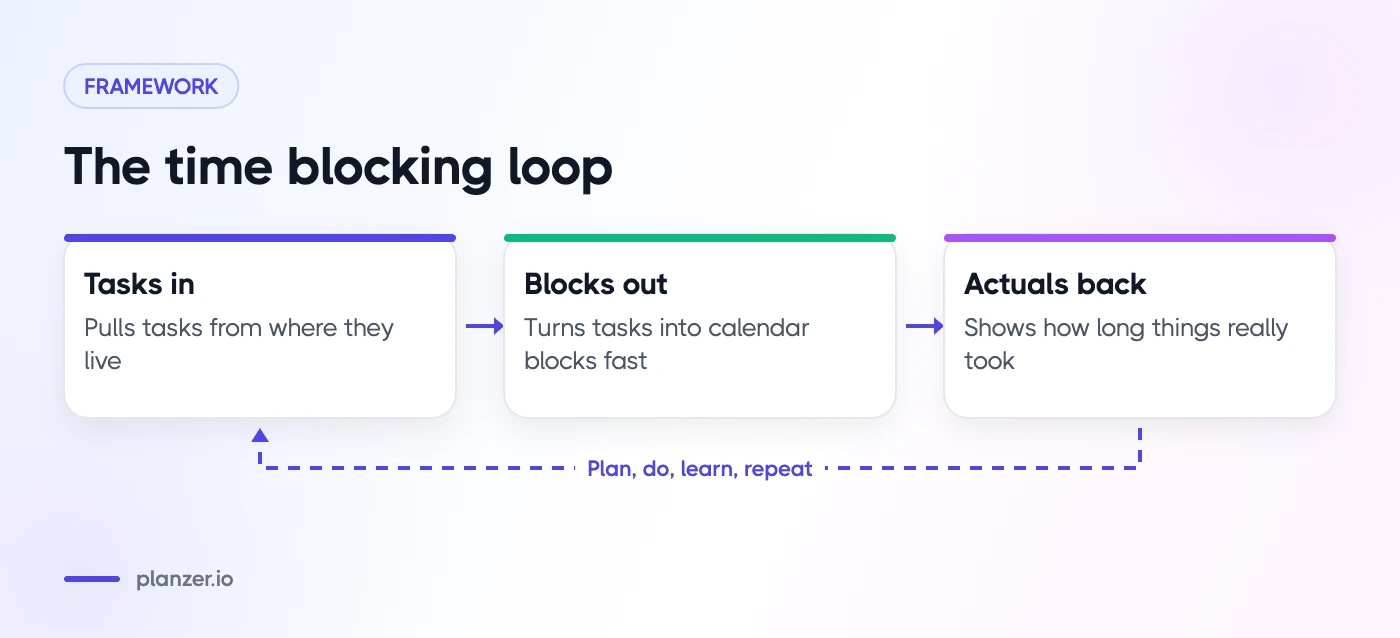
- Tasks in. It pulls tasks from where they live: your to-do app, project tools, email or chat.
- Blocks out. It turns tasks into calendar blocks quickly, ideally by drag and drop, and the blocks show up in the calendar other people see.
- Actuals back. It tells you how long things really took, so your next plan is more realistic.
Beyond that, look for:
- Two-way sync with the calendar you already use
- A clear view of whether today’s plan fits
- Apps on the devices you use every day
- A price that matches how much you’ll use it
How we compared
We compared each app using its official website, pricing page and help documentation, and focused on the loop above rather than on calendar features alone. We didn’t rank tools on design taste, since that’s personal. Where an app offers a free trial, it’s worth trying two or three before committing: time blocking is a habit, and the right tool is the one you’ll open every morning.
The best time blocking apps, ranked
1. Planzer.io
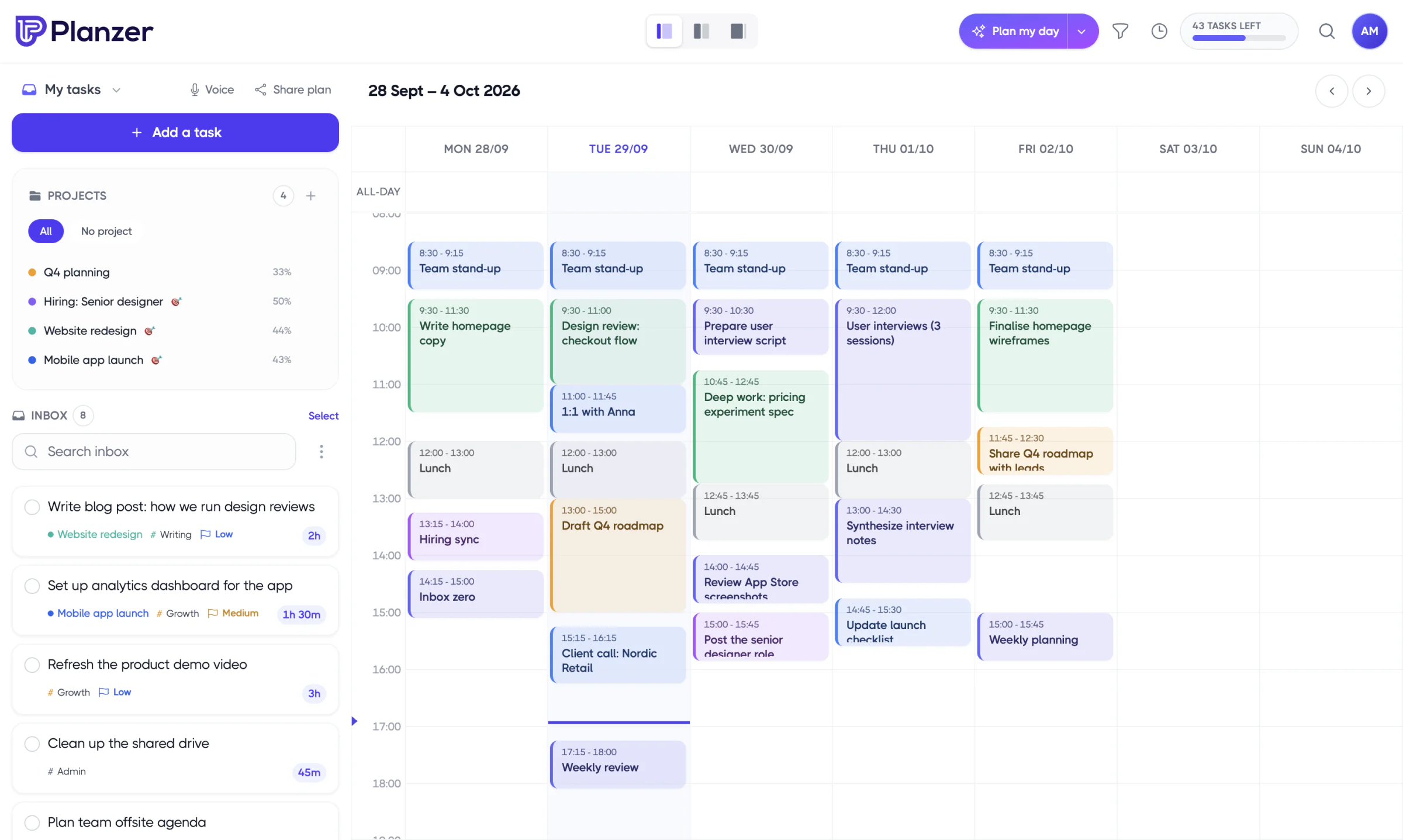
Planzer.io is a personal daily planner that combines tasks, calendar and time tracking. You drag any task onto Google Calendar, Outlook Calendar or iCloud Calendar, and the block becomes a real calendar event. Resizing a block updates the task’s estimate. Today’s list also shows a running order with start and end times and a “Done around …” finish time that turns amber if you’re planned past your shutdown time.
It pulls in items from 16 integrations, including Todoist, Asana, ClickUp, Jira, Linear, Notion, Trello and Slack, and tracks estimated against actual time. The guided “Plan my day” flow can fit tasks between meetings for you with “Plan it for me”. Apps are available on web, iPhone, iPad, Apple Watch, Android, Mac, Windows and Linux.
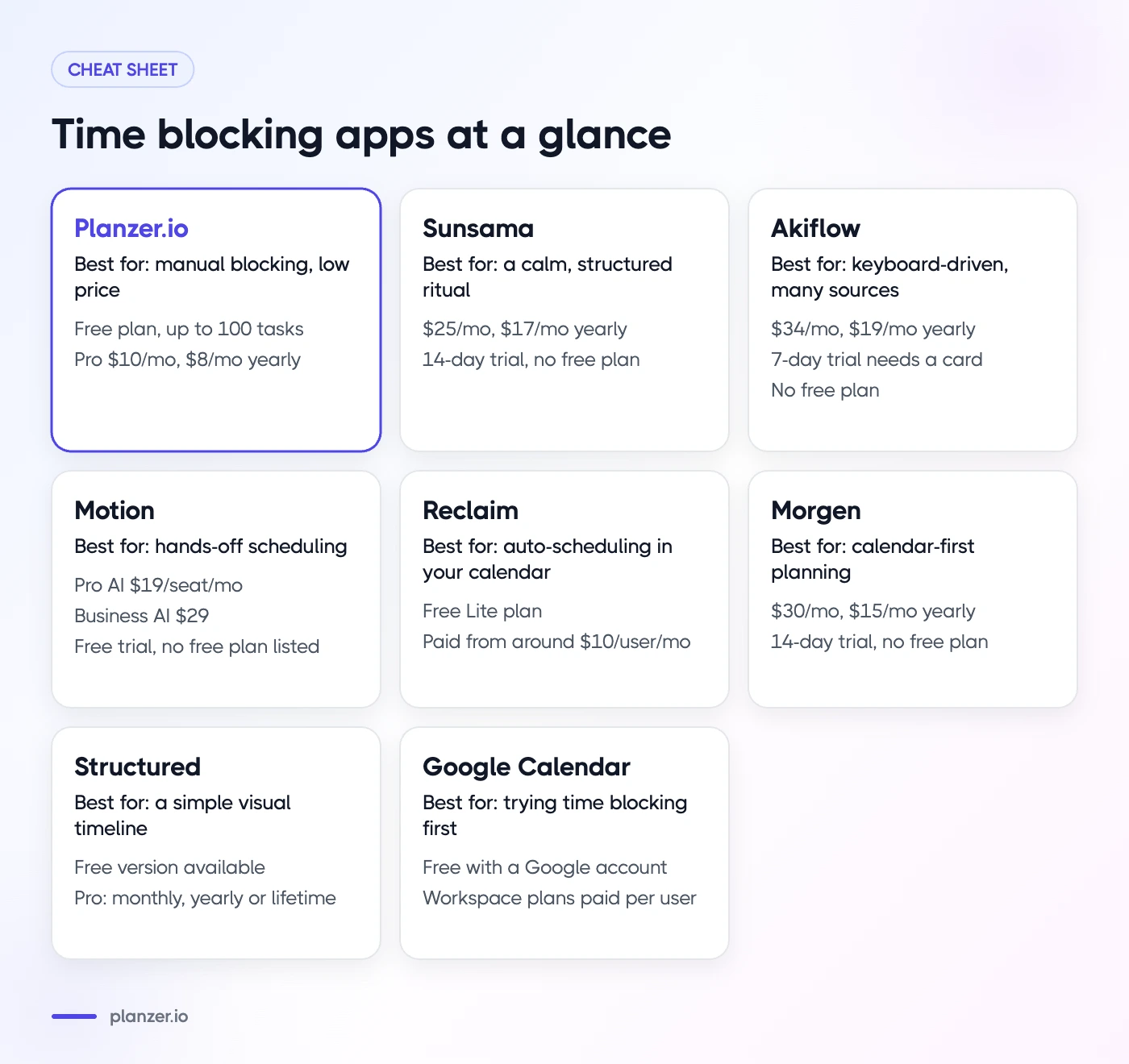
- Price: free plan with up to 100 tasks and all integrations. Pro is $10/month, or $8/month billed yearly (see pricing).
- Where it’s not the best fit: it’s built for individuals, so it has no team collaboration features. If you want software that keeps rescheduling your whole week automatically, an auto-scheduler like Motion or Reclaim is closer to that. It also doesn’t use Gmail as an email source.
- Best for: individuals who want manual time blocking, realistic finish times and estimate vs actual tracking at a low price.
2. Sunsama
Sunsama is built around a guided daily planning ritual. You pull tasks from your tools into the day, timebox them on your calendar and close with a daily shutdown. It also offers a weekly review, a focus mode and analytics. It integrates with a long list of tools, including Asana, ClickUp, Jira, Linear, Notion, Todoist, Trello, Gmail, Outlook and Slack, and connects to Google, Outlook and Apple calendars.
- Price: $25/month, or $17/month billed yearly. 14-day free trial with no credit card. No free plan.
- Platforms: web, Mac, Windows, Linux, iOS and Android.
- Best for: people who want a calm, structured ritual and don’t mind paying more for it. See our Sunsama comparison.
3. Akiflow
Akiflow focuses on a universal inbox: it collects tasks from your tools into one place so you can time block them on your Google or Outlook calendar. It includes daily planning, recurring tasks, keyboard shortcuts and an AI assistant called Aki. It has around ten native integrations and connects to more through Zapier and IFTTT.
- Price: $34/month, or $19/month billed yearly. 7-day trial that requires a payment card. No free plan.
- Platforms: web, desktop and mobile.
- Best for: fast, keyboard-driven people who pull tasks from many sources. See our Akiflow comparison.
4. Motion
Motion is an AI calendar and project tool that schedules tasks for you. You add tasks with priorities and deadlines, and it plans them into your calendar and re-plans as things change. It also covers projects, docs, meetings and, on its Business plan, time tracking and team capacity planning. It connects to Google, Outlook and iCloud calendars.
- Price: on Motion’s pricing page, Pro AI is listed at $19 per seat per month and Business AI at $29, with a discount for annual billing. Free trial available; no free plan listed.
- Platforms: web, Mac, Windows, iOS and Android.
- Best for: people and teams who want the software to decide when tasks happen. See our Motion comparison.
5. Reclaim
Reclaim works inside your existing Google or Outlook calendar rather than replacing it. It automatically schedules tasks, habits and focus time, adds buffer time, and adapts as meetings move. It syncs tasks from tools such as Todoist, Asana, ClickUp, Jira, Linear and Google Tasks.
- Price: a free Lite plan (see Reclaim’s pricing) with focus time, habits, buffer time and a one-week scheduling range. Paid plans start at around $10 per user per month.
- Platforms: web app plus a Google Calendar add-on.
- Best for: people who want auto-scheduling without leaving their calendar, and anyone looking for a strong free plan. See our Reclaim comparison.
6. Morgen
Morgen is a calendar app with tasks and an AI Planner that suggests time blocks, while leaving you in control of what goes on the calendar. It combines multiple calendars and connects to task tools like Todoist, Notion, Linear, ClickUp and Obsidian, plus booking links.
- Price: $30/month, or $15/month billed yearly. 14-day free trial with no credit card. No free plan.
- Platforms: web, Mac, Windows, Linux, iOS and Android.
- Best for: people who live in their calendar and want suggestions rather than full automation. See our Morgen comparison.
7. Structured
Structured is a visual day planner that shows your tasks and events on a single timeline. The free version includes most features. Pro adds calendar import, recurring tasks, AI planning and more.
- Price: free version available. Pro is sold monthly, yearly or as a lifetime purchase, with prices that vary by region.
- Platforms: iPhone, Android, Mac and web, plus Apple Watch.
- Best for: people who want a simple, visual timeline, especially on mobile. See our Structured comparison.
8. Google Calendar
You can time block in plain Google Calendar by creating events for tasks. It’s free with a Google account and works everywhere. Some Google Workspace plans add Focus time events that can decline meetings. What you don’t get is a task list with estimates, a finish time or actual time tracking. Our guide to time blocking in Google Calendar shows how to get the most from it.
- Price: free; Workspace plans are paid per user.
- Best for: trying time blocking before paying for anything.
Best for ADHD, best free and best auto-scheduling
- Best for ADHD: Planzer.io or Structured. Both make time visible. Planzer.io adds estimates, a live finish time and a focus timer with overtime; Structured’s single timeline is very easy to read. (See our post on time blindness for why that matters.)
- Best free: Reclaim’s Lite plan for auto-scheduling, Planzer.io’s free plan for manual time blocking with integrations, or Structured’s free version for a simple timeline.
- Best auto-scheduling: Motion if you want an AI to plan projects and tasks, Reclaim if you want automation inside your existing calendar.
- Best guided ritual: Sunsama.
- Best for many task sources: Akiflow or Planzer.io.
Comparison table: price, platforms, integrations
| App | Free plan | Paid from | Approach | Platforms | Best for |
|---|---|---|---|---|---|
| Planzer.io | Yes (100 tasks) | $8/mo yearly | Manual + “Plan it for me” | Web, iOS, Apple Watch, Android, Mac, Windows, Linux | Realistic days at a low price |
| Sunsama | No (14-day trial) | $17/mo yearly | Manual, guided ritual | Web, iOS, Android, Mac, Windows, Linux | Calm daily ritual |
| Akiflow | No (7-day trial) | $19/mo yearly | Manual, universal inbox | Web, desktop, mobile | Many task sources |
| Motion | No (trial) | $19/seat/mo | Automatic | Web, iOS, Android, Mac, Windows | Hands-off scheduling |
| Reclaim | Yes (Lite) | ~$10/user/mo | Automatic, in your calendar | Web, Google Calendar add-on | Free auto-scheduling |
| Morgen | No (14-day trial) | $15/mo yearly | Calendar + AI suggestions | Web, iOS, Android, Mac, Windows, Linux | Calendar-first planners |
| Structured | Yes | Varies by region | Visual timeline | iPhone, Android, Mac, web | Simple visual days |
| Google Calendar | Yes | Free | Manual events | Web, iOS, Android | Trying it out |
For more side-by-side comparisons, see our compare page.
How to choose
Answer these four questions and the shortlist gets short quickly:
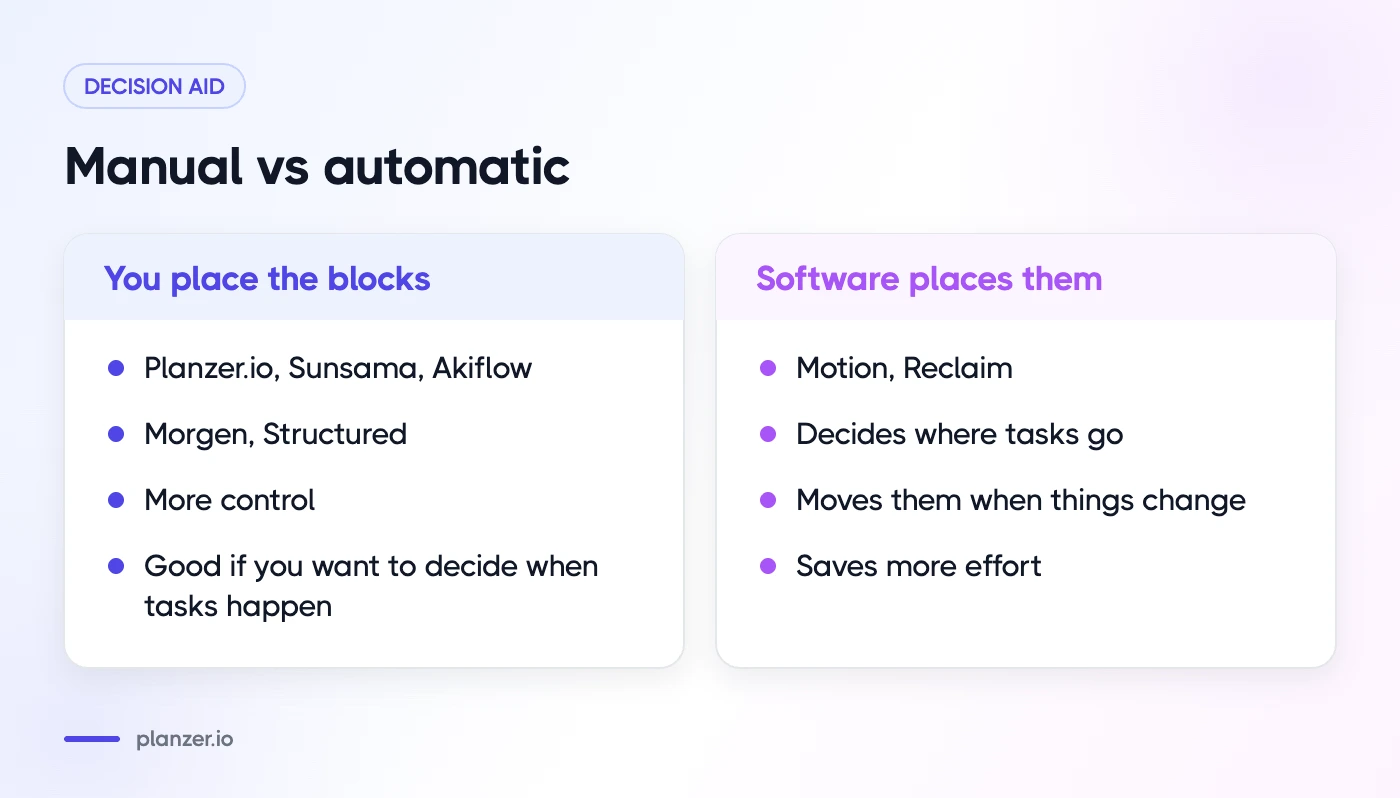
- Do you want to place blocks yourself or have them placed for you? Manual: Planzer.io, Sunsama, Akiflow, Morgen, Structured. Automatic: Motion, Reclaim.
- Do you need team features? If yes, look at Motion or Reclaim’s team plans. Planzer.io, Structured and most personal planners are for individuals.
- Where do your tasks live? Check each app’s integration list against the tools you use every day.
- What’s your budget? If you’re not sure time blocking will stick, start with a free plan or free trial.
If you’re still choosing between planners more broadly, our roundup of the best daily planner apps covers tools that aren’t strictly time blocking apps.
How to do this in Planzer.io
Connect your calendar and your task tools, then open your day. Drag a task onto the calendar to create a block, and drag its edge to change the estimate. Or run “Plan my day” and choose “Plan it for me” to fit tasks into free slots between meetings. Read more on the time blocking feature page.
FAQ
Is there a free time blocking app?
Yes. Google Calendar is free, Reclaim has a free Lite plan, Structured has a free version, and Planzer.io’s free plan covers up to 100 tasks with all integrations.
Can Google Calendar be used for time blocking?
Yes. Create events for your tasks, color-code them and mark them busy. It works well for simple setups, but you’ll manage estimates and task lists separately.
What’s the difference between time blocking and auto-scheduling apps?
Time blocking apps help you place tasks on your calendar yourself. Auto-scheduling apps decide where tasks go based on priorities, deadlines and free time, and move them when things change. Manual gives you more control; automatic saves more effort.