The short answer: time blocking decides when you’ll work on something, and timeboxing decides how long you’ll spend on it. A time block reserves a slot on your calendar for a task. A timebox sets a fixed limit on a task and you stop when the time runs out, finished or not. They work well together, and most good planning systems use both.
Here’s a closer look at each, a side-by-side comparison, examples of when to use which, and a simple way to combine them in one day.
Time blocking in one sentence
Time blocking means dividing your day into blocks on your calendar and assigning each block a specific task or type of work.
For example: “09:00–10:30, write the project proposal. 10:30–11:00, email. 11:00–12:00, team meeting.” Your calendar becomes a plan for the whole day, not just a record of meetings.
Time blocking is about scheduling. It answers the question “When will this happen?” If you want the full walkthrough, see our time blocking guide.
Timeboxing in one sentence
Timeboxing means giving a task a fixed amount of time and stopping when that time is up, whether or not the task feels finished.
For example: “I’ll spend 45 minutes on this slide deck, then I’ll ship whatever I have.” Wikipedia describes timeboxing as allocating a maximum unit of time to an activity, and the idea is widely used in agile software development, where sprints are fixed-length timeboxes.
Timeboxing is about limits. It answers the question “How much time does this deserve?”
Key differences side by side
| Time blocking | Timeboxing | |
|---|---|---|
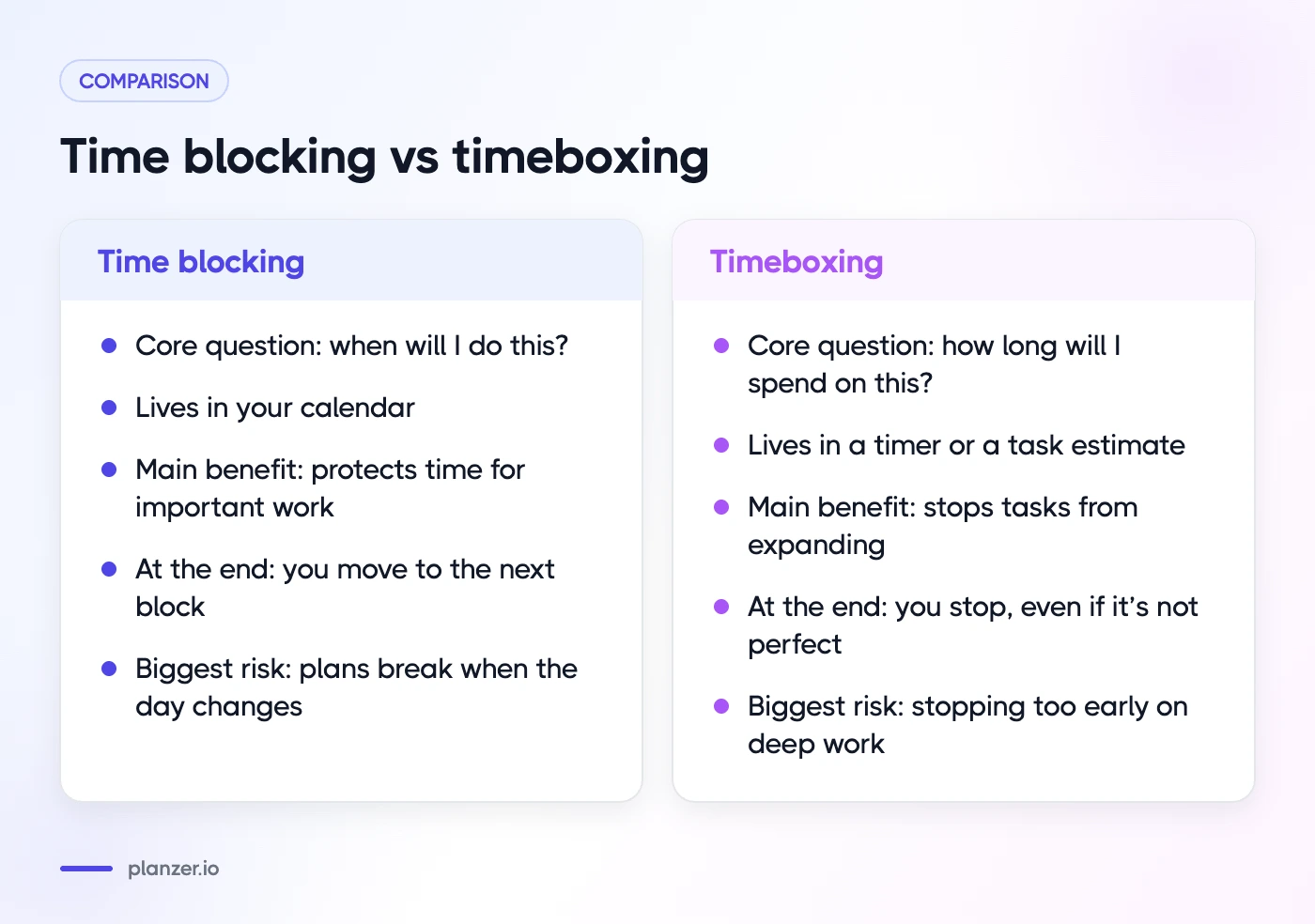
| Core question | When will I do this? | How long will I spend on this? |
| Lives in | Your calendar | A timer, or a task estimate |
| Main benefit | Protects time for important work | Stops tasks from expanding |
| What happens at the end | You move to the next block | You stop, even if it’s not perfect |
| Biggest risk | Plans break when the day changes | Stopping too early on work that needs depth |
| Typical example | 09:00–11:00: deep work on the report | 30 minutes to draft the intro, then move on |
The two often look the same on a calendar. A 60-minute block for “write the intro” could be either. The difference is in the rule you follow: with time blocking, the block is a reservation. With timeboxing, it’s a hard limit.
When to use time blocking
Time blocking works best when your challenge is finding time, not using it well.
- Your calendar fills up with meetings. Blocking time for focus work protects it before others claim it.
- You have a few big, important tasks. Giving each one a dedicated slot makes sure it actually happens.
- You’re juggling several projects. Blocks make it clear how your time is split, and when you’re overcommitted.
- You want a realistic view of your day. Seeing tasks next to meetings shows quickly whether today’s list fits.
Time blocking example
A designer with three projects might block Monday like this: 09:00–11:30 for Project A, 13:00–14:30 for Project B, and 15:00–16:00 for feedback and email. The point is that each project gets protected time, not that the day runs to the minute.
When to use timeboxing
Timeboxing works best when your challenge is stopping or starting.
- Perfectionism. If you polish slides for three hours, a 45-minute timebox forces you to decide what “good enough” means.
- Tasks with no clear end. Research, email and planning can expand forever. A timebox puts a ceiling on them.
- Procrastination. “Just 15 minutes” is easier to start than “finish the report”.
- Meetings and discussions. A timeboxed agenda keeps a meeting from drifting.
Timeboxing examples
- Email: 20 minutes, twice a day. Whatever isn’t handled waits for the next box.
- Research: 60 minutes to compare three vendors, then make a recommendation with what you know.
- Decluttering: 15 minutes on your downloads folder, then stop.
- Writing: 25 minutes on a first draft, no editing allowed.
How to combine them in one day
You don’t have to choose. The most practical approach uses time blocking for structure and timeboxing for discipline inside each block.
- Estimate each task. The estimate is your timebox. “Draft proposal: 60 minutes.”
- Block the time on your calendar. Put the 60 minutes in a specific slot. That’s your time block.
- Start a timer when the block begins. When it rings, decide: wrap up, or consciously extend.
- Record what actually happened. If “60 minutes” took 95, note it. Next time, your estimate will be closer.
A combined day, step by step
| Time | Block | Timebox inside it |
|---|---|---|
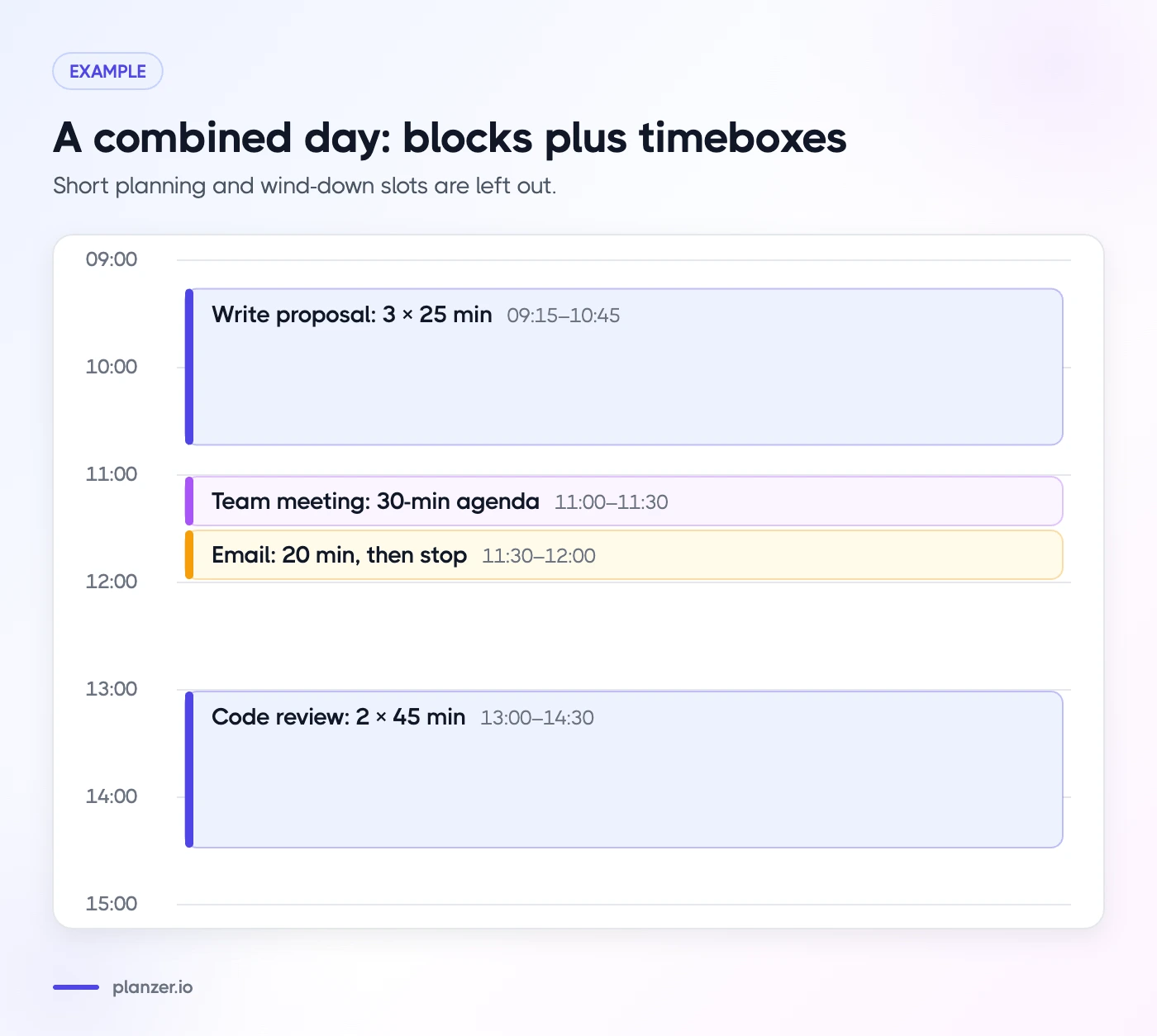
| 09:00–09:15 | Plan the day | 15 min, then start |
| 09:15–10:45 | Write proposal | Three 25-min sprints with short breaks |
| 11:00–11:30 | Team meeting | 30-min agenda |
| 11:30–12:00 | 20 min, then stop | |
| 13:00–14:30 | Code review and fixes | Two 45-min sessions |
| 16:30–16:45 | Wind down | 15 min |
The calendar says when. The timer says how long. Together they give you a day that’s planned but not rigid.
What to do when a timebox runs out
This is where most people struggle. When the timer rings and the task isn’t done, you have three options:
- Ship it. Is it good enough? Often it is.
- Extend once, on purpose. Give it a second, shorter box, and check what you’ll move to make room.
- Park it. Note exactly where you stopped and schedule another block.
What you shouldn’t do is keep going without deciding. That’s how one task eats your afternoon.
Timeboxing vs Pomodoro
The Pomodoro Technique, created by Francesco Cirillo in the late 1980s according to Wikipedia, is a specific kind of timeboxing. You work for 25 minutes, take a 5-minute break, and after four rounds take a longer break.
| Timeboxing | Pomodoro | |
|---|---|---|
| Length | Any length you choose | Usually 25 minutes |
| Breaks | Not built in | Built in after every round |
| Scope | One task or activity | Work in repeated intervals |
| Best for | Capping tasks that expand | Building focus and rhythm |
Think of Pomodoro as a recipe and timeboxing as the cooking technique. If 25 minutes feels too short for deep work, longer timeboxes of 45 or 60 minutes with a short break work just as well.
Common mistakes with both methods
A few traps catch almost everyone at first:
- Blocking every minute. A calendar with no gaps breaks at the first overrun. Leave 15–30 minutes of buffer around meetings and after big blocks.
- Treating blocks as promises to others. Your focus blocks are commitments to yourself. Moving them is fine, as long as you move them on purpose rather than letting them disappear.
- Setting timeboxes from hope, not data. If writing a blog post has taken three hours the last five times, a one-hour box just sets you up to fail. Check your actual times and adjust.
- Ignoring the timer. A timebox only works if you make a decision when it ends. Otherwise it’s just a clock in the corner.
- Using one method for everything. Deep work suits long blocks. Admin suits short boxes. Match the method to the task.
How to do this in Planzer.io
Planzer.io supports both sides of this:
- Time blocking: drag any task onto Google Calendar, Outlook Calendar or iCloud Calendar. Time blocks are real calendar events, and resizing a block updates the task’s estimate.
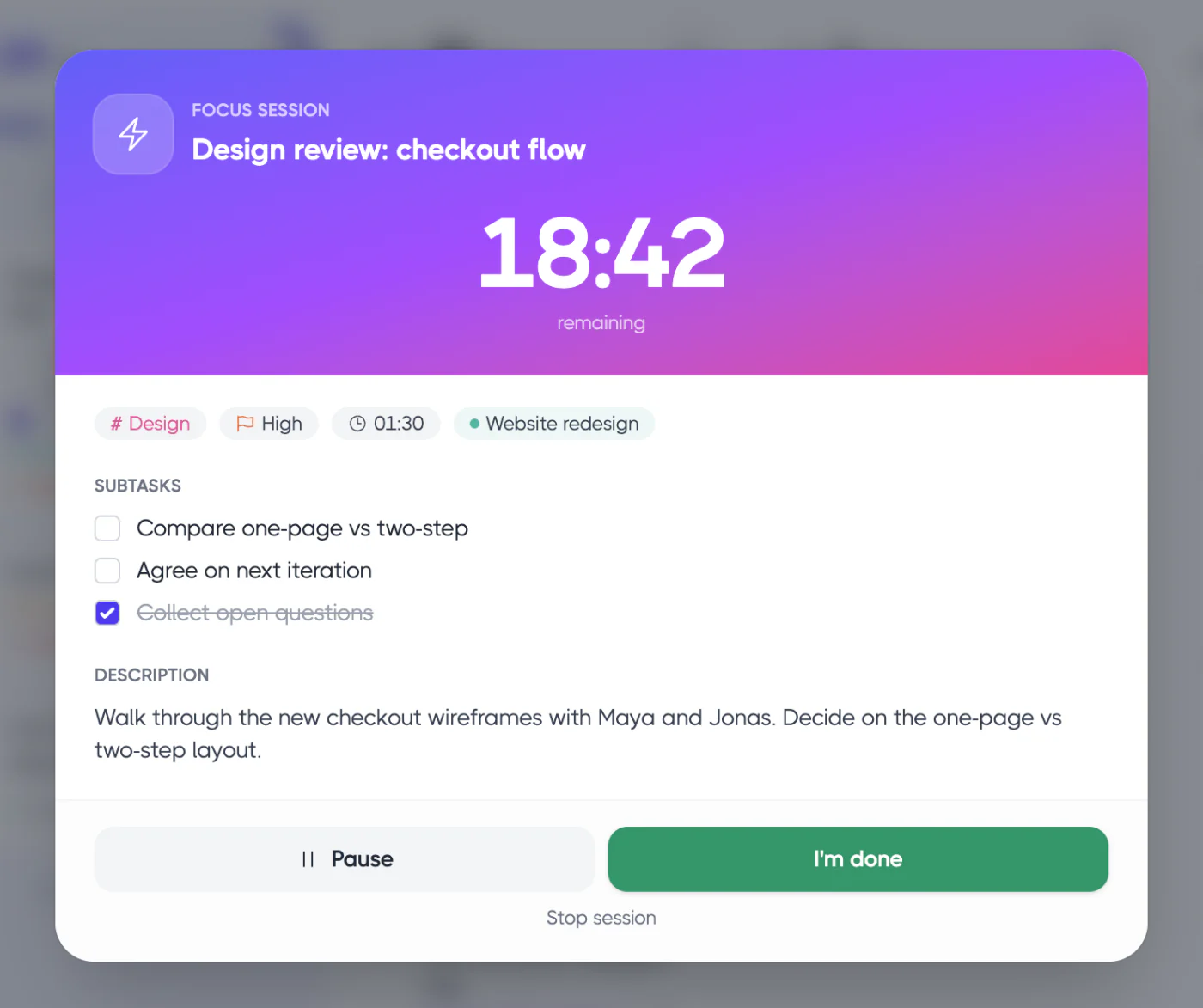
- Timeboxing: add an estimate with ~30m in quick add, then start a focus timer session of 15, 25, 45 or 60 minutes. If you keep going, overtime counts past 00:00 so you can see how far over you went. A 5-minute “Take five” break is built in.
- Learning from it: time tracking compares estimated and actual time, so your next timebox is more realistic.
If time blocking feels too rigid for you, our post on time blocking with ADHD covers a looser, more forgiving approach.
FAQ
Is timeboxing the same as time blocking?
No, but they’re closely related. Time blocking schedules a task at a specific time on your calendar. Timeboxing sets a maximum amount of time for a task and you stop when it’s up. A time block can contain a timebox, and many people use both.
How long should a timebox be?
Long enough to make real progress, short enough to keep you focused. For most knowledge work, 25 to 90 minutes is a good range. Use shorter boxes of 10–15 minutes for tasks you’re avoiding, and longer ones for deep work like writing or coding.
Does timeboxing work for ADHD?
Many people with ADHD find it helpful, because a visible timer makes time more concrete and a short box makes starting easier. It works best with flexibility: if you’re in a good flow when the timer rings, it’s fine to consciously extend. A gentle sound at the end of the box can make transitions easier.
What is the timeboxing technique in agile?
In agile, timeboxing means giving an activity a fixed duration that doesn’t change, like a two-week sprint or a 15-minute daily standup. Scope adjusts to fit the time, not the other way around. The same idea works for personal tasks.