Akiflow and Planzer.io share the same big idea: pull tasks from all your tools into one place, then time block them on your calendar. If you are moving from Akiflow to Planzer.io, most of your setup carries over through integrations. This guide walks you through it, and is honest about the few things that work differently.
What carries over from Akiflow
Most of the tools Akiflow connects to are also Planzer.io integrations:
- Calendars: Google Calendar, Outlook and iCloud.
- Task tools: Todoist, Asana, ClickUp, Trello, Notion, Jira, Linear, GitHub and Microsoft To Do.
- Messages: Slack, and email from Outlook.
A few Akiflow sources have no Planzer.io equivalent today: Gmail (email to task works with Outlook only), Microsoft Teams and Zapier. If your workflow depends heavily on these, keep that in mind. For a side-by-side look, see Planzer.io vs Akiflow.
Step 1: Connect your calendars
Open Calendar settings in Planzer.io and connect the same Google, Outlook or iCloud calendars you used in Akiflow. Your meetings, and the time blocks Akiflow wrote to your calendar, appear straight away because they live in your calendar.
Turn on Use for planning tasks for the calendar where new time blocks should go.
Step 2: Connect your task tools
Open Integrations and connect each tool you used with Akiflow. Every tool gets its own panel in the sidebar. Drag a task onto a day or onto a time slot to plan it, the same way you time block in Akiflow.
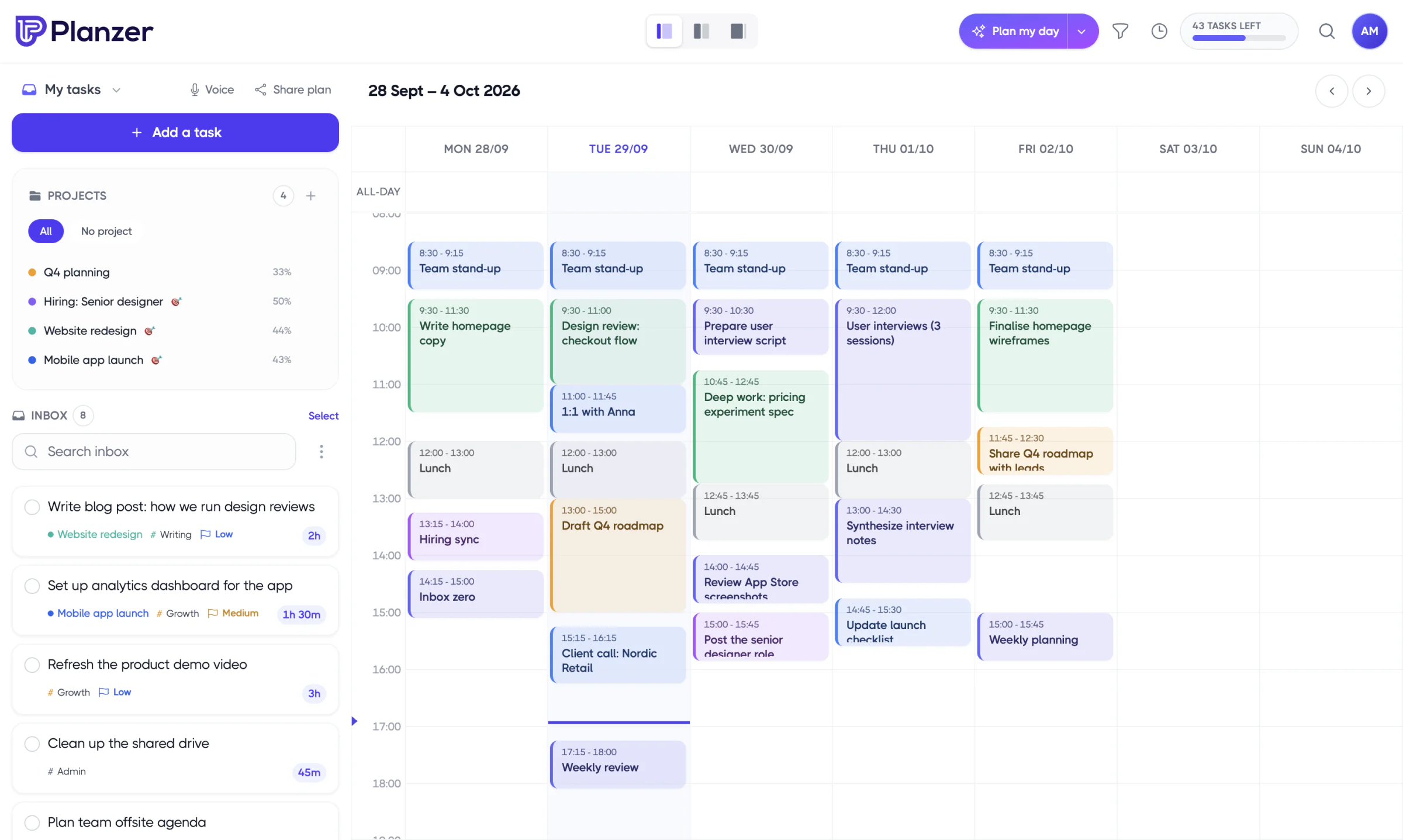
Imported tasks keep their title and description. For Jira, Linear, GitHub, Google Tasks and Microsoft To Do, the due date comes along as a deadline.
Step 3: Turn emails and Slack messages into tasks
Akiflow’s universal inbox is a big part of why people use it. In Planzer.io you can do the following:
- Outlook email: connect Outlook Mail and your emails appear in the sidebar. Drag one onto your day to make it a task. You can also archive it, mark it read or flag it automatically when you import or complete it.
- Slack: use the Planzer.io message action or the /planzer command to turn a message into a task.
- Share to Planzer.io: on iPhone and Android, share a link or some text from any app to add it to your inbox.
Step 4: Set up completion sync
Open Integration settings and choose each tool. Under Completion automations, choose what happens in that tool when you complete the task in Planzer.io. For example, you can close the Todoist task, move the Trello card or transition the Jira issue to Done. These are off until you turn them on.
In the other direction, finishing a task in the original tool completes it in Planzer.io on the next refresh. That is on by default.
Step 5: Re-add your Akiflow-only tasks
Akiflow doesn’t offer a documented data export, so tasks you created directly in Akiflow need to be added again in Planzer.io. Copy them from Akiflow’s inbox and use one of these:
- Quick add: type “Call the bank tomorrow ~15m” and the date and estimate are set for you.
- Voice: say several tasks in one go and Planzer.io splits them into separate tasks. Works on every plan.
- Repeat menu: recreate repeating tasks as daily, weekday, weekly, every two weeks, monthly or yearly, or choose Custom… for your own schedule.
- Routines: save a checklist you run every morning as a routine on the Routines page.
Step 6: Plan your day
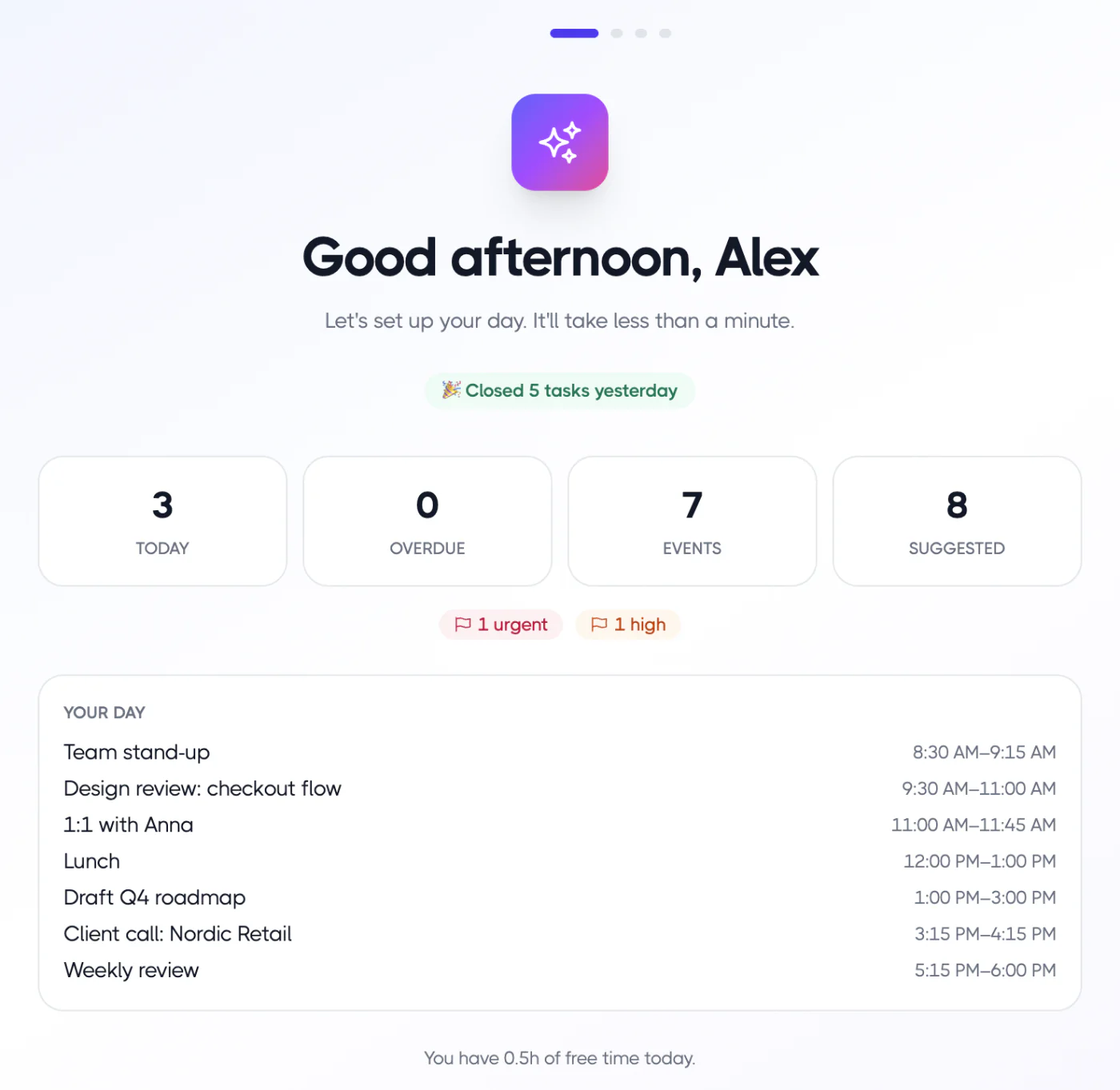
Akiflow’s daily planning ritual has a match in Plan my day. It helps you choose today’s tasks, estimate them and fit them around your meetings. At the end of the day, the shutdown helps you close the loop and move unfinished work forward.
What you gain by switching
- Apps everywhere: web, iPhone, iPad, Apple Watch, Android, Mac, Windows and Linux.
- A free plan: 100 tasks for free, and Pro at $10 a month, or $8 a month billed yearly.
- Focus timer and time tracking: track the time you actually spend, not just what you planned.
- Projects and goals: group tasks into projects with milestones.
Frequently asked questions
Can I import my Akiflow tasks?
There is no direct import. Tasks from connected tools come back through the integrations, and tasks that only lived in Akiflow need to be re-added.
Does Planzer.io support Gmail?
Not for turning emails into tasks. Email to task works with Outlook. Google Calendar and Google Tasks are fully supported.
Is there a Zapier integration?
Not yet. It’s on the list of upcoming integrations.
Is Planzer.io cheaper than Akiflow?
Planzer.io has a free plan with 100 tasks, and Pro costs $10 a month, or $8 a month billed yearly. See pricing for details.