
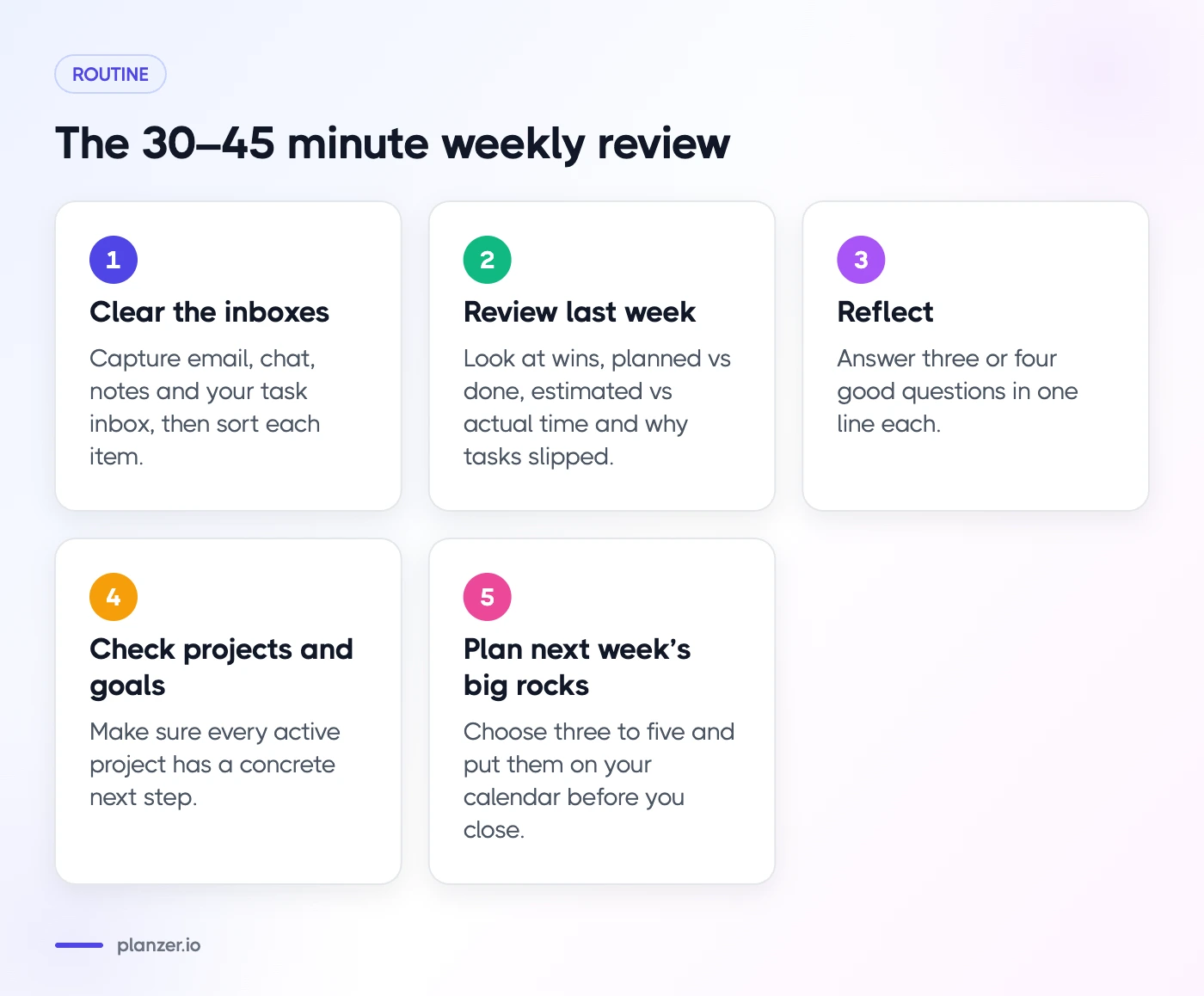
To do a weekly review, block 30–45 minutes at the end of your week and work through five steps: clear your inboxes, look at last week with real numbers, reflect with a few good questions, check your projects and goals, and choose next week’s big rocks. Then put those big rocks on your calendar before you close.
That’s the short version. Below, each step is broken down with what to look at, what to ask and what to decide, plus a checklist you can copy.
What a weekly review is (and isn’t)
A weekly review is a regular check-in on your whole system: tasks, calendar, projects and goals. It was made popular by David Allen’s Getting Things Done method, where it’s the habit that keeps everything else trustworthy. If you don’t review your lists, you stop believing them, and once you stop believing them you stop using them.
It is:
- A time to catch up, so nothing important is sitting forgotten
- A look back at how the week actually went
- A decision about what next week is for
It isn’t:
- A full planning session for every hour of next week
- A guilt trip about everything you didn’t do
- Something you need to do perfectly to get value from it
Weekly review vs weekly planning
They’re related but different. The review looks backwards and tidies up. Planning looks forward and commits. Most people do both in one sitting: review first, then plan. If you want more on the planning side, see our guide on how to create a weekly plan that works for you.
When to do it and how long it takes
Most people do their review on Friday afternoon or Monday morning.
- Friday afternoon lets you close the week with a clear head and start Monday ready. It pairs well with your end-of-day shutdown ritual.
- Monday morning means you plan with the freshest information, but it’s easier to get pulled into email first.
- Sunday evening works for some people, as long as it doesn’t eat into rest.
Budget 30–45 minutes. Your first few reviews may take an hour while you catch up. After that, it gets quicker.
Put it on your calendar as a recurring event. A review that lives only in your head tends to get skipped the first busy week.
Step 1: Clear the inboxes
Start by collecting everything that’s floating around, so you’re reviewing a complete picture.
- Email: turn anything that needs action into a task. Archive the rest.
- Chat: check saved messages, mentions and threads you meant to follow up on.
- Notes and paper: meeting notes, sticky notes, voice memos, that list on the back of an envelope.
- Task inbox: anything you captured quickly this week but didn’t sort yet. Give each item a project, a date or a delete.
- Calendar: scan last week for follow-ups you promised in meetings.
Don’t do the tasks now, unless they take a minute or two. The aim is to capture and sort.
Step 2: Review last week with real numbers
Memory is unreliable. Most of us remember the last two days and the one thing that went badly. If you have data, use it.
Look at:
- What you finished. Count your wins. Small ones count too.
- Planned vs done. How many of the tasks you planned actually got done? Which ones kept slipping?
- Estimated vs actual time. Where did your estimates miss, and by how much? Repeated misses on the same kind of task are worth noting.
- Why tasks slipped. Was it interruptions, underestimating, waiting on others, or low energy?
- Where time went. How much went to meetings, deep work, admin and reactive work?
If you use a planner with productivity analytics, this step takes five minutes. If you don’t, use your calendar and completed tasks to piece it together.
Build a simple weekly scorecard
A scorecard is a handful of numbers you check every week. Keep it to three to five, and choose ones you can actually influence:
| Measure | Example target | This week |
|---|---|---|
| Must-do tasks done | 80% or more | |
| Deep work hours | 10 | |
| Days I shut down on time | 4 of 5 | |
| Average energy (1–5) | 3+ |
Watching the same few numbers over a month says more than any single week. If your estimates are consistently off, our post on the planning fallacy explains why and how to fix it.
Step 3: Reflect with the right questions
Numbers show what happened. Questions help you understand why and what to change. Pick three or four from this list rather than answering them all:
- What went well this week, and why?
- What drained me?
- What did I avoid, and what’s the smallest next step on it?
- Where did my time go that I didn’t expect?
- What would I do differently if I had this week again?
- What am I looking forward to next week?
- What can I drop, delegate or say no to?
Write short answers. One line each is plenty. For more prompts, see our list of weekly reflection questions.
Step 4: Check projects and goals
Now zoom out from tasks to the bigger picture. Go through each active project and ask:
- Is it still active? If not, pause it or close it.
- What’s the next step? Every active project should have at least one concrete, startable task.
- Is there a deadline or milestone coming? If so, add checkpoints for next week.
- Is anything waiting on someone else? Add a follow-up task.
Then check your goals. Did this week move them forward? If a goal hasn’t had a single task in a month, either schedule something or admit it’s not a priority right now. Linking tasks to projects and goals makes this step much faster, because you can see progress at a glance.
Step 5: Plan next week’s big rocks
“Big rocks” are the few things that would make next week a success. The idea is to place them first, before the small stuff fills every gap.
- Look at next week’s calendar. Note meetings, travel, deadlines and days that are already full.
- Choose three to five big rocks. Pull from your project next steps, deadlines and goals.
- Schedule them. Give each big rock a time block on a specific day, ideally when you have the most energy.
- Check capacity. Add up the time. If your big rocks plus meetings fill the week, something has to move.
- Leave space. Unplanned time is what lets you handle surprises without everything collapsing.
You don’t need to plan every day in detail. A short daily plan each morning will fill in the rest.
Weekly review checklist
Copy this into your notes, or use our weekly review template for a ready-made version.
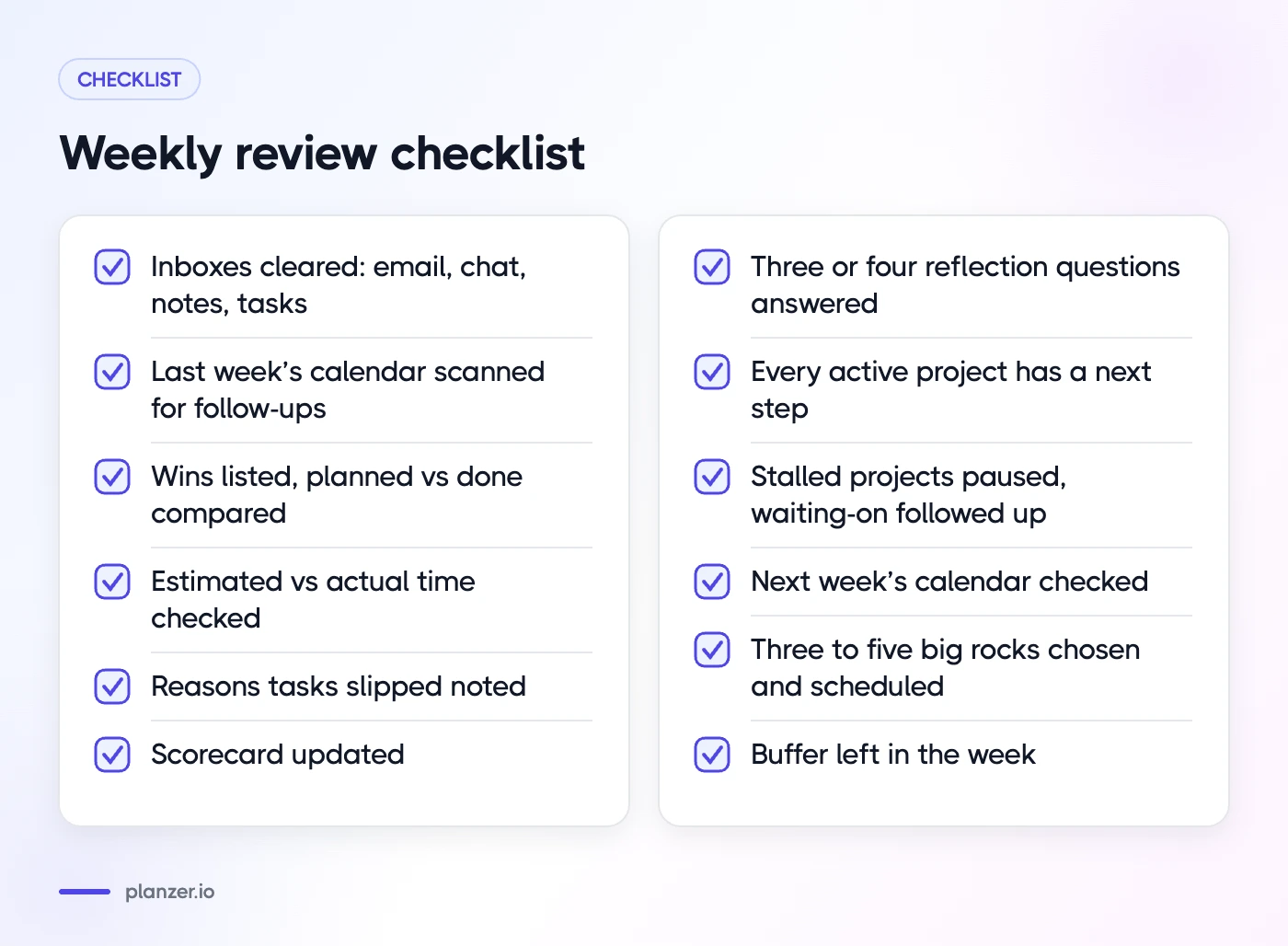
Clear
- Email processed to zero actions
- Chat mentions and saved messages checked
- Notes, paper and voice memos captured
- Task inbox sorted
- Last week’s calendar scanned for follow-ups
Review
- Wins listed
- Planned vs done compared
- Estimated vs actual time checked
- Reasons tasks slipped noted
- Scorecard updated
Reflect
- Three or four reflection questions answered
Projects and goals
- Every active project has a next step
- Stalled projects paused or closed
- Waiting-on items followed up
Plan
- Next week’s calendar checked
- Three to five big rocks chosen and scheduled
- Buffer left in the week
Common weekly review mistakes
A few traps catch almost everyone in the first month:
- Doing the tasks instead of reviewing them. You open one email, then another, and the hour is gone. Capture and sort first; do later.
- Reviewing everything, every week. You don’t need to reread your entire backlog. Focus on active projects and anything with a date.
- Skipping the look back. Jumping straight to planning feels productive, but without Step 2 you repeat last week’s mistakes, like overloading Mondays.
- Planning a perfect week. A plan with no slack breaks by Tuesday. Leave space on purpose.
- Giving up after a missed week. Just do a shorter review next time. Clearing inboxes and choosing big rocks is enough to get back on track.
How to do this in Planzer.io
Planzer.io has two guided flows for this. “Review my week” walks you through how the week went, and the analytics include “Estimated vs actual” and “Why tasks slip”, so Step 2 uses your real data instead of memory. On Pro, an AI weekly review summarizes the week for you.
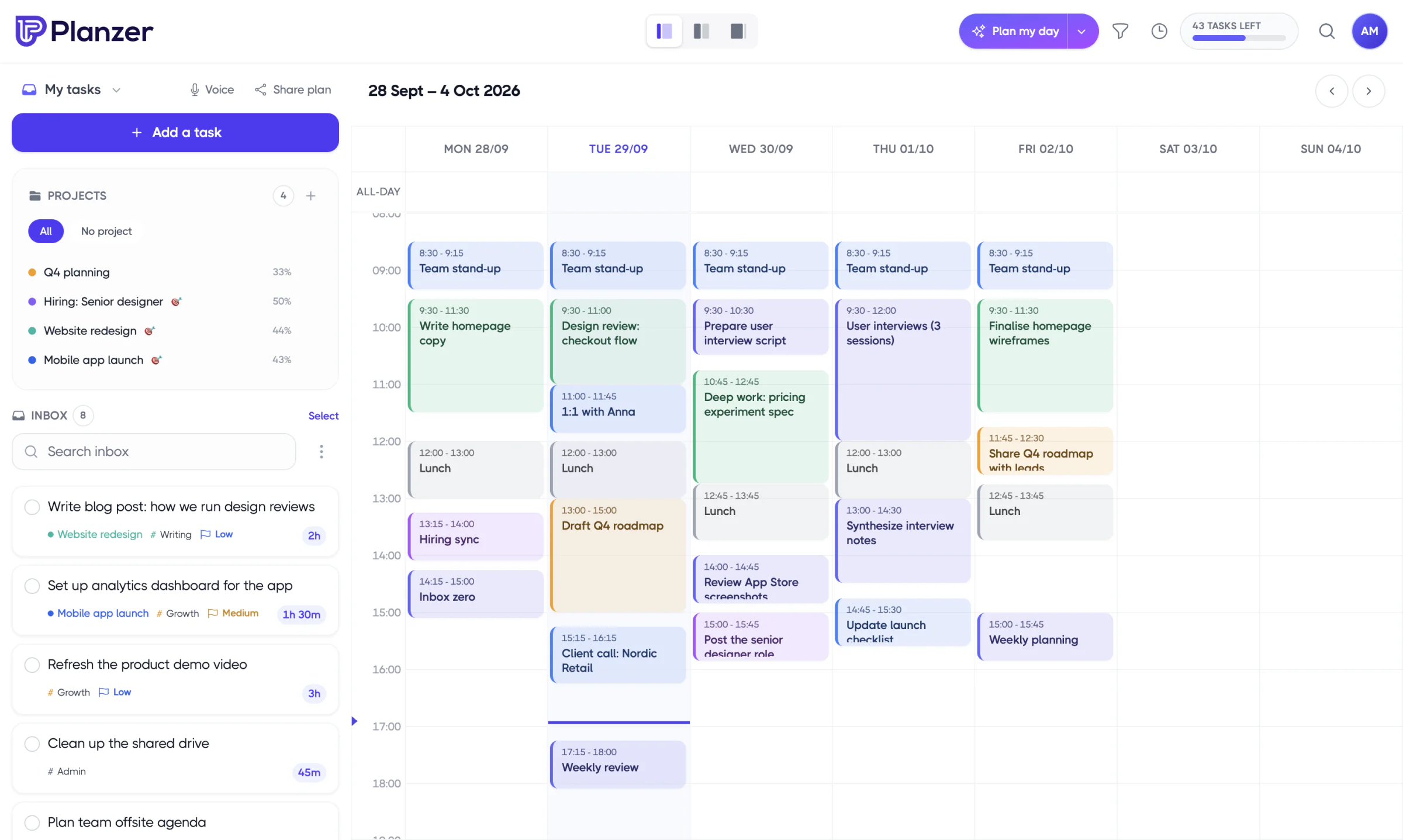
Then “Plan my week” helps you lay out the next one. Since Planzer.io doesn’t send a weekly prompt automatically, add a recurring event on your calendar so the review has a fixed home.
FAQ
What is the GTD weekly review?
It’s the weekly habit at the heart of David Allen’s Getting Things Done method. You get everything out of your head and inboxes, update your lists and projects, and decide what’s next. The official Getting Things Done site has more on the method.
Weekly review vs weekly planning: what’s the difference?
A weekly review looks back: it clears inboxes, checks what happened and updates projects. Weekly planning looks forward: it chooses priorities and schedules them. Doing the review first makes the plan more realistic.
What day is best for a weekly review?
Friday afternoon is the most common choice, because it closes the week cleanly. Monday morning works if your priorities change a lot over the weekend. Pick one day and stick with it.
How long should a weekly review take?
Around 30–45 minutes once you’re in the habit. The first few may take an hour. If it regularly takes much longer, simplify: fewer reflection questions and a shorter scorecard.