
 Planzer
 TodoistAll projects
 Google Calendar
 Task management
Asana
Pull in all your projects and tasks and plan them in Planzer.io.

The Todoist integration pulls in your open tasks so you can plan them in Planzer.io, and you choose which projects or labels stay out.
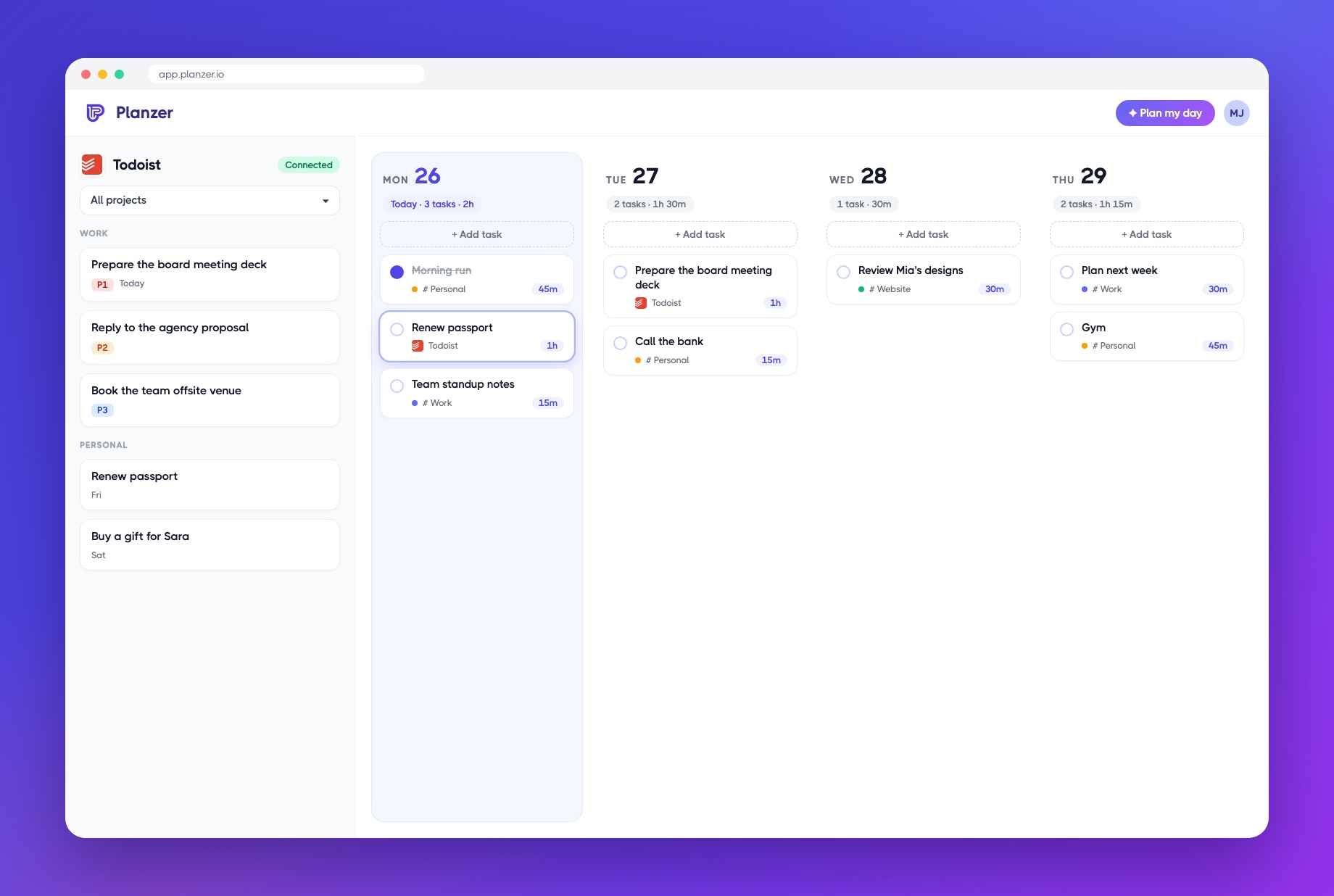
See it in action
Drag a Todoist task into a free slot in your calendar. When you finish it in Planzer, it can be completed in Todoist too.
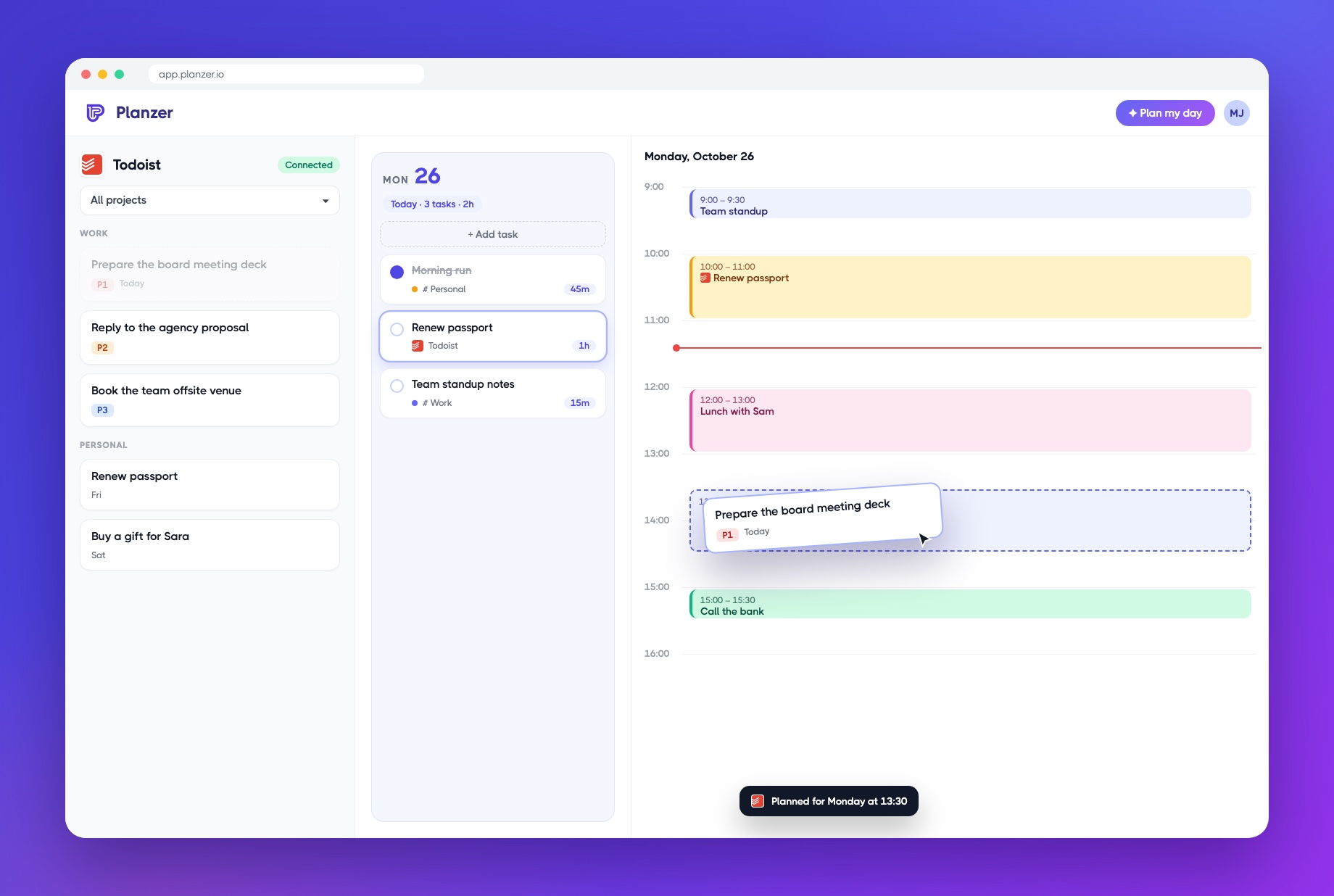
About
Todoist is to-do software that helps you create an overview of all your tasks, and Planzer.io integrates with it.
Pull your Todoist tasks straight into Planzer.io
Drag Todoist tasks into your day and calendar
Hide Todoist projects or labels you don't want to plan, like reminders
Todoist is an easy way to manage all your to-dos, and with the Planzer.io integration you can easily plan your day and stay on top of your schedule.
Get started
It’s super easy to connect your Todoist account. Here are the 3 simple steps.
Click the plus icon in the right sidebar of Planzer.io.
Click the Todoist logo in the list of integrations.
Go through the authentication flow, and you’ve now connected Todoist.
With Todoist connected, you’re ready to plan your day by pulling in tasks from Todoist in an easy and efficient way.
Connect Todoist for freeGood to know
Have a question about the Todoist integration? Reach out via chat or email — we’d love to help.
More integrations
Task managementPull in all your projects and tasks and plan them in Planzer.io.
 Task management
Pull in pages, to-dos or both, filtered by database, and plan them in Planzer.io.
 Calendar
See all your events for the day right next to your tasks.
Sign up for free and give every task a time slot. No credit card needed.