You’re probably managing multiple projects at once. You might even feel like you’re doing it wrong. But don’t worry. There are ways to make things work better. Here are 17 tips for keeping your clients happy while managing your workload.
17 tips to manage your freelance projects
1. Set Deadlines
If you want to satisfy your clients, you must set deadlines for every project and every task internally. If you don’t, it’s easy to start thinking about what else you could be doing rather than focusing on the task. This is especially true for freelancers who often take on multiple jobs simultaneously.
2. Prioritize Your Work
You shouldn’t spend all day working on one project. Instead, divide your time among several tasks and focus on completing the most important ones first. Once those are done, move on to the next highest priority.
When you prioritize, then make sure to vary the tasks. If we have to do the same types of tasks all day, then we burn out. Having a variety is a huge motivation boost.
3. Keep Clients Informed
Your clients should know exactly where they stand on the status of their projects. For example, if you’ve been waiting for feedback from a client, send him/her a quick email letting them know how long you’ve waited. They’ll appreciate knowing that you care enough to check on them.
On the other hand, if you already know you’ll be late delivering the project, be upfront with your client. They will appreciate your professionalism much more than if they have to find out when it’s too late.
4. Set aside time to plan your week
Like most people, planning your week helps you organize your tasks better. You know what needs to be done and how long it will take to complete each task. This gives you peace of mind knowing that everything will get done on time. But do you ever find yourself rushing around to finish work before Friday? If so, you might want to try setting aside some time to plan your week.
Planning your week will help keep you organized and prevent last-minute stress. Here are three ways to set aside time to plan your week’s activities:
- Make a list of things you must accomplish during the upcoming week.
- Create a calendar showing where you are supposed to be at certain times.
- Use a planner app with weekly planning, such as Planzer.io, so your week and your calendar live in one place.
5. Break up big tasks
Many people struggle with getting things done because they don’t know how to break down their work into smaller chunks. This is especially true for those overwhelmed by the sheer amount of work they must do. They feel like they just can’t handle it all.
The problem here is that we often try to tackle everything at once. We think that if we just start working on one project, we’ll eventually finish it. But what happens is that we end up doing nothing. Because we didn’t set aside enough time to complete each task, we never actually accomplished anything.
Instead, split each project into steps that take no more than an hour or two, give each step a time estimate, and schedule the first one. Small steps are easier to start, and you can see your progress as you tick them off. If you use Planzer.io, AI can break a task down into subtasks for you (a Pro feature), and you can save steps you repeat for every client as a template.
6. Focus on one thing at a time
When trying to manage your workload, focusing on one specific goal at a time is essential. If you try to do too many things at once, you won’t be able to achieve any of them. Instead, pick something to focus on and dedicate your energy to it.
7. Start every day with the most challenging task
We are all guilty of starting our days with easy tasks. We want to make sure we do something productive, but it seems like everything takes longer than expected. If you do the same thing repeatedly, try tackling the most challenging problems first. You’ll feel better about yourself because you’ve accomplished something difficult. You’ll also feel less stressed out because you won’t have to worry about what else needs to be done.
8. Track your time in detail
A time tracker helps you see exactly where your hours go. Track time on each task and you can monitor how much time you spend on each project and client, spot the tasks that take longer than expected, and quote future projects more accurately. In Planzer.io you can start a timer on any task and compare estimated vs actual time.
Pair it with reminders for your deadlines, so you never forget about the important ones.
9. Work on one task at a time
Multitasking is tricky because you don’t focus on anything long enough to complete it. You switch from task to task without completing any of them. This leads to frustration, stress, and burnout. Research summarized by the American Psychological Association shows that switching between tasks has a real cost: each switch slows you down, and the cost grows with more complex work.
Time batching helps us finish things faster and avoid distractions. If you want to do something important, like write an email, set aside some uninterrupted time. You might think you can multitask, but you probably won’t be able to concentrate on both tasks well.
10. Maintain a checklist
A checklist helps you keep track of everything you need to do. It allows you to focus on the most essential tasks while avoiding distractions. You can use it to organize your workflow, plan, and ensure you don’t forget anything.
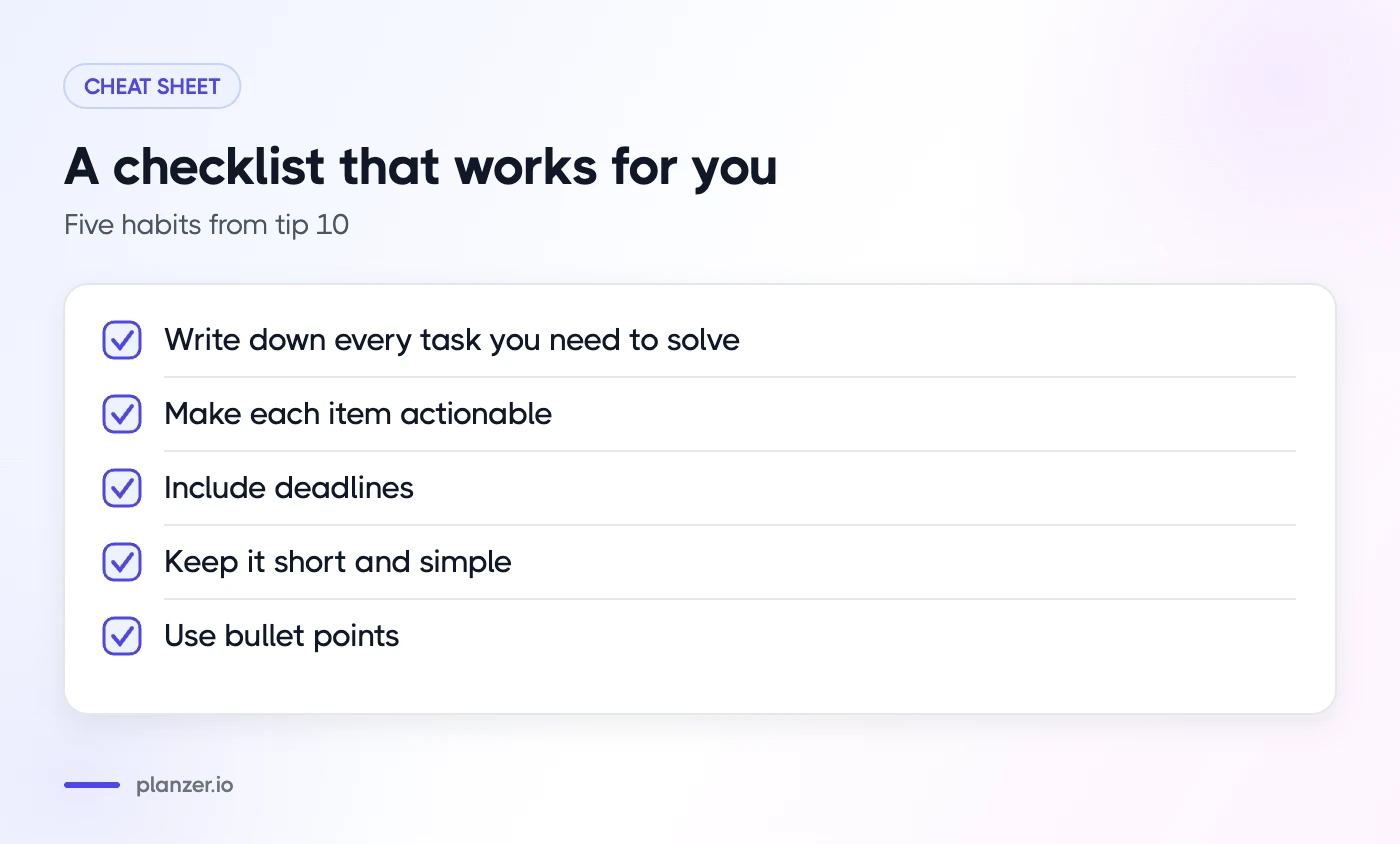
Here are some tips to help you write a checklist that works for you:
- Write down every task you need to solve
- Make each item actionable
- Include deadlines
- Keep it short and simple
- Use bullet points
11. Use productivity tools
Spreadsheet software isn’t enough if you want to make sure you are managing your projects efficiently. You need the right productivity tools to help you keep track of everything. Here are 3 apps that help you manage your time effectively.
1. Planzer.io
Planzer.io is a daily planner that helps you stay organized. It combines your tasks, calendar, projects and goals with time tracking, so you can plan your day around your meetings and track your time while working towards your goals. It connects with 16 integrations, including Trello, Asana, ClickUp, Monday.com and Notion, so you can pull your clients’ tasks into one plan. It’s available on the web, iPhone, iPad, Apple Watch, Android, Mac, Windows and Linux. The free plan covers 100 tasks and all integrations; Pro is $10/month, or $8/month billed yearly.
2. Trello
Trello allows you to organize tasks into boards and lists. You can assign due dates and even add comments to each task. This tool helps you plan your work and break it down into manageable chunks. If you find yourself overwhelmed by everything you need to do, start off small and build momentum.
3. Asana
Asana is another great app to help you manage your projects. With Asana, you can set goals, prioritize tasks, collaborate with others, and much more. You can easily see what needs to be done next and how long it will take to complete.
12. Set reminders for important tasks
Set reminders for due dates and deadlines. Reminders help you remember things you need to do.
When creating a reminder, include everything needed to remind yourself later. For example, include the date and time it needs to be done. Include the person responsible for doing it. Include what task it is. And include anything else that might make sense.
13. Don’t be afraid to ask for extensions
If you’re working on a project deadline, don’t hesitate to ask your client for an extension. You might think it’s too late to ask for one now, but there are ways to do it without coming across as a jerk. Here are some tips to keep in mind.
- Ask politely and early. Something like “I’m sorry I won’t be able to finish this on time. Can we talk about how best to move forward?” works well. Asking upfront shows you take the deadline seriously, without coming off as pushy.
- Make sure you’ve done everything possible. Don’t assume that because you’ve completed 90% of the job, the client will give you an extension. Deliver what you can, such as drafts, finished milestones or feedback, so the client can see the progress.
- Show empathy. You don’t want to sound like a victim, but you want to show that you understand where the client is coming from and how the delay affects their plans.
- Give concrete reasons. Explain briefly why you need more time and propose a new, realistic date. Be specific about what you need and what you’ll deliver in return.
- Keep your tone positive. Even though you’re negotiating, you shouldn’t sound angry or aggressive. Speak calmly and professionally.
- Know your limits. There’s no harm in asking for an extension, but don’t ask for them too often, especially with a bigger client. Know your worth and stick to it.
14. Say no to new projects
The best way to say no to new work is to decline it outright. This allows the client to find another freelancer or hire someone else. If you don’t want to do the job, simply explain why. For example, “I’m sorry I cannot take on this project,” or “This is not something we can offer.” Don’t worry about hurting the relationship; it won’t happen. You’ll still have plenty of opportunities to work together down the road.
If you’re unsure whether or not you want to accept a particular project, consider asking yourself some questions. Is there anything about the project that makes you uncomfortable? Would you feel better doing it for free? Do you think it could be done better by someone else? These questions will help you decide whether or not you want the job.
When you decline a new project, thank the client for his or her consideration. A simple email saying thanks goes a long way.
15. Outsource when you have too many projects
Outsourcing is a great way to take care of overload work without losing clients. If you don’t have the time to do something, it might make sense to outsource it. But be careful with the core work a client hired you for. Check your contract first, since some clients don’t allow subcontracting, and only hand off work whose quality you can review before it reaches the client. Supporting tasks like admin, research or design assets are usually safer to outsource.
There are many ways to find people online to help you with your workload. Some of those include:
- Craigslist – Local listings for small, one-off jobs.
- Fiverr – People sell their skills here.
- Upwork – A marketplace for professionals.
- Freelancer – Another marketplace for professionals.
- Guru – A marketplace where you can post jobs and connect directly with freelancers.
16. Take mindful breaks
You know how important it is to take breaks during the day. But sometimes, we don’t realize how much our minds need those little moments of downtime. If you’re feeling overwhelmed, stressed out or burnt out, here are some ways to start getting yourself back in a good mood.
#1 – Get up every hour
If you’re working long hours, try setting a timer to remind yourself to get up every hour. You might feel like you’ll never make it through another workday without collapsing under the weight of everything you have to do, but even small doses of exercise can give your brain a boost.
#2 – Go outside
Spending time in nature is one of the simplest ways to relax. Even if you live without trees, parks or beaches nearby, you can still spend five minutes meditating in front of a window. Just look out at something beautiful and breathe deeply.
#3 – Do something you love
When you’re feeling down, it can be hard to think about anything besides what you must do. Instead, focus on doing something you enjoy. Maybe it’s watching TV, reading a book or listening to music. Whatever it is, find something that makes you happy and do it.
17. Context switch to boost productivity
Switching tasks on purpose can help you refocus when you’re stuck. It isn’t the same as multitasking: instead of jumping back and forth all day, you finish a block of work and then deliberately shift your attention to another task. Unplanned switching costs focus, but a planned switch at a natural break point can give your brain a fresh start.
The key is to make sure you don’t let yourself drift off into daydreaming. Instead, shift your attention to the next task immediately. If you’ve been staring at your computer screen for hours, it’s probably because you’ve lost track of time. Take a quick walk around the office, check your email, or just close your eyes for a few minutes. Then return to your original task.
This method works best if you know how long each task will take. Otherwise, you’ll end up wasting time trying to figure out where you left off.
How Planzer.io helps you manage freelance projects
When you work for several clients, their tasks often live in different tools. Planzer.io pulls them into one daily plan, so you can see everything you’ve committed to, pick what matters today and drag it into Google Calendar, Outlook Calendar or iCloud Calendar.
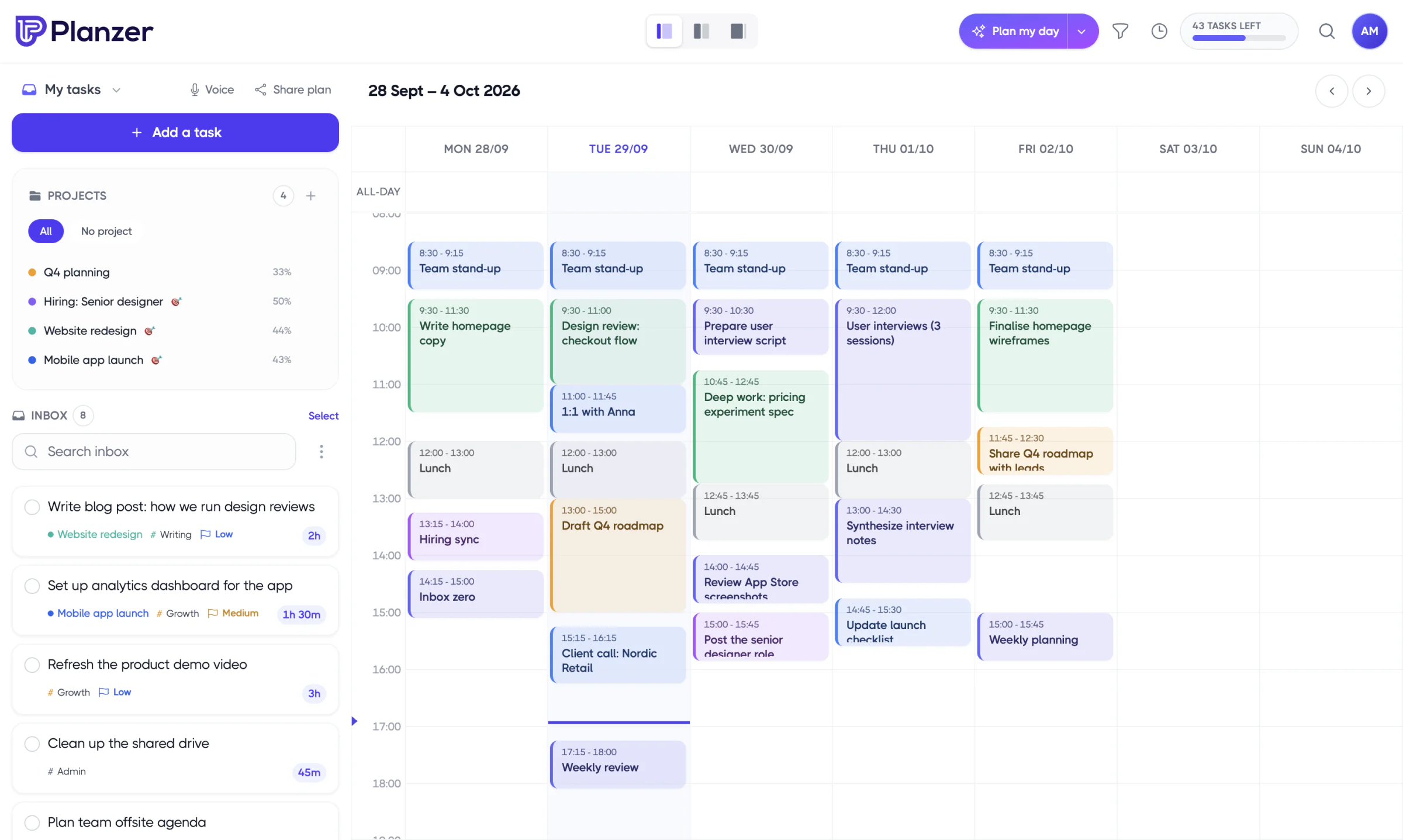
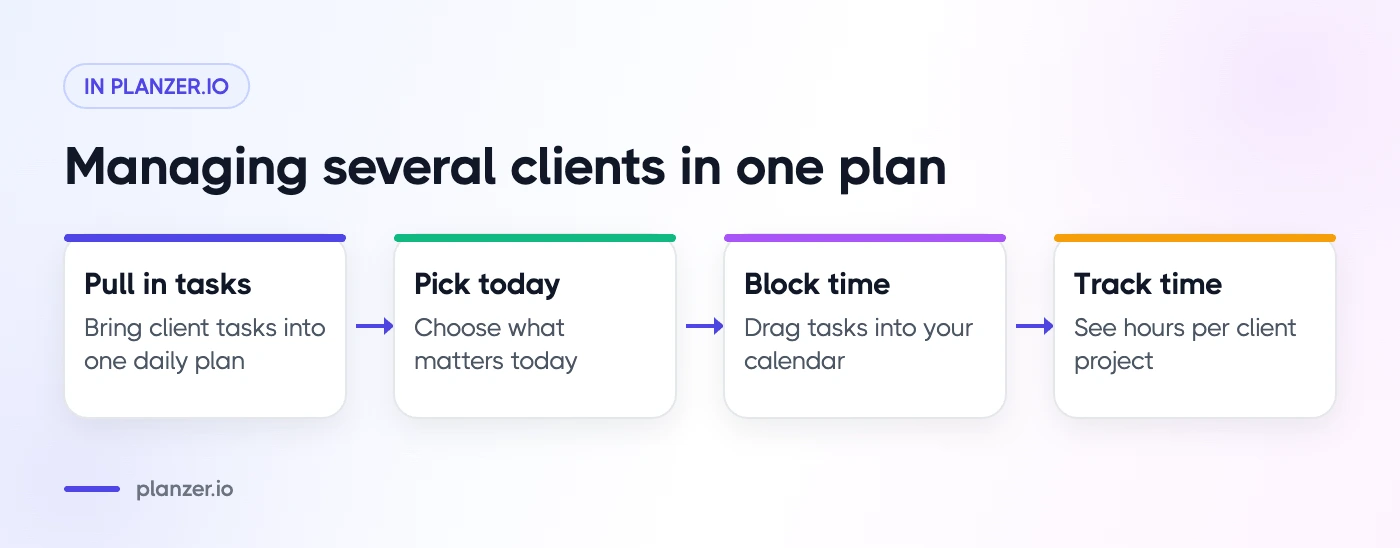
Track time on any task to see how many hours each client project really takes, save templates for work you repeat for every client, and use the shutdown ritual at the end of the day to see what got done and what slipped. Read more about how freelancers use Planzer.io.
Conclusion
Freelancing is a great way to earn money while keeping your sanity intact. The only problem is that it can also be overwhelming, especially when you’re starting out. However, by following these 17 tips, you’ll be able to keep your workload manageable and avoid burnout.
What are some of your favorite tips for managing multiple freelance projects?